

NEED YOUR PRINTER Or Copier FIXED NOW?
EXPRESS ON-SITE PRINTER REPAIRS
Brisbane | Gold Coast | Sunshine Coast
Call 1300 922 260
To Speak With An Expert
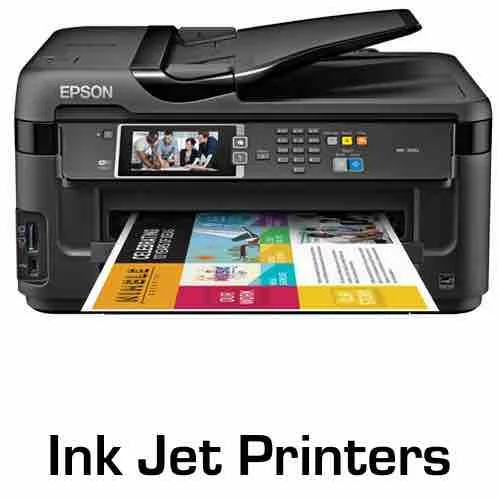

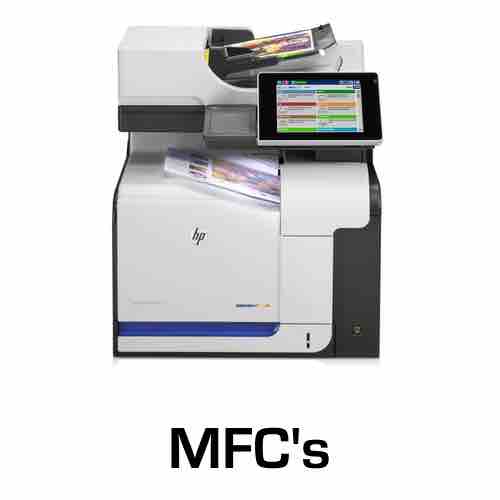
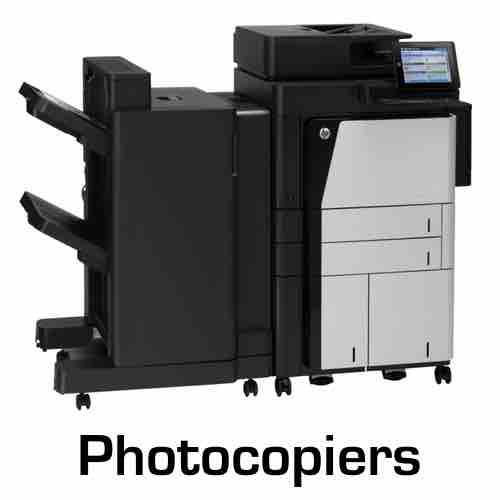
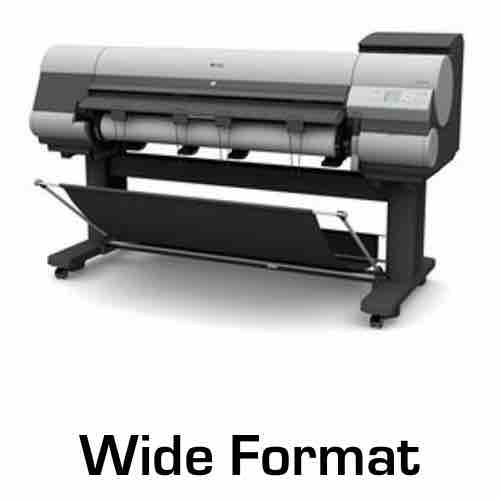
All Leading Printer & Copier Brands
The Best Service In Brisbane


At Brisbane's Lowest Prices!
Why Choose Document Services?
Get your printer fixed today!
Locally owned & operated
Trained & certified technicians
Same day service on bookings before 11am
We carry spare parts to reduce 2nd visits
Spare parts at wholesale prices
No-obligation consultation
More than 70 years of technical experience
On Site Printer Repairs

Some of our service clients:










Our Professional Service Engineers Are Trained On The Following Printer & Copier Brands
Xerox, Sharp, Samsung, Ricoh, Oki, Konica Minolta, Kyocera, Lexmark, HP, Epson, Brother, Canon
Get A Printer/Copier Service Quote Now!
Simply Complete The Form For Detailed Pricing
On-site printer and photocopier repairs across Brisbane
On-site printer and photocopier repairs across Brisbane When an office printer stops, the cost is rarely the repair. It is the twelve people who cannot print, the invoices that do not go out, and the job somebody ends up driving across town to get done somewhere else. We repair printers and photocopiers on site across Brisbane, which means a technician comes to the machine rather than the machine coming to us. Most faults are diagnosed and finished in that one visit. On site matters more than it sounds. A workgroup copier is not something you unplug and put in the back of a car. Once a machine leaves the office it is gone for days and the office runs on whatever is left. Working on it where it stands is the difference between an afternoon and a fortnight.
What we get called out for
Jamming that started when nothing changed
Feed rollers and separation pads wear smooth gradually and then cross a line. Nothing about the office changed, the paper is the same paper, and suddenly the machine picks up two sheets or none. It is a wear part, and it is one of the cheaper repairs on a copier.
Marks on the page that repeat
If a mark appears at the same interval down every page, something round is causing it: a drum, a roller or the fuser. The spacing tells a technician which one before the covers come off. Smudging that does not repeat is usually the fuser instead.
Colour that has drifted off
Colour that has gone flat, or where one colour reads wrong against the others, is usually calibration and developer rather than toner. Replacing cartridges rarely fixes it, and it often costs more than the repair would have.
The machine feeds two sheets at once
Double feeding is a separation problem, not a paper problem. It is worth dealing with early, because a machine that double feeds also jams, and a machine that jams gets opened and closed all day by people in a hurry.
Finisher, stapler and sorter faults
The finisher does the most physical work on a multifunction machine, so it is usually the first part to give trouble. Stapling, folding, offsetting and sorting faults are mechanical and repairable, and they do not mean the machine underneath is finished.
Error codes that come back after a restart
Every manufacturer uses its own code system and most codes point at a specific assembly. A code that clears on a restart and stays gone was probably a glitch. One that returns is the machine reporting something real, and it will not fix itself.
Scanning and scan to email that has stopped
Almost always the network rather than the machine. Mail server changes, new password policies and security updates all break scan to email, and the fix is usually a settings change on the machine rather than a part.
The machine has got slower
Warm-up times and first page out creeping up usually point at the fuser or the power supply. Worth looking at, because a machine struggling to hold temperature is a machine heading for a larger failure.
The brands we work on
We service every major office brand. The list matters less than what sits behind it: parts access, current firmware, and a technician who has been inside that model before.
Brother
Brother machines are common in smaller Brisbane offices and most of what we see on them is feed and fuser work. Parts are readily available, which is what keeps repairs on these machines worth doing.
Canon
Canon runs from small desktop units through to large office multifunctions, and the two ends of that range are different jobs. We work on both, including the floor-standing copiers sitting in a lot of Brisbane offices.
Epson
Epson covers both laser and inkjet business machines and they are not the same repair. The business inkjets in particular have their own maintenance path, and knowing which one you have changes the answer on whether a repair is worth doing.
HP
HP has the largest installed base of any brand we attend, from single desktop printers to floor-standing multifunctions. Firmware matters more on HP than on most brands, and a machine that stopped talking to the network after an update is a common call rather than a rare one.
Konica Minolta
Konica Minolta machines are mostly the larger office and production copiers, which means finishers, high page counts and fleets rather than single units. These are machines built to be maintained rather than replaced.
Kyocera
Kyocera build long-life machines and they are among the better copiers to own from a repair point of view, because the components are designed to be serviced. A Kyocera with a fault is very rarely a Kyocera at the end of its life.
We also service Ricoh, Toshiba, Sharp, Xerox, Lexmark, Oki, Samsung, Lanier and Panasonic machines. If your brand is not on this page, call and ask, because the list of what we do not touch is a lot shorter.
Repair, service, or replace
These are three different questions and they get run together constantly. A repair is a response to a fault. A service is planned work on a machine that is still running, so that it keeps running. Replacement is a commercial decision rather than a technical one, and it turns on whether parts are still available and whether the machine still suits your volumes, far more than it turns on age. Most machines we attend have had no attention since the day they were installed. Copiers are mechanical. Rollers wear, dust builds up, tolerances drift. A machine that gets looked at periodically lasts considerably longer than one that only sees a technician when it stops.
Where we go in Brisbane
We cover the Brisbane metropolitan area north and south of the river, out through the western suburbs and along the Ipswich corridor, and down towards Logan. We also cover the Gold Coast and the Sunshine Coast. If you are not sure whether you are inside the area, call and ask rather than guessing.
Common questions about printer repairs in Brisbane
Do you come to us, or does the machine come to you?
We come to you. Almost everything is done on site with the machine where it stands. A machine only leaves if the work genuinely cannot be done in place, and we would tell you that before it happened.
Is it worth repairing an office copier?
For a business machine, usually. Office copiers are built to run for years and most faults are wear items rather than the end of the machine. The question worth asking is not how old it is, but whether parts are still available for that model.
What does a repair cost?
The attendance is priced before anything is booked, so you know what the visit costs before anyone is on the road. Anything beyond that is quoted once the fault has been diagnosed, and you agree to it before it happens.
Do you repair photocopiers as well as printers?
Yes. Printers, photocopiers and multifunction machines are all the same service to us, and most Brisbane offices run a mix of them.
Can you look at a machine that is under someone else's contract?
We can look at it. If the service is already included in an agreement you pay for, we will tell you that rather than let you pay twice.
We have several machines. Can you look after all of them?
Yes, and it usually works out better than calling about each one separately. Ask about servicing when you call.
Book a printer repair in Brisbane
Call and describe what the machine is doing. The make and model helps, but "it keeps jamming and there are lines down every page" is enough to get started. We will give you a price for attending and arrange a time that works around your office.

