Prints A3 and A4. Suits central print rooms and production level volumes.
Is an A3 black and white machine right for you?
An A3 black and white multifunction prints, copies and scans on paper up to A3 at a lower cost per page than colour. It suits offices whose work is mostly text, such as contracts, forms and correspondence, and larger drawings and schedules that need the bigger page.
The right machine depends on how many pages you print a month, how much of it is colour, whether you need A3, and how many people scan. We start with those questions, and if a different model suits you better we will say so.
TASKalfa MZ7500i specifications
| Speed | Up to 75 pages a minute A4 and 37 pages a minute A3, printing and copying |
|---|---|
| Warm up | About 30 seconds or less |
| Print resolution | Up to 1,200 x 1,200 dpi, and 4,800 x 1,200 dpi equivalent in multi value mode |
| Paper sizes | Upper cassette A6R to SRA3. Lower cassette A6R to 330.2 x 487.7 mm. High capacity deck up to A4. Multi purpose tray A6R to 330.2 x 487.7 mm. Banner paper up to 330.2 x 1,220 mm. |
| Paper weights | Cassettes 52 to 300 gsm, high capacity deck 60 to 256 gsm, multi purpose tray 52 to 300 gsm |
| Paper capacity | Two 550 sheet cassettes, two 1,500 sheet high capacity decks and a 250 sheet multi purpose tray as standard; up to 7,850 sheets with options |
| Two sided printing | Standard, 52 to 256 gsm from A5R to A4, and 60 to 256 gsm from A3 to SRA3 |
| Output | Optional Copy Tray (D) holds 100 sheets in the upper tray and 250 sheets in the lower tray. Optional finishers hold 4,000 sheets in tray A, 200 in tray B and 50 in tray C. |
| Document feeder | Standard 500 sheet dual scan document processor, a single pass feeder that scans both sides at once, 35 to 220 gsm |
| Scanning | Up to 150 images a minute one sided and 300 images a minute two sided. Scan resolution 300 x 300 dpi by default, and up to 1,200 x 1,200 dpi. |
| Memory and storage | Optional 1 TB hard drive |
| Connections | Optional Gigabit network interface, and wireless LAN 802.11a/b/g/n/ac at 5 GHz or 2.4 GHz with WiFi direct |
| Power | Printing and copying 1,300 W, ready mode 130 W, sleep mode 0.5 W, off mode 0.1 W |
| Size | 685 x 660 x 1,227 mm (width x depth x height) |
| Weight | About 152 kg |
From Kyocera's Australian product page for the TASKalfa MZ7500i (kyoceradocumentsolutions.com.au), checked 13 September 2026. Some items are options.
What comes with it
- A new Kyocera TASKalfa MZ7500i, configured with the trays and finishing you need
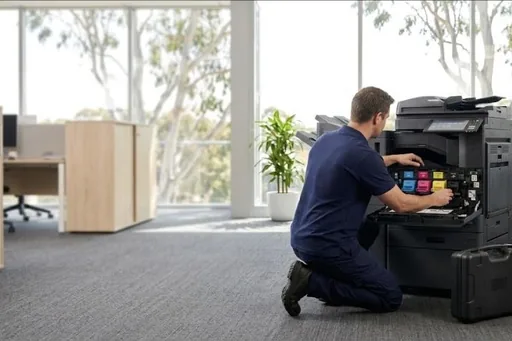
- Delivery and installation by our technicians
- Network setup, drivers on your computers, and scanning to email and folders
- A service agreement with toner included, billed monthly from your meter readings
- Removal of your old machine when you ask for it
Pricing and finance
We do not publish a price for new machines, because the right price depends on the configuration, the trays and finishing, and how many pages you print. Call or send a request and we will come back with a price for the machine set up the way you need it.
Monthly
Pay over a fixed term through our finance partner, with the service agreement alongside.
Outright
Buy the machine and keep it on a service agreement with toner included.
Other Kyocera A3 black and white models
Service after the sale
The same technicians who install the machine look after it. Service calls, toner and meter readings all go through one number and one service desk, and the machine's history stays on file for as long as you have it. See Kyocera service for the work we do on Kyocera machines.
Where we supply
Common questions
How much is the Kyocera TASKalfa MZ7500i?
It depends on the configuration, the trays and finishing, and the service agreement. Call us or send a request and we will price it set up the way you need it, monthly or outright.
Can we pay for the TASKalfa MZ7500i monthly?
Yes. New machines can be paid for over a fixed term through our finance partner, or bought outright, with a service agreement alongside.
Who services the Kyocera TASKalfa MZ7500i?
We do. Our technicians install it and look after it, with toner included under the service agreement and one number for service calls, toner and meter readings.
Where can you supply the TASKalfa MZ7500i?
Australia wide: Brisbane, the Gold Coast, the Sunshine Coast, Toowoomba, Gympie, Northern NSW, Sydney, Melbourne, Canberra, Perth and Adelaide.
Specifications change with each release. We confirm the current model, its speed and its options with your quote. Kyocera is a trademark of its owner.
What comes with it