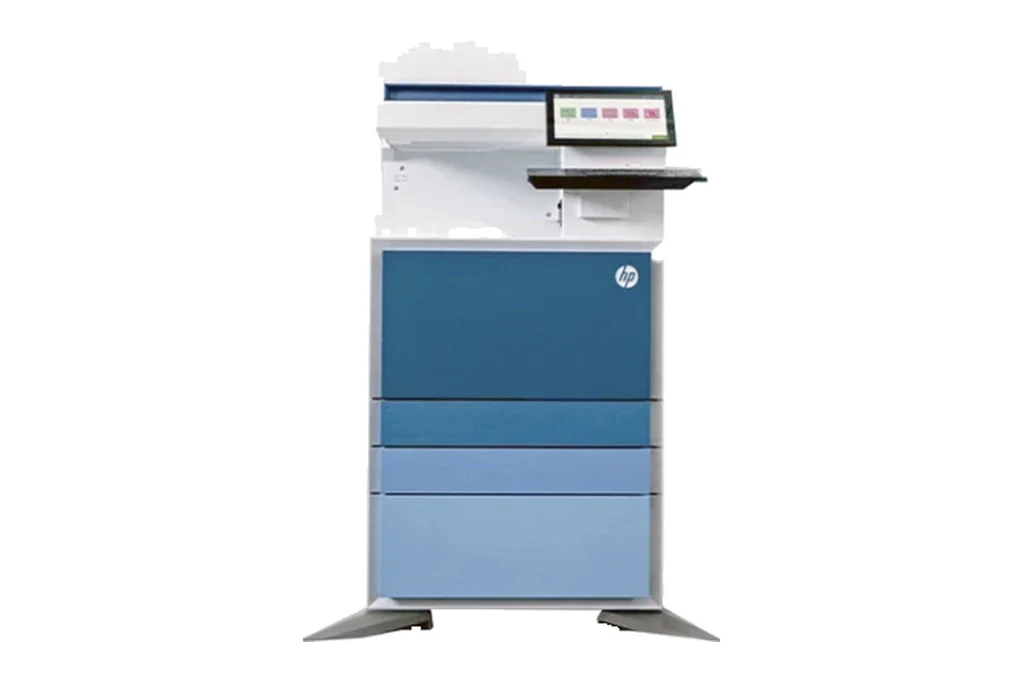
Prints A3 and A4. Suits busy offices and departments where several people print and scan through the day.
Is an A3 colour machine right for you?
An A3 colour multifunction prints, copies and scans in colour on paper up to A3, and is the usual choice for an office's main shared machine. It suits offices that produce proposals, reports with charts, plans or marketing material, and anywhere a colour page needs to look like it came from a print shop.
The right machine depends on how many pages you print a month, how much of it is colour, whether you need A3, and how many people scan. We start with those questions, and if a different model suits you better we will say so.
Color LaserJet Managed MFP E87740 specifications
| Speed | 40 pages a minute A4 and Letter; copying 40 copies a minute A4 and Letter, and 21 copies a minute A3 |
|---|---|
| Print resolution | 1200 dpi printing. Copying up to 600 x 600 dpi for black text and for colour text and graphics |
| Paper sizes | Tray 1: A3, A4, A4R, A5, A5R, A6, RA4, SRA4, B4 (JIS), B5 (JIS), B6 (JIS), 10 x 15 cm, Oficio, 8K, 16K, postcard, envelopes B5, C5, C6 and DL, and custom sizes 98 x 139.7 mm to 320 x 457 mm. Tray 2: A4, A5, A6, B4 (JIS), B6, Letter, Statement, envelopes Monarch, DL, C5, C6, No. 10 and No. 9, and custom sizes 98 x 140 mm to 297 x 241.5 mm. Tray 3: SRA3, A3, A4, A5, B4, B5 (JIS), B5 (ISO), Tabloid extra, Ledger, Legal, Letter, Executive, Statement, 8K, 16K, Oficio, Folio, and custom sizes 140 x 182 mm to 320 x 457 mm |
| Paper weights | Trays 1, 2 and 3 take 60 to 300 gsm, with a paperboard setting for 301 gsm and above. Tray 1 also takes envelopes 76 to 120 gsm. Labels 120 to 150 gsm and transparencies 138 to 146 gsm are supported |
| Paper capacity | A 100 sheet tray 1 and two 520 sheet trays, trays 2 and 3, at 80 gsm, all included. A 2 x 520 sheet paper tray and stand, a 2,000 sheet high capacity input tray and stand, and a 3,000 sheet side mount high capacity input tray and stand are optional |
| Two sided printing | 139.7 x 182 mm to 320 x 457 mm, 60 to 300 gsm |
| Document feeder | 200 sheet feeder at 80 gsm on the dn models and 300 sheets on the z models, taking 60 to 128 gsm single sided and two sided |
| Scanning | Up to 90 images a minute single sided and 180 images a minute two sided on the dn models, and 150 images a minute single sided and 300 images a minute two sided on the z models, A4. Maximum scan size 297 x 437 mm from the feeder and from the flatbed, minimum 148 x 210 mm from the feeder. 256 grayscale levels |
| Touch screen | Colour touchscreen control panel that tilts up for easier viewing, supplied as either an 8.0 inch (20.3 cm) or a 10.1 inch (25.6 cm) panel |
| Memory and storage | 6 GB memory; 500 GB hard disk. A 64 GB multi media card, 256 GB and 512 GB solid state drives, and 500 GB self encrypting and FIPS hard disks are available |
| Connections | Gigabit LAN, USB 3.2 Gen1 (USB 3.0) device, and USB 3.2 Gen1 (USB 3.0) and 2.0 host ports, with TPM |
| Power | Printing 820 W, ready 41.5 W, sleep 0.8 W, off 0.2 W |
From HP's user guide for the Color LaserJet Managed MFP E877 Series (kaas.hpcloud.hp.com), a series document covering the E87740, E87750, E87760 and E87770. Figures are the E87740 rows of that document, checked 13 September 2026. Some items are options.
What comes with it
- A new HP Color LaserJet Managed MFP E87740, configured with the trays and finishing you need
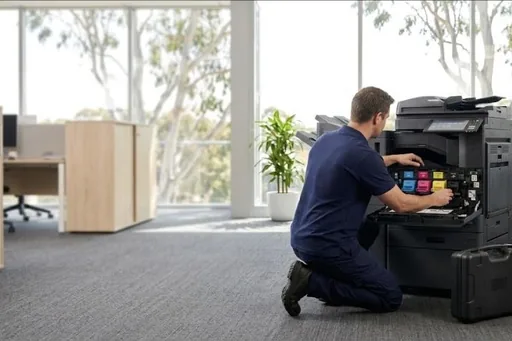
- Delivery and installation by our technicians
- Network setup, drivers on your computers, and scanning to email and folders
- A service agreement with toner included, billed monthly from your meter readings
- Removal of your old machine when you ask for it
Pricing and finance
We do not publish a price for new machines, because the right price depends on the configuration, the trays and finishing, and how many pages you print. Call or send a request and we will come back with a price for the machine set up the way you need it.
Monthly
Pay over a fixed term through our finance partner, with the service agreement alongside.
Outright
Buy the machine and keep it on a service agreement with toner included.
Other HP A3 colour models
Service after the sale
The same technicians who install the machine look after it. Service calls, toner and meter readings all go through one number and one service desk, and the machine's history stays on file for as long as you have it. See HP service for the work we do on HP machines.
Where we supply
Common questions
How much is the HP Color LaserJet Managed MFP E87740?
It depends on the configuration, the trays and finishing, and the service agreement. Call us or send a request and we will price it set up the way you need it, monthly or outright.
Can we pay for the Color LaserJet Managed MFP E87740 monthly?
Yes. New machines can be paid for over a fixed term through our finance partner, or bought outright, with a service agreement alongside.
Who services the HP Color LaserJet Managed MFP E87740?
We do. Our technicians install it and look after it, with toner included under the service agreement and one number for service calls, toner and meter readings.
Where can you supply the Color LaserJet Managed MFP E87740?
Australia wide: Brisbane, the Gold Coast, the Sunshine Coast, Toowoomba, Gympie, Northern NSW, Sydney, Melbourne, Canberra, Perth and Adelaide.
Specifications change with each release. We confirm the current model, its speed and its options with your quote. HP is a trademark of its owner.
What comes with it