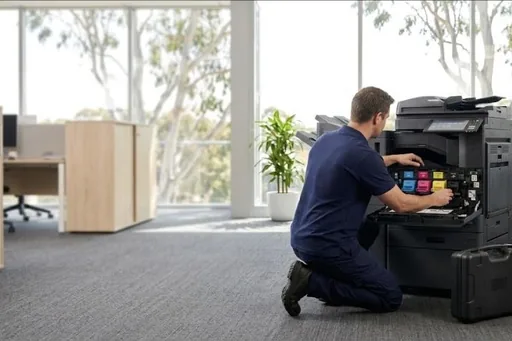
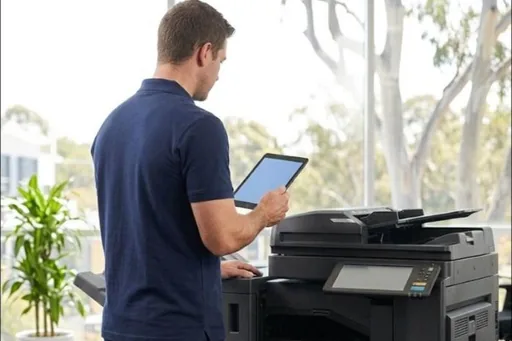
We service Konica Minolta bizhub copiers and their Develop ineo twins, and we are often called when a machine is out of its original contract and the owner wants an independent service provider.
Konica Minolta machines are mostly the larger office and production copiers, which means finishers, high page counts and fleets rather than single units. These are machines built to be maintained rather than replaced.
We service bizhub copiers and their Develop ineo twins, and we are often called when a machine is out of its original contract and the owner wants an independent service provider.
Konica Minolta service we provide
- On site breakdown repairs and fault diagnosis
- Scheduled maintenance and wear part replacement
- Print quality problems: streaks, marks and faded prints
- Paper feed and jam problems, including rollers and feed assemblies
- Scanning, network and driver setup
- Contract servicing with toner included
Common Konica Minolta work
Colour that has drifted, faint output or streaks on bizhub colour models.
Smearing and fuser errors on busy machines.
Staple, punch and booklet faults, the hardest working part of a large copier.
Jams and misfeeds from the trays and the bypass.
Konica Minolta machines we service
- bizhub C series
- bizhub C250i
- bizhub C300i
- bizhub C360i
- bizhub 227
- bizhub 287
- bizhub 367
- Develop ineo
Not on the list? We service all Konica Minolta models still supported with parts. Call 1300 922 260 with the model number.
How Konica Minolta servicing works wherever you are
Konica Minolta repairs and service, for a bizhub copier or a Konica Minolta printer, all run through one service desk, whichever office the call is for. Before a technician is sent, the desk asks what the panel says, which model it is, and what job was running when it stopped. A C code names the area of the bizhub that failed, so the parts it points to can be worked out first, and the attendance charge is confirmed when you book.
On site, the technician looks for the reason behind the code rather than simply resetting it. Konica Minolta ranks its trouble codes A, B and C, and the rank decides what it takes to clear one: a door, a restart, or a reset after the repair. You get a quote for any part before it is ordered, and nothing goes ahead until you agree.
Choosing who services your Konica Minolta photocopier
A few plain questions sort this out. Do they read Konica Minolta trouble codes and know which rank each one carries? Can they get drum units, developing units, fusing units and PH unit parts for your model? Will they tell you straight when a bizhub is not worth repairing? And do they look after the finisher, the document feeder and the scanning, not just the print engine?
Scanning matters more than many offices expect. A bizhub that copies perfectly but cannot scan to email is still a broken business tool, and those settings live in Web Connection, so whoever services it should be comfortable there. All our technicians are trained and certified. Ask, too, how meter readings are collected and how parts are quoted, so there are no surprises later.
Konica Minolta toner, consumables and life parts
The DSA shop sells Konica Minolta toner and parts, genuine and compatible, for the bizhub and Develop ineo models it lists. It is worth keeping one spare cartridge for each colour you use heavily, a spare waste toner box, and staples if you have a finisher. Store toner sealed and flat, away from heat, and fit it only when the panel asks for it.
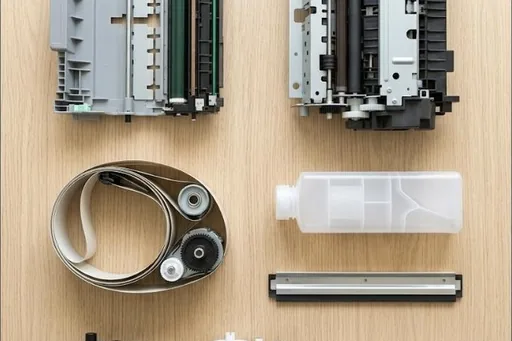
Life parts are a different matter. Each has its own page count: the drum and developing units for every colour, the fusing unit, the transfer belt and transfer roller units, and the ozone filter. The bizhub warns when one is near the end. The technician fits these on a service visit, so the machine keeps printing instead of stopping when a part runs out.
Konica Minolta codes offices ask us about
Every Konica Minolta code family, and which ones a restart may clear, is in our Konica Minolta error code guide. A few that come up often:
| Code | What it points to | Restart? |
|---|---|---|
| C6102, C6103 | The carriage that moves under the scanning glass could not find its home position, or travelled past it. | Needs a technician |
| C8101 | In the document feeder, the reading roller did not move into or out of position as expected. | Needs a technician |
| CC211 | A card reader or other sign in device has reported an error. Check its USB cable, then restart. | Worth one restart |
| CD004, CD00F, CD020 | The controller could not reach the hard disk, or the disk sent back data that failed its check. | Needs a technician |
| CE301 to CE305 | A controller program halted with an error. A restart usually sorts it, and repeats are a job for the technician. | Worth one restart |
| P-6, P-7, P-8, P-9 | A warning behind the maintenance mark: the density check found a problem with one colour's drum unit or developing unit. | Needs a technician |
| P-5, P-28 | The image density sensor that reads the transfer belt is giving readings out of range, often because the sensor or belt is dirty. | Needs a technician |
Konica Minolta spare parts
Our Konica Minolta spare parts list sets out the parts by part number, with the models each one fits. Ask the service desk for any of them, on its own or fitted by a technician.
Konica Minolta repairs by city
Brisbane has its own page, with the Konica Minolta machines we repair on site across the city and the codes we are called to: Konica Minolta repairs in Brisbane.
Sydney and Melbourne have their own Konica Minolta pages and local numbers: Konica Minolta repairs in Sydney and Konica Minolta repairs in Melbourne.
Each city we service has its own Konica Minolta page too, written for that city from our own records:
Code on the panel? Konica Minolta error codes explained.
How a service call works
- Tell us the faultMake, model and what the machine is doing. A photo of any error on the screen helps.
- Charge confirmedWe confirm the attendance charge when you book, before anyone is sent.
- Diagnosed on siteThe technician finds the cause and fixes what can be fixed on the visit.
- Nothing extra without a yesAny part or further work is quoted to you before it goes ahead.
Where we service Konica Minolta machines
DSA is an independent service provider. Konica Minolta is a trademark of its owner and is used here only to describe the machines we service.
What a service call looks like