
The bizhub C280 is the Konica Minolta we meet most on the Sunshine Coast, with C224, C224e, C284e and 364e machines and a bizhub 195 behind it, 11 in all on our service records, in Mooloolaba, Warana, Maroochydore and Kunda Park among others. These are machines businesses keep for years. Drum units, developing units and the fusing unit wear by the page, and the trouble code on the panel tells us which before the visit.
Konica Minolta on our Sunshine Coast records
From our own service records: the machines we have serviced on the Sunshine Coast since 2017. It is not the whole list.
Models we see most
- bizhub C280
- bizhub C224
- bizhub C223
- bizhub C224e
- bizhub 195
- bizhub C284e
Where they are
- Mooloolaba
- Warana
- Maroochydore
- Kunda Park
- Pelican Waters
- Caloundra
The Konica Minolta machines we look after on the Sunshine Coast
bizhub C224, bizhub C284 and bizhub C364.
bizhub C454, bizhub C554, bizhub C654 and bizhub C754.
bizhub C250i, bizhub C300i and bizhub C360i.
bizhub 227, bizhub 287 and bizhub 367.
Develop ineo machines built on bizhub platforms.
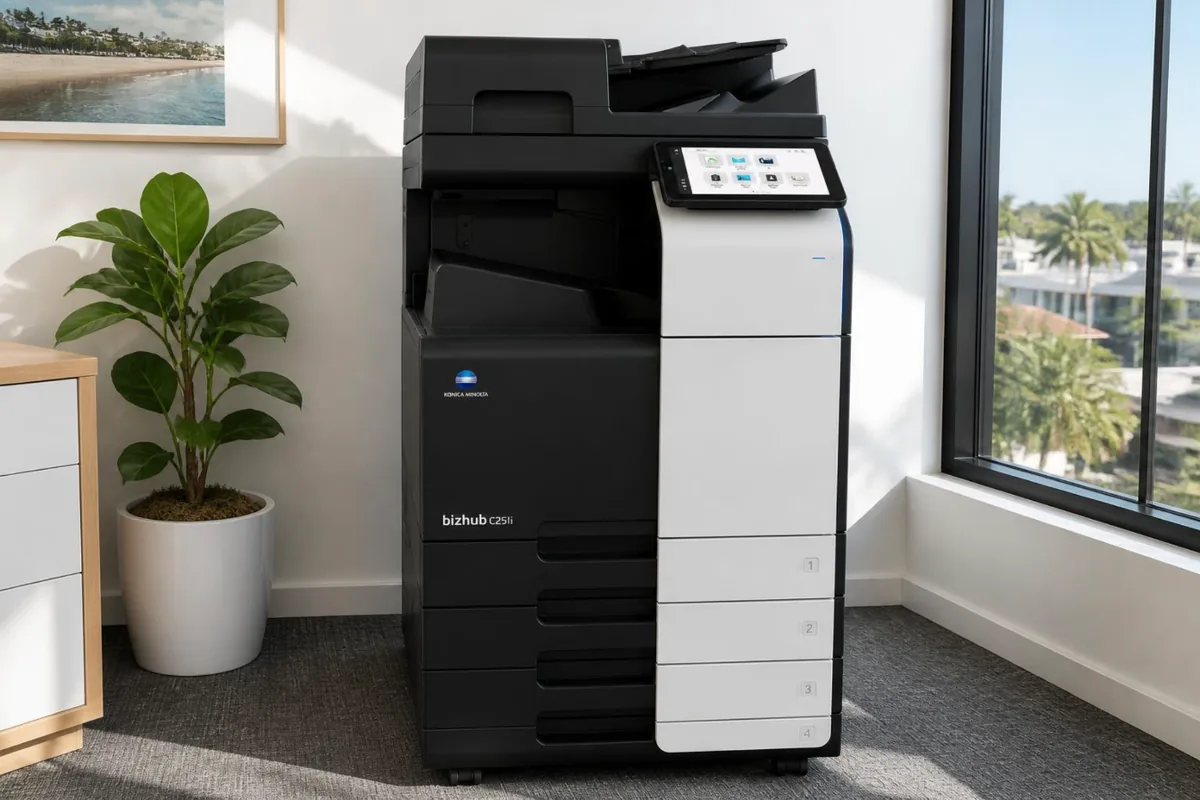
Konica Minolta bizhub C251i, one of the Konica Minolta photocopiers we repair on the Sunshine Coast.
Konica Minolta photocopier repairs on the Sunshine Coast: the faults we fix
Sheets that come through two at once, stop just after leaving a tray, or arrive skewed usually mean the rollers that pick up and separate paper in that tray have worn smooth. The flashing jam position on the panel shows where the sheet stopped. Clear it by following the steps on screen, then tell the desk which tray and which number.
Originals that feed in crooked, crumple at the turn, or stop partway with a jam number starting 66 point to the document feeder's own rollers, which lose grip as they wear. Take out the sheet as the panel shows, then fan the stack and remove staples and torn edges before trying again. If 66 jams keep returning, the rollers probably need replacing.
Stapled sets arriving loose, staples folded flat, or the panel offering to carry on without stapling all point to the finisher. On an FS-533 or FS-534, C1106 or C1109 means the stapler, or the motor that shifts it along, has stopped. Change the staple cartridge as the panel directs and run a small test set. If the code returns, the stapler needs the technician.
Konica Minolta codes we are called to on the Sunshine Coast
A code tells the technician which part of the Konica Minolta to look at before leaving. The ones that come up most:
| Code | What it points to | Restart? |
|---|---|---|
| C0211 | The lift plate in the bypass tray did not move the way the machine expected it to. | Needs a technician |
| C1004 | Contact dropped between the copier and its finisher or job separator. Switch off, wait, and switch on again. | Worth one restart |
| C1106, C1109 | Inside the finisher, the stapler or the motor driving its movement has stopped working. | Needs a technician |
| C1132 | The punch drive motor has failed, or the punch kit has been set up for the wrong hole pattern. | Needs a technician |
| C2152 | The transfer belt failed to press against the drums, or to lift clear of them, when commanded. | Needs a technician |
| C2551, C2553, C2555, C2557 | One colour's developing unit is reading too little toner, even though toner is available in the cartridge. | Needs a technician |
Before you book a Konica Minolta call
Three things that help the technician arrive with the right part:
- Whether a drum unit, developing unit or the waste toner box is asking to be replaced.
- The total counter, from the Counter screen in Utility.
- Whether the finisher, saddle stitcher or punch kit is involved.
Some safe checks first:
- Skip the restart altogether for a fusing code from C3425 to C3926, or for CEEE2 and CEEE3. Those are rank A and stay locked until the technician resets them.
- If the screen offers to keep working without one tray, stapling, folding, the scanner or the document feeder, accept it. The rest of the machine stays usable until the visit.
- For a jam, follow the panel's own instructions to the door or tray it shows. A flashing jam position marks where the sheet stopped, and a lit one shows paper still inside.
Many Coast businesses work from home offices, medical suites and shopfronts as well as Maroochydore and Kawana office buildings. Tell the desk where the machine is and how to reach it, and ring the local number, (07) 5327 3465.
Every Konica Minolta code family, and which ones clear with a restart
Booking a Konica Minolta repair on the Sunshine Coast
Ring (07) 5327 3465 with the Konica Minolta model and what it is doing. The attendance charge is confirmed when you book, the fault is diagnosed on site, and nothing further goes ahead without your yes. On the Coast we also deliver and install new and refurbished machines, and move them when an office relocates.
Konica Minolta printer and copier repairs on the Sunshine Coast
When a bizhub's print looks wrong, settle the toner first. If the panel says toner is low, printing carries on until the screen asks for a change; an empty cartridge brings a request for a new one, or to contact your service provider, depending on setup. If the problem outlasts fresh toner, the Konica Minolta printer has a fault rather than a supply issue.
A simple test sorts it. Copy a page from the glass, then print the same page from a computer. Marks on both mean a printer repair in the print engine of the multifunction: a drum or developing unit for faint, patchy or streaked colour, the transfer belt unit for colour out of register, the fusing unit for print that rubs off. Marks on the copy alone point to the scanner side, so wipe the glass and try again. If they persist, it is a copier repair; keep both pages for the technician, and check the photocopier's screen for a maintenance mark, whose warning can name the colour or part involved.
Repair or replace your Konica Minolta photocopier?
Read the total counter beside the age. A bizhub C554 or C654 that has worked hard for years may need several life parts at once, and that is a fair point at which to weigh it against a newer machine. A lightly used bizhub C364 of the same age may need only one. The meter usually tells you more about a copier than the date on its plate.
When replacement is the better answer, we supply new copiers and refurbished and renewed machines on the Sunshine Coast as well, and install them.
Keeping a Konica Minolta photocopier running on the Sunshine Coast
Coastal storms and the occasional power dip are worth planning for on the Sunshine Coast. A Konica Minolta plugged straight into a wall socket shares every surge with the kitchen and the air conditioner. Give it a surge protected outlet of its own, and if it starts slowly or loses settings after a storm, mention that when you book.
- When the panel says a drum unit, developing unit or fusing unit is due, book the service when the message appears rather than waiting for streaks or smudges to show up.
- Leave firmware updates to the technician, and never switch a bizhub off while one is running. An interrupted update is one way to end up with a CC firmware code at the next start up.
- Keep a written record of your scan to email and scan to folder settings. If the MFP board or hard disk is ever replaced, stored settings may need recovering or entering again through Web Connection.
Konica Minolta service agreement or a one off repair?
You do not need a new machine to join. A bizhub or Develop ineo you already own can go on an agreement if it is in good order. From then on, servicing, repairs and toner sit under one arrangement, the bill follows the pages you print, and toner is included with freight added to each delivery.
On the Coast we also deliver, install and relocate machines, so moving premises does not mean changing who services your Konica Minolta. How our service agreements work.
Across the Sunshine Coast
We attend Konica Minolta machines anywhere around the Sunshine Coast, including:
- Golden Beach
- Pelican Waters
- Nambour
- Palmwoods
- Bli Bli
- Yandina
- Coolum Beach
- Peregian Springs
Every area we cover is on our Sunshine Coast page. For Konica Minolta toner, parts and new machines, see our Konica Minolta page.
How a service call works
- Tell us the faultMake, model and what the machine is doing. A photo of any error on the screen helps.
- Charge confirmedWe confirm the attendance charge when you book, before anyone is sent.
- Diagnosed on siteThe technician finds the cause and fixes what can be fixed on the visit.
- Nothing extra without a yesAny part or further work is quoted to you before it goes ahead.
Common questions
Can you keep a bizhub C280 running on the Sunshine Coast?
Often, while parts are available. It is the Konica Minolta model we see most on the Coast, and its drum units, developing units and fusing unit are the usual work.
Do you service Develop ineo machines?
Yes. Develop ineo machines are built on the bizhub engines, and we service them the same way.
Is there a local number for the Sunshine Coast?
Yes, (07) 5327 3465. It reaches the same service desk that books every DSA call.
Are your technicians qualified?
All our technicians are trained and certified.
Is it worth moving from a bizhub C364 to an i series machine?
That depends on the C364 more than the calendar. If its counter is moderate, its parts are available and the fault in front of you is a wear part, repairing it is usually sensible. If several life parts are due together, the controller is failing, or the office has outgrown it, that is the moment to compare it with a bizhub C300i or C360i.
What does C1004 mean on a bizhub with a finisher?
The main body and the finisher are in constant conversation, and C1004 means that link has broken off. The JS-506 job separator can raise it too. Power down at the main switch, wait, then power up; this code often clears that way. If it keeps returning, the cable, the finisher board or the connection between them needs checking by the technician.
Why does my Konica Minolta jam more after a wet week on the Sunshine Coast?
Damp paper. Paper that has been open in a humid room curls when it is heated and jams near the exit, or sticks and double feeds. Fresh, sealed paper usually settles it; if it does not, the rollers need a look.
Konica Minolta repairs in other cities
Konica Minolta parts, by part number
Know the part you need? Our Konica Minolta spare parts list can be searched by part number or by model. Ask the service desk for the part on its own, or have one of our technicians fit it on the Sunshine Coast.
Other brands we repair on the Sunshine Coast
DSA is an independent service provider. Konica Minolta is a trademark of its owner and is used here only to describe the machines we service.