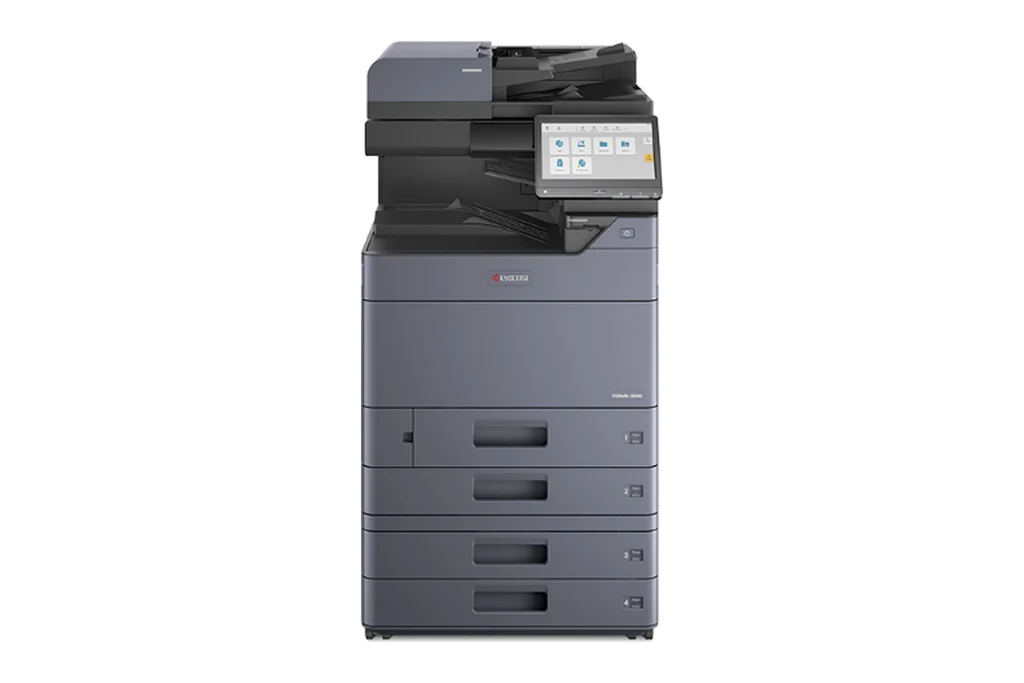
Kyocera machines are built around long life drums and developers, which makes them cheap to run when they are maintained properly. We service TASKalfa and ECOSYS models and supply new Kyocera machines.
Kyocera builds long life machines, and they are among the better copiers to own from a repair point of view, because the components are designed to be serviced. A Kyocera with a fault is very rarely a Kyocera at the end of its life.
If yours is an ECOSYS M8124cidn or M8130cidn, the 8124 and 8130 owner's page has its service, parts, toner, trade in and rental in one place.
Choose a Kyocera ECOSYS or TASKalfa if you want low running costs, a machine that is easy to use and set up, and flexible maintenance. We sell new Kyocera machines and service the range, including the older FS models still running in plenty of offices.
Kyocera service we provide
- On site breakdown repairs and fault diagnosis
- Scheduled maintenance and wear part replacement
- Print quality problems: streaks, marks and faded prints
- Paper feed and jam problems, including rollers and feed assemblies
- Scanning, network and driver setup
- Contract servicing with toner included
- New Kyocera machines, delivered and installed
Common Kyocera work
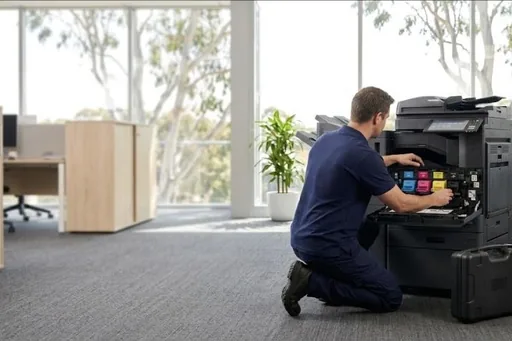
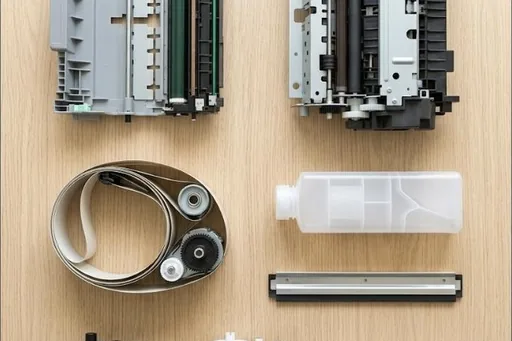
Kyocera replaces its drum, developer and fuser as a maintenance kit at set page counts. Fitting it on time is what keeps these machines running for years.
A full waste toner box or a tired drum shows up as warnings, grey backgrounds or faint print.
Pickup and feed rollers wear with volume. Misfeeds and jams in one tray usually mean that tray's rollers.
Scan to email and folder settings break after password and server changes. Usually fixed remotely.
Kyocera machines we service
- ECOSYS M8124cidn
- ECOSYS M8130cidn
- ECOSYS P5026cdw
- ECOSYS M5526cdw
- ECOSYS P7035cdn
- ECOSYS P7040cdn
- ECOSYS P6035cdn
- ECOSYS P4040dn
- ECOSYS FS-C8650DN
- ECOSYS P2135d
- ECOSYS P2035d
- FS-2100DN
- FS-4100DN
- FS-1061
- TASKalfa colour and mono series
Not on the list? We service all Kyocera models still supported with parts. Call 1300 922 260 with the model number.
How Kyocera servicing works wherever your office is
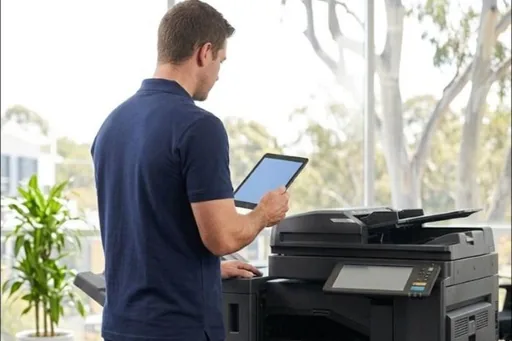
Kyocera service calls all go through one service desk, wherever the machine is. When you ring, give the code with its letter, the model and the page count. The code is read before the technician leaves, so the unit or kit it points to can be identified up front. The work is done on site, in your office, with the machine's codes and counters checked first.
Before any part is ordered, or work goes further than the diagnosis, you are told what it is and what it involves, and nothing proceeds until you agree. TASKalfa copiers, ECOSYS printers and the older FS models all get the same repairs and service approach, whether on a service agreement or as a one off call, for commercial copiers and desktop printers alike.
Choosing who services your Kyocera photocopier
A few questions show who knows these machines. Can they explain a C code, an F code and a J jam code before they arrive? Do they talk about the MK, the DK, DV and FK units and the document processor by name? Can they source parts for your generation, whether a current TASKalfa or an older FS printer? And will they say plainly when a machine is not worth fixing?
Ask whether they look after the whole machine, not only the print engine. A Kyocera in a busy office depends on its finisher, punch unit and document processor as much as its fuser. Scan to email, scan to folder and Command Center RX settings are part of servicing too, and so is keeping firmware matched across the main machine and its options.
Kyocera toner, maintenance kits and parts to keep
The DSA store lists genuine Kyocera toner and, where a range exists for the model, compatible toner, each matched to the machines it fits. Keep one sealed spare container for each colour you use, and a spare waste toner box, since a full box stops the machine. If you have a finisher, a staple cartridge in the drawer saves a stalled job.
Maintenance kits and units are another matter. The MK, the drum unit, developer unit, fuser unit and transfer belt unit wear with the page count and are fitted by the technician, because the work goes inside the covers and near the hot fuser. The panel warns as each one comes due. On a DSA service agreement they are fitted at their counts on a service visit.
Kyocera codes offices ask us about
Every Kyocera code family, and which ones a restart may clear, is in our Kyocera error code guide. A few that come up often:
| Code | What it points to | Restart? |
|---|---|---|
| C7101 to C7104 | The toner sensor inside one of the developer units is reading out of range. Note which colour looks affected. | Needs a technician |
| C7401 to C7404 | A developer unit of the wrong type has been fitted. The technician checks the unit against the model. | Needs a technician |
| C8230, C8240 | The staple motor in the finisher has failed, frequently after a string of staple jams. | Needs a technician |
| C8500 | The machine lost contact with the mailbox option. A proper restart often brings it back; repeats need a look. | Worth one restart |
| C9000 | Communication with the document processor dropped. Sometimes mismatched firmware between the processor and the machine is behind it. | Needs a technician |
| F040 | The main board lost contact with the print engine. Shut down with the power key, then the main switch, and restart. | Worth one restart |
| F278 | The machine was turned off at the main switch before it had shut down. Press the power key first next time. | Worth one restart |
Kyocera spare parts
Our Kyocera spare parts list sets out the parts by part number, with the models each one fits. Ask the service desk for any of them, on its own or fitted by a technician. A few more parts that fit TASKalfa models are on our Copystar parts list.
Kyocera repairs by city
Brisbane has its own page, with the Kyocera machines we repair on site across the city and the codes we are called to: Kyocera repairs in Brisbane.
Sydney and Melbourne have their own Kyocera pages and local numbers: Kyocera repairs in Sydney and Kyocera repairs in Melbourne.
Each city we service has its own Kyocera page too, written for that city from our own records:
Code on the panel? Kyocera error codes explained.
Kyocera models
Kyocera ECOSYS M8124cidn
Toner TK-8119, parts and service.
Toner and parts →A4 colour printerKyocera ECOSYS P5026cdw
Toner TK-5244, parts and service.
Toner and parts →A4 colour multifunctionKyocera ECOSYS M5526cdn
Toner TK-5244, parts and service.
Toner and parts →A4 colour multifunctionKyocera ECOSYS M5526cdw
Toner TK-5244, parts and service.
Toner and parts →A3 colour multifunctionKyocera ECOSYS M8130cidn
Toner TK-8119, parts and service.
Toner and parts →A4 colour printerKyocera ECOSYS P5026cdn
Toner TK-5244, parts and service.
Toner and parts →A3 black and white multifunctionKyocera TASKalfa 2321
Toner TK-4149, parts and service.
Toner and parts →A4 colour multifunctionKyocera TASKalfa 358ci
Toner TK-5209, parts and service.
Toner and parts →A4 colour multifunctionKyocera TASKalfa 408ci
Toner TK-5319, parts and service.
Toner and parts →A3 colour multifunctionKyocera TASKalfa 7353ci
Toner TK-8739, parts and service.
Toner and parts →A3 colour multifunctionKyocera TASKalfa 8353ci
Toner TK-8739, parts and service.
Toner and parts →New Kyocera machines we supply
We sell new Kyocera machines as well as servicing them, supplied with installation, a service agreement and finance to suit. The Kyocera machines in our shop carry a price, on a Kyocera special until 28 February 2027; for any other model, or to price one set up for your office, call us.
How a service call works
- Tell us the faultMake, model and what the machine is doing. A photo of any error on the screen helps.
- Charge confirmedWe confirm the attendance charge when you book, before anyone is sent.
- Diagnosed on siteThe technician finds the cause and fixes what can be fixed on the visit.
- Nothing extra without a yesAny part or further work is quoted to you before it goes ahead.
Where we service Kyocera machines
DSA is an independent service provider. Kyocera is a trademark of its owner and is used here only to describe the machines we service.
What a service call looks like