
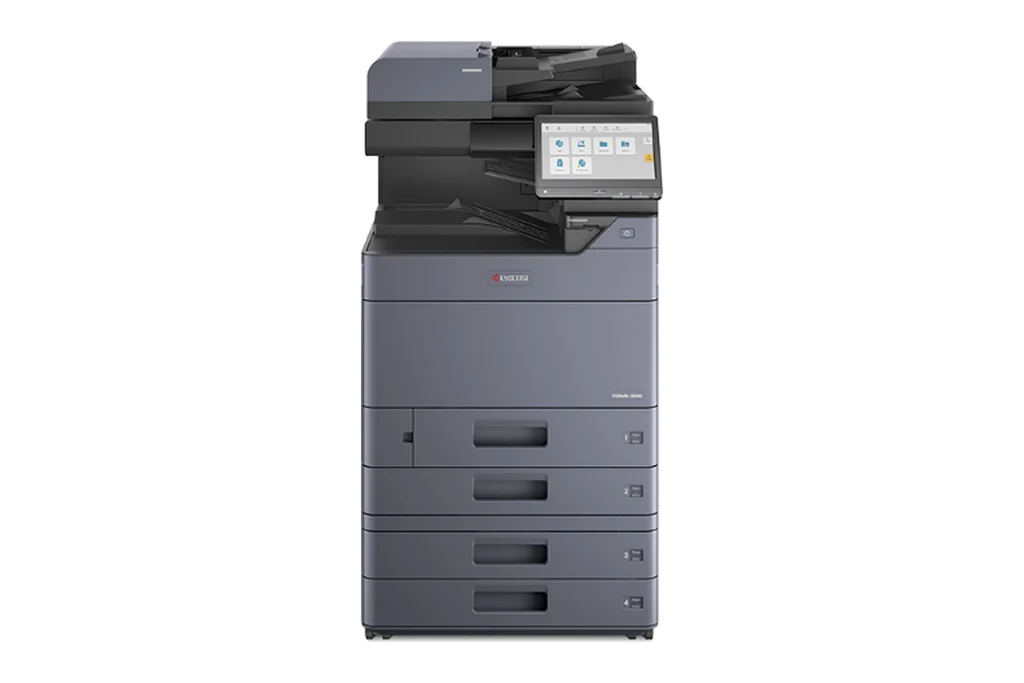
Gold Coast offices run a lot of Kyocera: 145 machines on our service records, from desktop ECOSYS printers to TASKalfa colour copiers. The M5526cdw, P2040dn and the long lived FS-C8520MFP turn up most, and Ashmore and Southport more than anywhere else on the Coast. Kyocera builds its machines around maintenance kits counted by page, so much of our work here is fitting the MK kit on time rather than waiting for a breakdown. We also supply new Kyocera machines with a service agreement.
Kyocera on our Gold Coast records
From our own records: the booking desk (casual calls booked, 2017 to 2025) and our service records (the machines we have serviced since 2017). Neither is the whole list.
Models we see most
- ECOSYS M5526cdw
- ECOSYS P2040dn
- FS-C8520MFP
- TASKalfa 3051ci
- ECOSYS M6230cidn
- ECOSYS M5521cdw
Where they are
- Ashmore
- Southport
- Surfers Paradise
- Bundall
- Robina
- Nerang
Our booking desk has also taken 100 Kyocera calls on the Gold Coast since 2017, fourth among the brands we are booked to there.
The Kyocera machines we look after on the Gold Coast
TASKalfa 3051ci, TASKalfa 3551ci, TASKalfa 4551ci and TASKalfa 5551ci, and the later TASKalfa ci ranges.
The TASKalfa mono A3 multifunctions.
ECOSYS M8124cidn and ECOSYS M8130cidn.
ECOSYS P5026cdw, ECOSYS M5526cdw, ECOSYS P6035cdn and ECOSYS P7040cdn.
ECOSYS P2035d, ECOSYS P2135d and ECOSYS P4040dn, and the newer MA and PA models.
FS-2100DN and FS-4100DN.
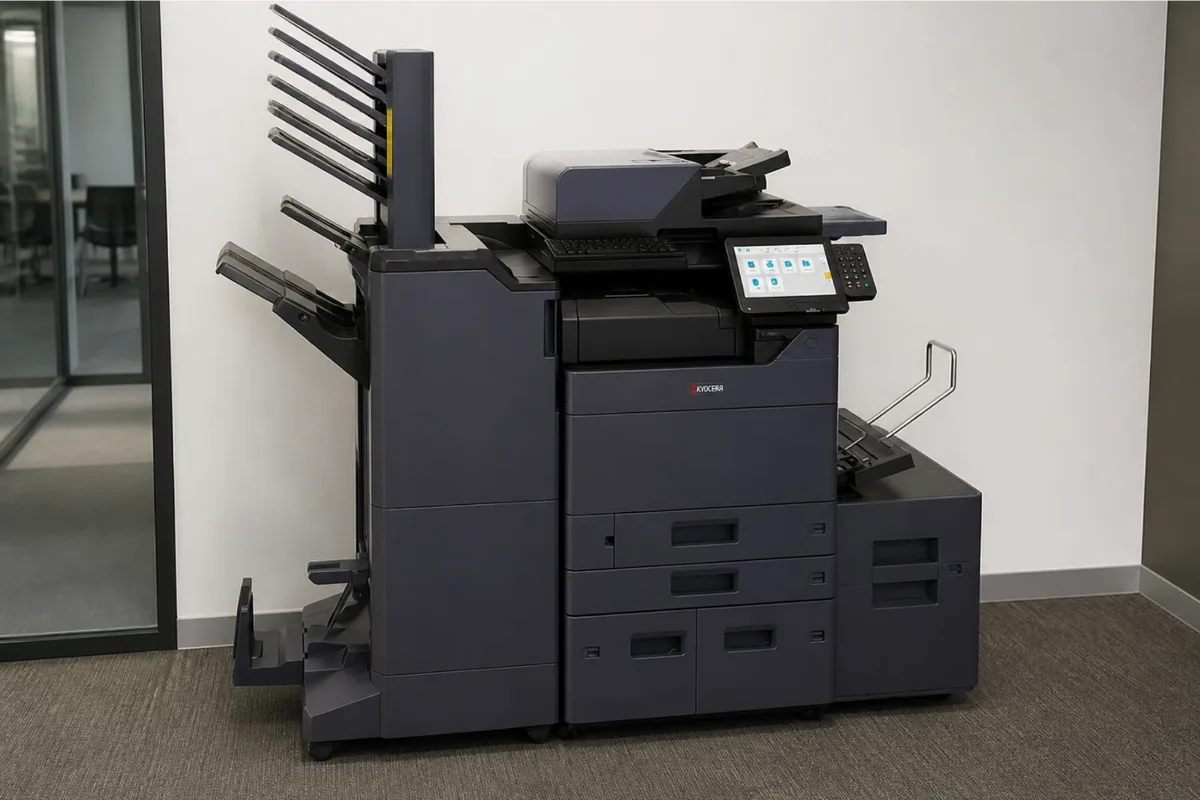
Kyocera TASKalfa 3554ci, one of the Kyocera photocopiers we repair on the Gold Coast.
Kyocera photocopier repairs on the Gold Coast: the faults we fix
Replace MK appears while the machine is still printing normally. Nothing has broken. Kyocera counts the pages since the last kit, and when the count reaches the figure set for that model it asks for its whole set of wear parts at once. Book the kit while print quality is still good, before those tired parts start causing faults of their own.
The machine never finishes warming up and asks for service with C6000. The fuser did not reach working temperature, and on a Kyocera that often traces to the heater or to the main thermistor that reports the fuser's heat. Because it is a safety code, repeated restarts only heat and cool the fuser to no purpose. Leave it switched off and book the technician.
Washed out print in one colour while the others look normal narrows the search to that colour's two units: the drum unit, DK, and the developer unit, DV. The developer carries toner to the drum, and the drum holds the image until it is transferred. Copy a page that has all four colours on it; the weak colour shows which pair to look at.
Kyocera codes we are called to on the Gold Coast
Quote the code on the panel when you book. These are the Kyocera codes we are asked about most here, and what each one points to.
| Code | What it points to | Restart? |
|---|---|---|
| C0640 | The hard disk is not reachable from the main board, so stored jobs and anything else kept on it are unavailable. | Needs a technician |
| C0840 | The machine's clock has lost its setting, which usually points to the backup battery on the main board. | Needs a technician |
| C0170 | The billing counters held on the main board and on the engine board no longer agree with each other. | Needs a technician |
| C1010, C1020 | Cassette 1 or cassette 2 did not lift once pushed in. Check its lift plate moves freely, then book a call. | Needs a technician |
| C1800 | Communication with the optional paper feeder has dropped, so the cassettes in that feeder are out of action. | Needs a technician |
| C2201 to C2203, C2211 to C2213 | A drum motor failed to reach speed, or could not hold steady once running. A drive fault for the technician. | Needs a technician |
Before you book a Kyocera call
Three things that help the technician arrive with the right part:
- Whether the panel says Maintenance is needed. On a Kyocera that is the MK kit count being reached, not a breakdown.
- Whether a print fault shows in one colour or all of them. A streak in one colour points at that colour's drum unit or developer unit, DK or DV.
- Which cassette is jamming, or the multipurpose tray, and whether the document processor jams as well.
A few things you can safely check yourself:
- Read the model off the front, such as TASKalfa 3551ci or ECOSYS P2135d, and note the serial from the label on the machine or the ID on its DSA sticker.
- Note the total page count. On the panel it sits under System Menu on the counter screen, and Command Center RX shows the same figures through a web browser.
- If the panel asks for maintenance, note the exact wording: Replace MK, or the unit it names, and which colour. That tells the service desk which kit or unit to send.
Every Kyocera code family, and which ones clear with a restart
Booking a Kyocera repair on the Gold Coast
Kyocera work on the Coast goes through the same service desk as the rest of the business, with technicians who already work the region. You get the attendance charge before anyone is sent, and any part or further work is quoted before it goes ahead. On the Coast we also deliver and install new and refurbished machines, and relocate them when an office moves.
Kyocera printer and copier repairs on the Gold Coast
Paper jams on a Kyocera printer or photocopier come with a J code, and on a TASKalfa 3051ci, 3551ci, 4551ci or 5551ci multifunction a location letter too. A run of them says more than any single jam, so keep a note beside the machine of each code and letter. If the letter keeps changing, suspect the paper first: a ream left open, a new brand, or card in the MP tray without its paper type set. If it is always A, the trouble starts in cassette 1.
Some patterns point at one part. Jams only on double sided jobs, shown with F, sit in the duplex section. J4001 to J4219 means a sheet stopped after registration, short of the fuser; clear it only as the panel's own instructions show, because it sits close to the hot fuser. When one letter or one J code keeps coming back with dry paper, it has become a printer repair rather than a paper problem. Reading the pattern keeps copier repairs to the part that is actually worn.
Repair or replace your Kyocera photocopier?
Kyocera models run in generations. The TASKalfa 3051ci, 3551ci, 4551ci and 5551ci family has been replaced by later TASKalfa ci ranges, and the FS printers came before the current ECOSYS lines. Parts for an older generation get harder to find over time, so before a repair on an FS-2100DN or an early TASKalfa, the technician checks that every part the job needs can still be sourced.
When replacement is the better answer, we supply new copiers and refurbished and renewed machines on the Gold Coast as well, and install them.
Keeping a Kyocera photocopier running on the Gold Coast
On the Gold Coast the salt air and the humidity work on a Kyocera from two directions. Paper picks up moisture and curls, and machines near open doors, balconies or beachfront windows collect a fine film that is unkind to sensors and contacts over time. Set the machine back from doors and air conditioner outlets, and keep its paper sealed until it is used.
- Shut down with the power key and wait for its light to go out before using the main power switch. Cutting the main switch first is what triggers F278 and risks the hard disk.
- Before the machine is moved, even across the room, call the service desk. A move can need the scanner locked, and C3100 after a move is often a lock left on.
- Keep paper sealed in its ream wrapper until it goes into a cassette. Paper takes on moisture from the air, and damp sheets curl through the fuser and jam at the exit.
Kyocera service agreement or a one off repair?
Toner is included on the agreement and freight is charged on each delivery. Maintenance kits and units such as the DK, DV and FK are life parts, fitted at their page counts on a service visit, which suits the way Kyocera designed its machines to be looked after. The Replace MK message then becomes a booking rather than a surprise.
On the Coast we also deliver, install and relocate machines, so a Kyocera on agreement can be moved with the office without changing who looks after it. How our service agreements work.
Across the Gold Coast
We attend Kyocera machines anywhere around the Gold Coast, including:
- Robina
- Varsity Lakes
- Burleigh Heads
- Miami
- Palm Beach
- Currumbin
- Coolangatta
- Nerang
Every area we cover is on our Gold Coast page. For Kyocera toner, parts and new machines, see our Kyocera page.
How a service call works
- Tell us the faultMake, model and what the machine is doing. A photo of any error on the screen helps.
- Charge confirmedWe confirm the attendance charge when you book, before anyone is sent.
- Diagnosed on siteThe technician finds the cause and fixes what can be fixed on the visit.
- Nothing extra without a yesAny part or further work is quoted to you before it goes ahead.
Common questions
Do you see many Kyocera machines in Ashmore and Southport?
Yes. Those two suburbs have more Kyocera machines on our Gold Coast records than anywhere else, followed by Surfers Paradise, Bundall, Robina and Nerang. We attend Kyocera right across the Coast.
What is a Kyocera MK kit?
The maintenance kit Kyocera sets for each model, usually the drum, the developer and the fuser or transfer parts together. The machine counts pages and asks for it by name when it is due. Fitting it on time is cheaper than waiting for the parts to fail.
Can you install or move a Kyocera machine on the Gold Coast?
Yes. On the Coast we deliver, install and relocate machines as well as repair them, booked through the same desk.
Are your technicians qualified?
All our technicians are trained and certified.
What do the jam letters on a Kyocera panel mean?
The letter tells you where to look. A and B are cassettes 1 and 2, C the optional paper feeder, D the MP tray, E the paper conveying section, F the duplex section, G the fuser and H the document processor, with later letters for finishers and side feeders. Clear the sheet following the panel's own steps, and report it if one letter keeps recurring.
Why does paper keep stopping before the fuser on my Kyocera?
Jams numbered J4001 to J4219 mean the sheet stopped between registration and the fuser. Clear it gently with the panel's guidance, because the fuser area can be hot. If it keeps happening, check the paper is dry, flat and set to the right type. Repeat jams in that section can point to the registration rollers or the fuser entrance, which the technician needs to look at.
Does the salt air on the Gold Coast affect a Kyocera copier?
It can, mostly for machines near open doors, balconies or beachfront windows. Moisture and salt settle on sensors and contacts over time. Keeping the machine back from openings, and its paper sealed, avoids most of it.
Kyocera repairs in other cities
Kyocera parts, by part number
Know the part you need? Our Kyocera spare parts list can be searched by part number or by model. Ask the service desk for the part on its own, or have one of our technicians fit it on the Gold Coast. A few more parts that fit TASKalfa models are on our Copystar parts list.
Other brands we repair on the Gold Coast
DSA is an independent service provider. Kyocera is a trademark of its owner and is used here only to describe the machines we service.