We repair and maintain Xerox VersaLink, AltaLink and Phaser machines, and the older Xerox branded fleet still working in many offices.
We service Xerox mono and colour photocopiers, multifunction printers and laser printers, from Phaser desktop printers to WorkCentre, VersaLink and AltaLink multifunctions.
Xerox machines use drum cartridges and fusers that are replaced by page count, so a lot of what looks like a fault is a life part that has reached the end of its run.
Xerox service we provide
- On site breakdown repairs and fault diagnosis
- Scheduled maintenance and wear part replacement
- Print quality problems: streaks, marks and faded prints
- Paper feed and jam problems, including rollers and feed assemblies
- Scanning, network and driver setup
- Contract servicing with toner included
Common Xerox work
Repeating marks and faded areas on the page, usually a drum at the end of its life.
Toner that rubs off or pages that crease.
Patchy colour and faint areas on the colour models.
Scan to email and SMB scanning that stop after IT changes.
Xerox machines we service
- VersaLink
- AltaLink
- WorkCentre
- Phaser
- ColorQube
- CopyCentre
- DocuColor
- Document Centre
Not on the list? We service all Xerox models still supported with parts. Call 1300 922 260 with the model number.
One service desk for every Xerox, wherever you are
Xerox servicing starts with the code on the panel. Both groups of three digits are read before anyone travels, because the first group names the area of the machine at fault. From a Phaser on a desk to an AltaLink with a finisher, every Xerox call comes through one service desk and is attended on site by our technician.
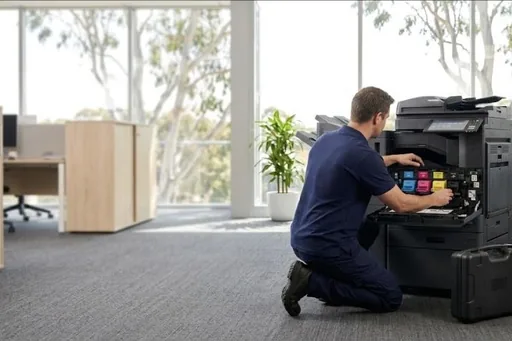
The technician confirms the cause on site rather than clearing the message and leaving. Nothing is ordered until you have heard what the part is and what it will cost, and it is fitted once it arrives. Parts, meter readings and the work done are kept on record against the machine, so each later visit begins with its full history.
What to ask before choosing who services your Xerox
Ask whether they read Xerox fault codes and know what the 010, 071 to 077 and 047 groups point to. Ask whether they can source fuser modules, drum cartridges and feed rollers for older WorkCentre machines as well as current VersaLink and AltaLink models. And ask whether they will tell you plainly when a repair is not worth the money.
Commercial copiers do more than print, so ask about the rest of the machine. Finishers, the document feeder and scanning to email or folders fail in their own ways and matter just as much to a busy office. All our technicians are trained and certified. Repairs and service cover the whole Xerox, finisher and scanning included.
Xerox toner, drum cartridges and parts worth keeping
The DSA store sells Xerox toner and parts, genuine and compatible, as listed for each model. Keep a spare toner cartridge for each colour you use most, sealed and lying flat, so an empty one does not stop work. A spare waste toner container is worth having as well, because once it is full the machine will not print at all.
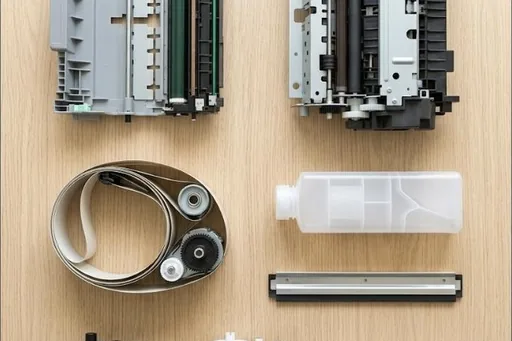
Drum cartridges, the fuser module and the transfer belt and roller are life parts, each with its own replacement count, and the panel warns as each one nears it. On a service agreement each one is replaced on a visit when its count comes up. For finishers, keep staple cartridges in the cupboard so stapling does not stall for want of staples.
Xerox codes offices ask us about
Every Xerox code family, and which ones a restart may clear, is in our Xerox error code guide. A few that come up often:
| Code | What it points to | Restart? |
|---|---|---|
| 047-216 | Communication with the finisher has dropped out. Switching the machine off and on again often restores it. | Worth one restart |
| 016-366, 016-367 | The hard drive failed the self test it runs, so the controller cannot rely on it. | Needs a technician |
| 024-340 | The controller and the print engine stopped communicating with each other. A restart is the first thing to try. | Worth one restart |
| 116-321 | The software hit an error it could not recover from by itself, and a restart usually clears it. | Worth one restart |
| 016-503, 027-500 | The machine could not look up the name of the email server, so scan to email cannot send. | Needs a technician |
| 027-518 | Scan to folder was turned away because its saved login name or password was not accepted. | Needs a technician |
| 027-452 | Another device on your network is using the same IP address as the machine, so the two clash. | Needs a technician |
Xerox repairs by city
Brisbane has its own page, with the Xerox machines we repair on site across the city and the codes we are called to: Xerox repairs in Brisbane.
Sydney and Melbourne have their own Xerox pages and local numbers: Xerox repairs in Sydney and Xerox repairs in Melbourne.
Each city we service has its own Xerox page too, written for that city from our own records:
Code on the panel? Xerox error codes explained.
How a service call works
- Tell us the faultMake, model and what the machine is doing. A photo of any error on the screen helps.
- Charge confirmedWe confirm the attendance charge when you book, before anyone is sent.
- Diagnosed on siteThe technician finds the cause and fixes what can be fixed on the visit.
- Nothing extra without a yesAny part or further work is quoted to you before it goes ahead.
Where we service Xerox machines
DSA is an independent service provider. Xerox is a trademark of its owner and is used here only to describe the machines we service.
What a service call looks like