
We service the Xerox brand across Perth, VersaLink and AltaLink multifunctions and the older WorkCentre and Phaser machines, while Fuji Xerox badged machines, now Fujifilm, have their own page. Xerox codes come as two groups of three digits, 010 for the fuser, 005 for the document feeder, 077 for the paper path, so the code you give us decides which part is shipped to your office ahead of our local technician's visit.
The Xerox machines we look after in Perth
VersaLink colour and black and white printers and multifunctions.
AltaLink colour and black and white multifunctions.
WorkCentre multifunctions.
Phaser desktop printers.
ColorQube, DocuColor, CopyCentre and Document Centre.
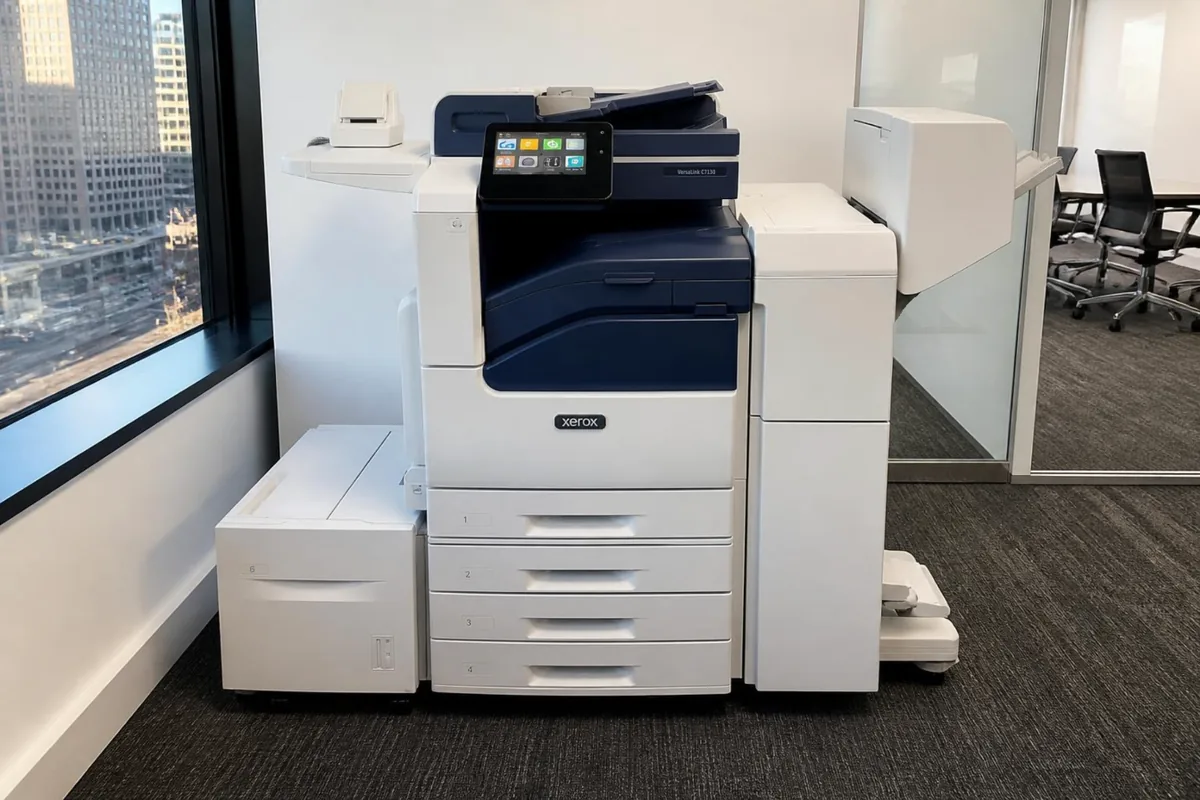
Xerox VersaLink C7130, one of the Xerox photocopiers we repair in Perth.
Xerox photocopier repairs in Perth: the faults we fix
Black and white Xerox machines have a transfer stage as well, and a tired roller there shows as pale patches or toner that does not fully reach the page. Damp paper makes it worse, because moisture changes how toner moves onto the sheet. Try paper from a freshly opened ream. If the patches stay, book the technician and keep a sample page.
Paper from the bypass tray that stops short, shown as 075-135, often comes down to what is being fed. Thick card, envelopes and curled sheets slip on the bypass rollers more than plain paper does. Set the size and type on the panel to match, square up the stack and load fewer sheets at a time. Persistent misfeeds mean worn bypass rollers.
Two 077 codes are not jams at all. 077-300 and 077-301 mean the front door or left side door is open, or its switch does not see it closed, even when it looks shut. Close it firmly once. 077-900 and 077-901 mean paper was left inside, so look for a torn scrap with the panel's guidance before calling.
Xerox codes we are called to in Perth
If your Xerox shows one of these, the code alone tells us a lot about the parts to bring:
| Code | What it points to | Restart? |
|---|---|---|
| 016-366, 016-367 | The hard drive failed the self test it runs, so the controller cannot rely on it. | Needs a technician |
| 024-340 | The controller and the print engine stopped communicating with each other. A restart is the first thing to try. | Worth one restart |
| 116-321 | The software hit an error it could not recover from by itself, and a restart usually clears it. | Worth one restart |
| 016-503, 027-500 | The machine could not look up the name of the email server, so scan to email cannot send. | Needs a technician |
| 027-518 | Scan to folder was turned away because its saved login name or password was not accepted. | Needs a technician |
| 027-452 | Another device on your network is using the same IP address as the machine, so the two clash. | Needs a technician |
Before you book a Xerox call
Three things that help the technician arrive with the right part:
- Whether a drum cartridge, fuser module or waste cartridge is asking to be replaced.
- Whether scan to email stopped after a mail server or password change. Codes 016-764 and 027-500 point there.
- The meter reading, from the machine status screen.
Then a few safe checks of your own first:
- Check that the paper size and type set for the tray match what is loaded. A mismatch message is a setting to correct, not a fault to report.
- For scanning faults, ask whoever manages your IT whether the mail server, a password or the network has changed, and note the exact scan error shown.
- When you call, have the name of a person on site, where the machine sits in your building, how to get access, and whether it is on a service agreement.
Every Xerox code family, and which ones clear with a restart
Booking a Xerox repair in Perth
Ring (08) 6243 1734 with the Xerox model and the fault. You hear the attendance charge before anyone is sent, the technician finds the cause where the machine stands, and parts are shipped to you so the job keeps moving.
Xerox printer and copier repairs in Perth
An older Xerox, whether a WorkCentre or one of the ColorQube, DocuColor, CopyCentre or Document Centre machines, can still be worth a copier repair. Because so many Xerox wear parts are modules that are swapped whole, a repair often replaces a complete section of the photocopier with a new one rather than patching it. The deciding question is whether those modules can still be found for that range.
The technician weighs that with the rest: the count, what else is near its end, and whether the controller and scanner are sound. It is also worth asking whether the machine still suits the work. An A3 multifunction bought when the office was busier may now be doing what a smaller Xerox printer could handle, and replacing it with something smaller can make more sense than repairing it. Either way, you get the facts first, and printer repairs go ahead only with your agreement.
Repair or replace your Xerox photocopier?
You hear the diagnosis, the parts it needs and whether that makes sense for a machine of its age before anything is ordered. If your Xerox photocopier is past the point where repair is sensible, the technician will say so plainly. The decision stays with you, and no work proceeds without your go ahead.
When replacement is the better answer, new machines are on our new copiers page, delivered and set up in Perth.
Keeping a Xerox photocopier running in Perth
Perth summers are long, hot and dry, and a Xerox in a warehouse office in Welshpool or Kewdale, or a sunny front office, can run hot enough to slow down or stop. Leave the machine space to breathe, keep it out of direct sun, and do not box it in with shelving or stock.
- Clean the document glass and the narrow strip beside it with a soft cloth, slightly damp at most. Spraying cleaner directly onto glass lets it seep underneath.
- Fan each stack before loading and keep it below the tray's fill line. Overfilled trays strain the lift mechanism and sit behind many tray lift codes.
- Plan network changes with the copier in mind. A new mail server, password policy or router can stop scan to email or scan to folder, so let the service desk know beforehand.
Xerox service agreement or a one off repair?
Billing on an agreement comes from meter readings. Most machines email their reading each month. If yours does not, you get a reminder, or you can scan the sticker on the machine and enter the reading through the customer portal. A Xerox printer that sees little use may be better served by one off repairs and service calls as they are needed.
Parts for a Perth Xerox are shipped to your office ahead of the return visit, so the job keeps moving without a second diagnosis. How our service agreements work.
Across Perth
We attend Xerox machines anywhere around Perth, including:
- Joondalup
- Wangara
- Morley
- Midland
- Belmont
- Welshpool
- Kewdale
- Canning Vale
Every area we cover is on our Perth page. For Xerox toner, parts and new machines, see our Xerox page.
How a service call works
- Tell us the faultMake, model and what the machine is doing. A photo of any error on the screen helps.
- Charge confirmedWe confirm the attendance charge when you book, before anyone is sent.
- Diagnosed on siteThe technician finds the cause and fixes what can be fixed on the visit.
- Nothing extra without a yesAny part or further work is quoted to you before it goes ahead.
Common questions
Do you repair Xerox VersaLink printers in Perth?
Yes. VersaLink printers and multifunctions are repaired on site, and drum cartridges, fuser modules and tray feed rollers are the usual work.
Do you repair Xerox Phaser printers?
Yes, as well as the VersaLink, AltaLink and WorkCentre multifunctions.
Do you have a technician in Perth for Xerox?
Yes. Our local technician attends Perth jobs, booked through the same service desk as every DSA call, on (08) 6243 1734.
Are your technicians qualified?
All our technicians are trained and certified.
Do Xerox fault codes mean exactly the same on every model?
Not exactly. The first group of three digits points to the same area of the machine across models, such as 010 for the fuser or 077 for the paper path. The precise condition behind the second group can vary from one model to another. Treat the code as a firm lead rather than a final answer, and describe what the machine was doing.
Will restarting fix a 024-340 code on my Xerox?
Often, yes. 024-340 means communication broke down between the controller and the print engine, and restarting the copier is the first step. Leave it fully off until the panel is dark before switching on. If the code returns, or appears alongside other faults, the boards and connections need a technician to test them.
Can heat in a Perth warehouse stop a Xerox printing?
It can. Copiers make heat of their own, mostly at the fuser, and a hot room leaves them less margin. Give the machine space at the back and sides and keep it out of the sun; if it still shuts down, book a call.
Xerox repairs in other cities
Other brands we repair in Perth
DSA is an independent service provider. Xerox is a trademark of its owner and is used here only to describe the machines we service.