
We have taken 29 HP calls in Perth since 2017, third behind Brother and Kyocera. We see the whole HP range in Perth: LaserJet Pro and Enterprise printers, LaserJet Pro multifunctions such as the M426 on our records, Color LaserJet machines, OfficeJet Pro inkjets, and the A3 Managed MFPs we supply new with a service agreement. HP's first two code digits name the area of the printer, so the part can be shipped before our local technician arrives.
HP on our Perth records
From our own booking desk record: casual service calls booked in Perth, 2017 to 2025. Contract servicing comes on top.
HP is third among the brands we are booked to in Perth.
The HP machines we look after in Perth
Color LaserJet Managed MFP E78523, E78528, E78625, E78630 and E78635, and E87740, E87750, E87760 and E87770.
LaserJet Managed MFP E73130, E73135 and E73140, and E82650, E82660 and E82670.
Color LaserJet Pro M454 and Color LaserJet Pro MFP M479.
LaserJet Pro, LaserJet Pro MFP, LaserJet Enterprise and Color LaserJet Enterprise printers and multifunctions.
OfficeJet Pro and PageWide business printers and multifunctions.
DesignJet plotters.
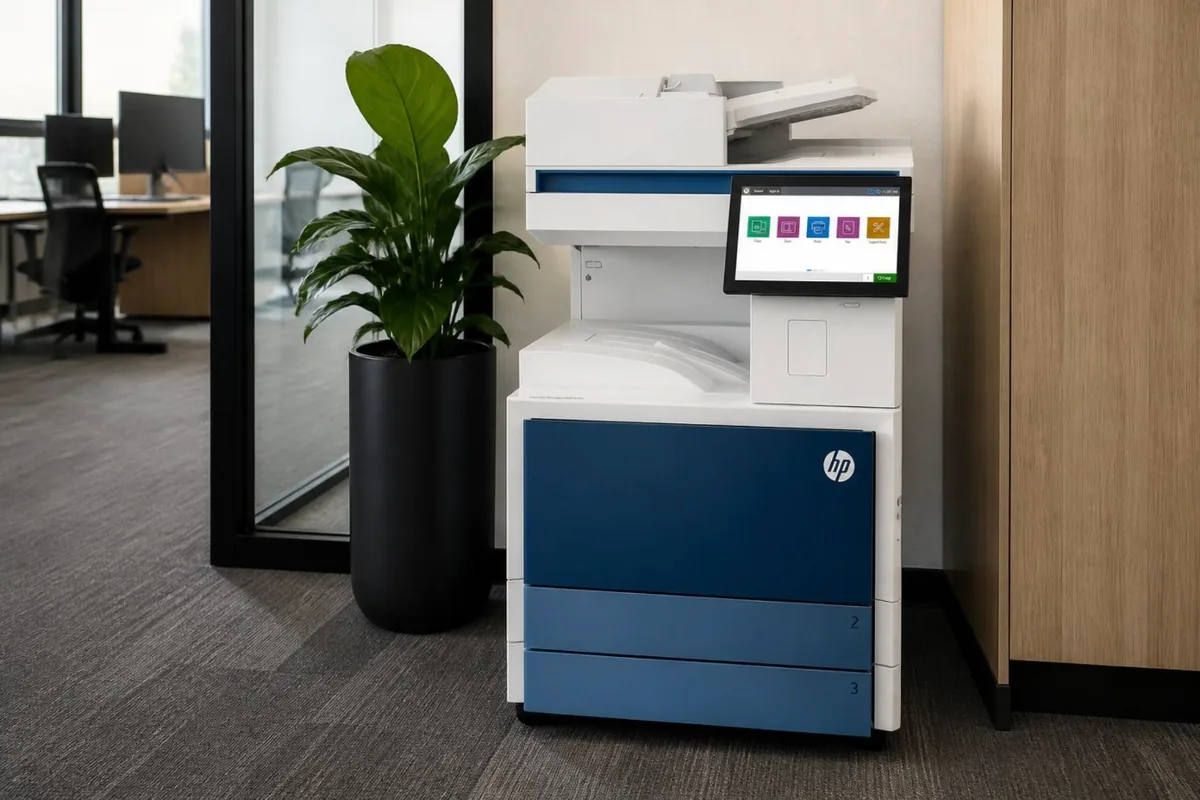
HP LaserJet Managed MFP E73140, one of the HP printers we repair in Perth.
HP printer repairs in Perth: the faults we fix
A code starting 56 points to a paper input, output or handling accessory rather than the main print engine. Note which accessories are fitted and whether one was recently added, removed or knocked. Check each is latched and sitting properly, then book the technician with the full code, because its last four characters narrow down the exact condition the printer found.
A Protected Cartridge message means the cartridge has been locked to another printer or fleet and cannot be unlocked, so fit one meant for this printer. Some HP printers are also set to accept genuine HP cartridges only, and will refuse anything else until that is sorted. Neither is a broken printer, so read the exact wording on the panel before booking a repair.
Colour that drifts out of balance, or one colour printing slightly to the side of the others, can come from the belt or from a cartridge. Run the colour calibration from the panel's print quality settings first, since the printer can correct small shifts itself. If the shift stays, keep the sample and book the technician to check the ITB and secondary transfer roller.
HP codes we are called to in Perth
If your HP shows one of these, the code alone tells us a lot about the parts to bring:
| Code | What it points to | Restart? |
|---|---|---|
| 21.xx.xx | A misprint because the page was too complex for the printer to process. Send it again, simplified if you can. | Worth one restart |
| 01 | An input and output error, which includes the wireless connection. Restarting the printer is the first step to take. | Worth one restart |
| Fax storage is full | Fax memory has filled up. Restart the printer or clear stored faxes, then send large jobs in smaller parts. | Worth one restart |
| 321 | A poor phone line broke the connection with the receiving fax machine. Try sending again a little later. | Worth one restart |
| 50.xx.xx | A fuser error. The printer stops for safety until the cause is found, which is often the fuser itself. | Needs a technician |
| 13.xx.xx | A sheet stopped in the paper path, or a door was opened while paper was moving. Clear it, and restart if the message stays. | Worth one restart |
Before you book an HP call
Three things that help the technician arrive with the right part:
- The model and its suffix, such as M479fdw or E78630. The letters change the trays, the scanner and the parts.
- Whether a firmware update ran just before the fault. A printer that stopped after an update needs a different fix from one that wore out.
- A photo of a page showing the mark. It helps us tell a toner cartridge fault from a fuser or transfer belt fault before we come.
Before you ring, these are worth a minute:
- Try one restart: turn the printer off at its power switch, wait 30 seconds and turn it on. Many jams and communication errors clear this way, but a 50 code will not.
- Check the supplies status for each cartridge. A cartridge at very low may keep printing, prompt you or stop, depending on how the printer has been set up.
- Have ready a contact name, where the printer sits in your building, how to reach it, and whether it is on a service agreement or covered by another contract.
Perth jobs run from the CBD and West Perth to the northern corridor and the industrial east. Tell the desk about parking, site inductions and where the machine sits when you ring (08) 6243 1734.
Every HP code family, and which ones clear with a restart
Booking an HP repair in Perth
Perth HP calls come in on (08) 6243 1734 and are booked through our service desk. We confirm the attendance charge, our local technician attends and diagnoses the fault on site, and any part is shipped to your office ahead of the return visit.
HP printer and copier repairs in Perth
Age on an HP printer is measured less by the calendar than by support. While parts can be sourced and the model still receives firmware, an older LaserJet with a worn fuser or tired rollers is an ordinary printer repair. Once updates stop, its security and network features fall behind, and when a board such as the formatter fails, the board alone can outweigh what the printer is worth. That is why repairs on HP machines generally end at around ten years of age.
If the answer is to replace, some planning saves waste. Use up the spare cartridges first, because a newer model usually takes different ones. Before the old printer goes, record its scanning destinations and address book from its web page, so the replacement can be set up with them. And if the old machine had been doing a photocopier's job and needing copier repairs more often, an A3 multifunction may suit the floor better than another desk LaserJet; the page count shows the real load.
Repair or replace your HP printer?
Before work goes ahead you hear what failed, what it needs and whether that is sensible for a printer of its age and count. If the honest answer is that the HP printer is not worth repairing, the technician says so, and a new LaserJet can be quoted if you want one. Nothing proceeds until you agree to it.
When replacement is the better answer, new machines are on our new copiers page, delivered and set up in Perth.
Keeping an HP printer running in Perth
The easterly winds and dry air in Perth bring dust and static. Dust settles on the scanner glass and the document feeder and shows as lines on copies; static makes sheets cling and double feed. Fan each ream before loading and wipe the glass and feeder strip with a soft, dry cloth.
- On the Color LaserJet Pro models there is no waste toner box to empty. Used toner goes back into each cartridge, so fitting a new cartridge takes care of it.
- Fan the stack and set the tray guides snug against it, so the pickup roller lifts one sheet at a time. Keep every stack below the tray's fill marks.
- Keep a note of the printer's IP address, its scan to email settings and the admin password for the Embedded Web Server, so settings can be restored after a network change.
HP service agreement or a one off repair?
Billing works from meter readings. Most machines email theirs each month; where one does not, you get a reminder, or you can scan the sticker on the printer and enter the reading through the customer portal. For a lightly used LaserJet Pro on a desk, paying for one off repairs and service calls may suit you better.
Parts for a Perth HP are shipped to your office ahead of the return visit, so the job keeps moving without a second diagnosis. How our service agreements work.
Across Perth
We attend HP machines anywhere around Perth, including:
- West Perth
- East Perth
- Northbridge
- Subiaco
- Leederville
- Osborne Park
- Balcatta
- Malaga
Every area we cover is on our Perth page. For HP toner, parts and new machines, see our HP page.
How a service call works
- Tell us the faultMake, model and what the machine is doing. A photo of any error on the screen helps.
- Charge confirmedWe confirm the attendance charge when you book, before anyone is sent.
- Diagnosed on siteThe technician finds the cause and fixes what can be fixed on the visit.
- Nothing extra without a yesAny part or further work is quoted to you before it goes ahead.
Common questions
Can you get an HP back on the network in Perth?
Usually without a part. An HP that drops off the network after a router change, a new IP address or a firmware update is a settings job, and many are fixed remotely.
My HP prints faint or streaky. Is it the printer?
Often it is the toner cartridge, because on many HP models the cartridge carries the drum. Try a known good cartridge first. If the fault stays, it is likely the transfer belt or the fuser, and that is a service call.
What if my HP needs a part in Perth?
It is quoted to you, shipped to your office, and fitted on the return visit without a second diagnosis.
Are your technicians qualified?
All our technicians are trained and certified.
Why do faxes from our HP MFP keep failing?
Most fax failures are the phone line or the machine at the other end. Code 321 points to a poor line, while 232, 344 to 348 and 381 mean the other end dropped out, stopped answering or cancelled. Resend after a short wait, check the number, and try a slower fax speed if communication errors keep happening. If every fax fails, test the line with a phone.
How do I find the page count on an HP printer?
The simplest record is the configuration page, printed through the printer's own menus; it lists the serial number, firmware version and total page count. On a networked printer the same details appear in the Embedded Web Server when you type the printer's IP address into a browser. Quote the count when you book, because it tells the technician which life parts are likely near the end.
Is there a Perth number for HP repairs?
Yes, (08) 6243 1734. It reaches the same service desk that books every DSA call, and our local technician attends Perth jobs.
HP repairs in other cities
Other brands we repair in Perth
DSA is an independent service provider. HP is a trademark of its owner and is used here only to describe the machines we service.