
HP is the brand we are called to for repairs more than almost any other, and in Sydney we see the full span of it: LaserJet Pro and Enterprise printers, Color LaserJet multifunctions, OfficeJet Pro and PageWide inkjets, and DesignJet plotters in architects' and builders' offices. HP's codes name the area of the printer in their first two digits, so we can usually tell from your call whether it is the fuser, a feed roller or the network. Our local technician attends, and parts are shipped to your office.
The HP machines we look after in Sydney
Color LaserJet Managed MFP E78523, E78528, E78625, E78630 and E78635, and E87740, E87750, E87760 and E87770.
LaserJet Managed MFP E73130, E73135 and E73140, and E82650, E82660 and E82670.
Color LaserJet Pro M454 and Color LaserJet Pro MFP M479.
LaserJet Pro, LaserJet Pro MFP, LaserJet Enterprise and Color LaserJet Enterprise printers and multifunctions.
OfficeJet Pro and PageWide business printers and multifunctions.
DesignJet plotters.
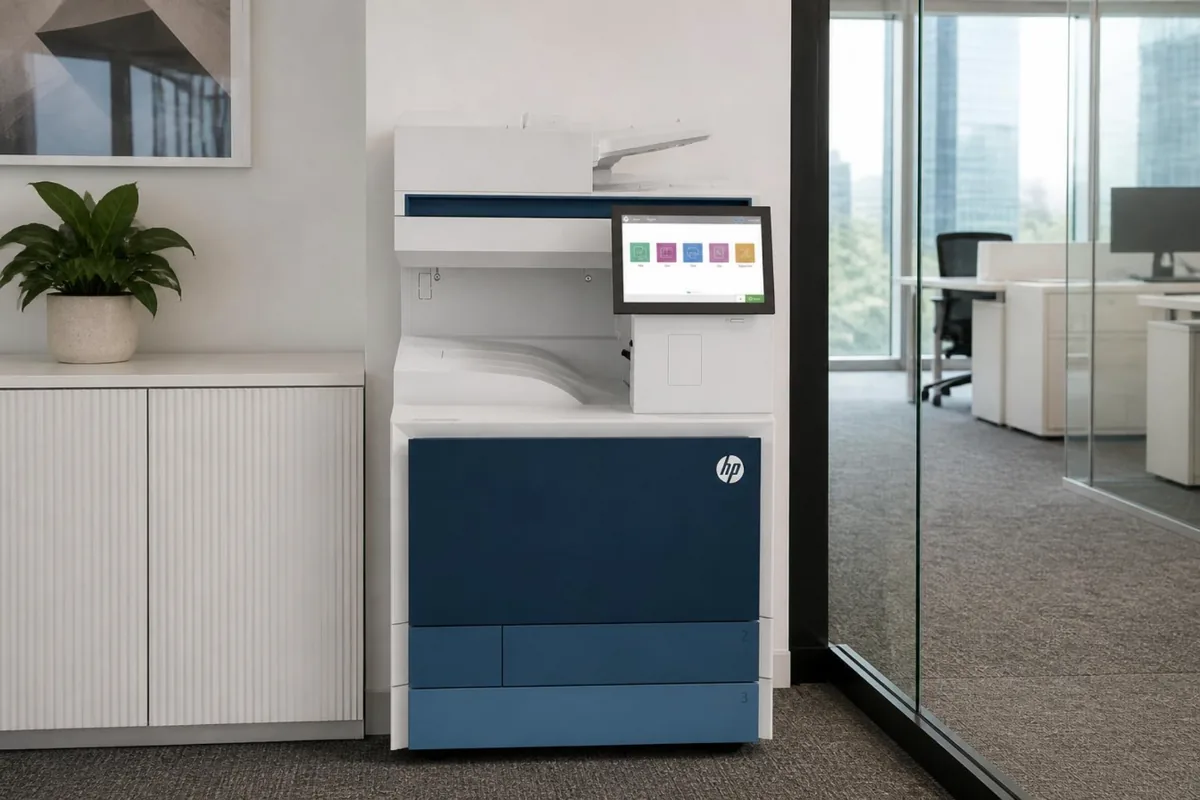
HP Color LaserJet Managed MFP E87740, one of the HP printers we repair in Sydney.
HP printer repairs in Sydney: the faults we fix
Pages pulled through the feeder at an angle, two at a time, or not at all, point first to its pickup roller and separation pad. A code starting 31 flags a document feeder or scanner error, including a feeder jam. Remove staples and clips, set the guides snugly and feed a shorter stack. If it persists, those parts need replacing.
On smaller LaserJets with a two line panel, a blinking Attention light means an error is waiting, while the Ready and Attention lights glowing together mean the firmware has crashed and the printer is about to restart itself. One such restart is not a concern. If it keeps happening, note when, and whether a firmware update or a particular job came just before.
When a code starting 50 appears, write down all six characters, because the last four tell the technician which fuser condition was found. Then switch the printer off and leave it. The fuser sits just above the rear door and stays hot for a while, and repeated restarts cannot fix a failed heater, a faulty sensor or a worn film.
HP codes we are called to in Sydney
Read the code off the screen and give it to the service desk word for word. Common HP codes, in plain words:
| Code | What it points to | Restart? |
|---|---|---|
| 53.xx.xx | An optional tray or the duplexer was detected as fitted or removed, or a lifter in Trays 1 to 3 failed. | Needs a technician |
| 56.xx.xx | An error from a paper input, paper output or paper handling accessory rather than from the main engine. | Needs a technician |
| 51.xx.xx | The printer could not detect the beam from the laser scanner assembly, so it cannot write the page image. | Needs a technician |
| 52.xx.xx | The motor inside the laser scanner did not start up properly, so printing cannot begin. | Needs a technician |
| 57.xx.xx | A fan has stopped working. On the M454 and M479 it is either the power supply fan or the cartridge fan. | Needs a technician |
| 58.xx.xx | The print engine reported a power failure, and a technician needs to trace where the fault begins. | Needs a technician |
Before you book an HP call
Three things that help the technician arrive with the right part:
- The full code, such as 13.B2.D2 or 50.4X.XX, not just Paper jam or Error. HP's first two digits name the area of the printer.
- Whether the printer still answers on the network: can you open its web page, or print a configuration page from the panel.
- The model and its suffix, such as M479fdw or E78630. The letters change the trays, the scanner and the parts.
Worth checking before the call:
- If a cartridge message appeared just after fitting a new one, read its exact wording. Protected Cartridge and genuine only settings are cartridge matters, not printer faults.
- For scan to email or network faults, ask whoever looks after your IT whether the router, mail server, passwords or firmware changed shortly before the trouble began.
- Have ready a contact name, where the printer sits in your building, how to reach it, and whether it is on a service agreement or covered by another contract.
CBD, North Sydney and Parramatta buildings usually have visitor sign in, lift rules and loading docks; business parks such as Macquarie Park and Norwest have their own security. Tell the desk the building rules when you book, and the floor the machine is on.
Every HP code family, and which ones clear with a restart
Booking an HP repair in Sydney
A Sydney HP job runs through the same service desk as the rest of the business. You tell us the model and the fault, we confirm the attendance charge, and our local technician diagnoses it on site. If a part is needed it is shipped to your office, and the technician returns to fit it.
HP printer and copier repairs in Sydney
Booking an HP repair goes better with a few specifics. All six characters of the code, because 50 alone could be any of several fuser conditions. The family and number, such as LaserJet Managed MFP E82660 or MFP M479. And whether the fault comes with every job or only some: a 21 code on one heavy PDF means that page was more than the HP printer could process, and resending it simplified is usually the fix, not a technician.
Then say what else has been happening. A recent move, a tray added, a router change or a firmware update each point the technician somewhere different, and several restarts already tried tell them a restart is not the answer. With that, the right parts can come on the first visit, whether it is a printer repair at a desk or a copier repair on the multifunction the floor treats as its photocopier.
Repair or replace your HP printer?
Some HP faults are wear and some are electronics. Fuser, roller and transfer faults are wear, and normally repairable. Formatter and DC controller faults, 58 engine power faults and 33 security errors can mean a board, and on an older printer that board may cost more to source than the printer is worth to you. You are told which kind of fault it is first.
When replacement is the better answer, new machines are on our new copiers page, delivered and set up in Sydney.
Keeping an HP printer running in Sydney
Many Sydney offices sit in buildings where the copier shares a floor with hundreds of people, and a HP that stops holds up the whole floor. Watching the panel's own warnings for life parts, and acting on them rather than pressing on, is the simplest way to keep it running.
- Fan the stack and set the tray guides snug against it, so the pickup roller lifts one sheet at a time. Keep every stack below the tray's fill marks.
- Store spare cartridges sealed in their bags, lying flat, away from heat and sunlight. On the Color LaserJet Pro models the drum is inside the cartridge, so light and scratches damage it.
- Plug the printer directly into a wall socket rather than a crowded power board, and avoid running it from a UPS. A fuser draws a heavy current each time it heats.
HP service agreement or a one off repair?
An HP LaserJet on a DSA service agreement has its servicing, repairs and toner under one arrangement, billed from the pages it prints. Toner is included, with freight charged on each delivery. Life parts such as the fuser, rollers and transfer belt are fitted at their page counts on a service visit, which matters most on busy Managed MFPs.
Sydney has its own page for planned servicing and agreements. Parts for a Sydney HP are shipped to your office ahead of the return visit. Photocopier servicing in Sydney.
Across Sydney
We attend HP machines anywhere around Sydney, including:
- Bondi Junction
- Randwick
- Hurstville
- Kogarah
- Sutherland
- Miranda
- Bankstown
- Liverpool
Every area we cover is on our Sydney page. For HP toner, parts and new machines, see our HP page.
For planned servicing rather than a breakdown, see photocopier servicing in Sydney.
How a service call works
- Tell us the faultMake, model and what the machine is doing. A photo of any error on the screen helps.
- Charge confirmedWe confirm the attendance charge when you book, before anyone is sent.
- Diagnosed on siteThe technician finds the cause and fixes what can be fixed on the visit.
- Nothing extra without a yesAny part or further work is quoted to you before it goes ahead.
Common questions
Do you repair HP DesignJet plotters in Sydney?
Yes. Printhead, cutter and media feed faults on DesignJet plotters are repaired on site, with parts shipped ahead where they are needed.
My HP prints faint or streaky. Is it the printer?
Often it is the toner cartridge, because on many HP models the cartridge carries the drum. Try a known good cartridge first. If the fault stays, it is likely the transfer belt or the fuser, and that is a service call.
Which parts of Sydney do you cover?
The CBD and North Sydney, Chatswood, St Leonards and Macquarie Park, out to Parramatta, the inner west, the eastern suburbs, the south to Sutherland, and west to Blacktown and Penrith. If you cannot see your suburb, call and ask.
Are your technicians qualified?
All our technicians are trained and certified.
Why are the Ready and Attention lights both on?
That pairing on a two line LaserJet panel is the printer telling you its firmware has crashed, and it will restart by itself. Let it finish rather than pulling the plug. Frequent crashes are worth tracking: write down the time, the job being printed and any recent update or network change, then pass that list to the service desk.
What does a 33 error with HP SureStart mean?
HP SureStart is one of the checks a LaserJet runs on itself, confirming that its firmware is intact, and a 33 code can also come from the backup, disk or BIOS checks. One restart is reasonable. If the code comes back, do not keep cycling the power. The formatter and its firmware need the technician, so note the full code for the booking.
Is there a Sydney number for HP service?
Yes, (02) 7813 0963. It reaches the same service desk that books every DSA call, so the history of your machine stays in one place.
HP repairs in other cities
Other brands we repair in Sydney
DSA is an independent service provider. HP is a trademark of its owner and is used here only to describe the machines we service.