
Toshiba, with Kyocera and HP, is a brand we lead with nationally, and in Sydney we service e-STUDIO machines of every generation: the current 2020AC and 2515AC colour ranges, the 2505AC before them, and the A series mono machines that run big page counts. Our local technician diagnoses the fault on site, and if a part is needed it is shipped to your office and fitted on the return visit. We also supply new e-STUDIO machines with a service agreement for Sydney offices.
The Toshiba machines we look after in Sydney
e-STUDIO 2515AC, e-STUDIO 3015AC, e-STUDIO 3515AC, e-STUDIO 4515AC and e-STUDIO 5015AC, and the faster e-STUDIO 5516AC, e-STUDIO 6516AC and e-STUDIO 7516AC.
e-STUDIO 2020AC, e-STUDIO 2021AC, e-STUDIO 2525AC, e-STUDIO 3025AC and e-STUDIO 3525AC.
e-STUDIO 2505AC, e-STUDIO 3005AC, e-STUDIO 3505AC, e-STUDIO 4505AC and e-STUDIO 5005AC.
e-STUDIO 2518A, e-STUDIO 3018A, e-STUDIO 3518A, e-STUDIO 4518A and e-STUDIO 5018A, and the high volume e-STUDIO 5518A, e-STUDIO 6518A, e-STUDIO 7518A and e-STUDIO 8518A.
e-STUDIO 2555C, e-STUDIO 3055C, e-STUDIO 3555C, e-STUDIO 4555C and e-STUDIO 5055C, the compact e-STUDIO 2010AC and e-STUDIO 2510AC, and the A4 e-STUDIO 400AC.
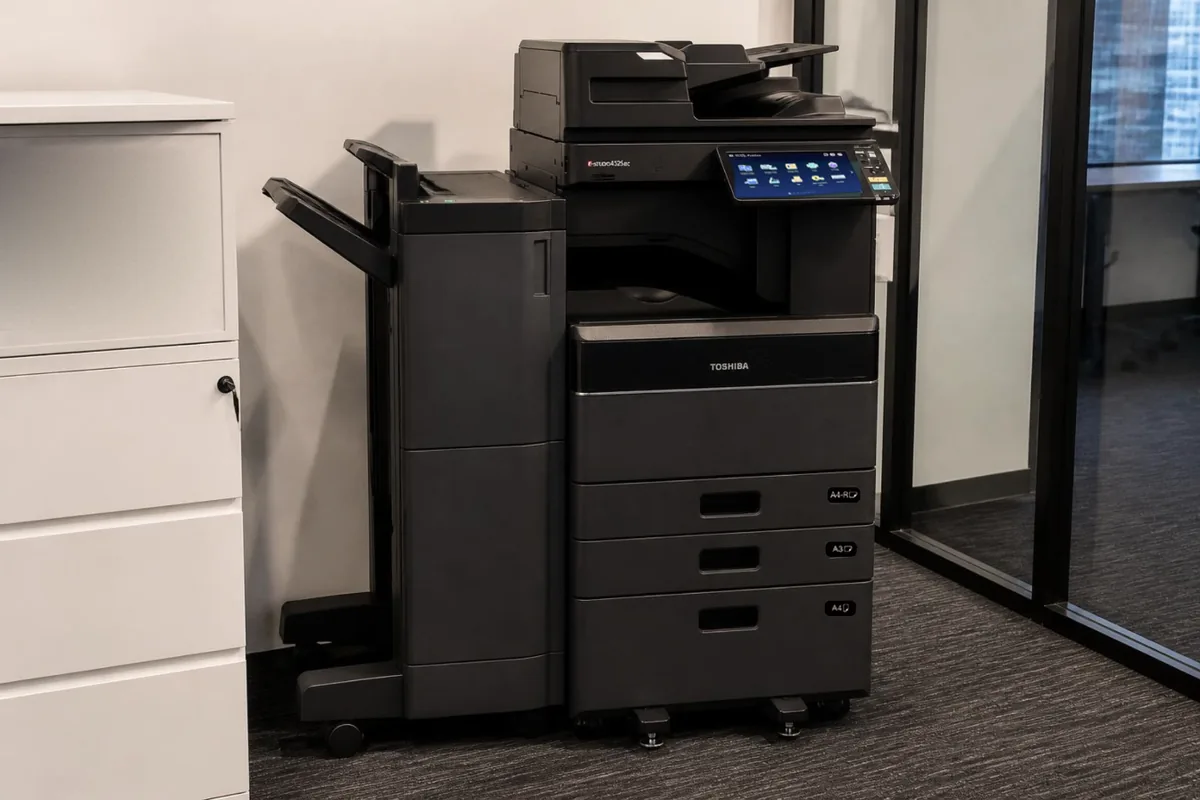
Toshiba e-STUDIO 4525AC, one of the Toshiba photocopiers we repair in Sydney.
Toshiba photocopier repairs in Sydney: the faults we fix
The finisher stops with EA50, a staple jam. Clear it following the screen's steps and check the staple cartridge is the right one and properly seated. Toshiba counts these too: three staple jams in a row become CB50, a stapler home position fault that needs the technician. If staples jam again and again, book a call before it reaches that point.
After a power cut, the e-STUDIO will not start properly and shows an F code with an underscore, such as F101_0. The controller could not find its hard drive or mount part of it. F102 to F105 mean the drive did not become ready or returned bad data. Write down the whole code, including the number after the underscore, and book the technician.
Prints that crease at one edge, or toner that smears under a thumb, point at the fuser unit. On the e-STUDIO the IH coil heats a thin fuser belt that runs against a pressure roller, and both wear with the page count. C4E2 means the belt has stopped turning properly, and C4E0 or C4E1 that the pressure roller did not release or close as expected.
Toshiba codes we are called to in Sydney
Read the code off the screen and give it to the service desk word for word. Common Toshiba codes, in plain words:
| Code | What it points to | Restart? |
|---|---|---|
| EA50 | A staple jam in the finisher. Clear it carefully; three in a row turn into a CB50 service call. | Worth one restart |
| C130, C140 | Drawer 1 or 2 failed to raise its paper. The lift motor may not have run, or the tray itself is stuck. | Needs a technician |
| C370 | The transfer belt that carries the image to the paper is not moving the way it should. | Needs a technician |
| C380, C381 | The auto toner sensor in the black developer unit read above or below its limit, pointing at that developer unit. | Needs a technician |
| C970 | The high voltage transformer found leakage from a main charger. Usually the charger parts in the EPU need attention. | Needs a technician |
| C911 to C914 | The chip on a toner cartridge cannot be read. Check that colour's cartridge is pushed fully into place first. | Needs a technician |
Before you book a Toshiba call
Three things that help the technician arrive with the right part:
- The full code from the corner of the panel, such as C449 or E712, not just Call Service. The letter and the digits point at different parts of the machine.
- Whether the fault shows on copies, prints or both. A mark on copies only usually means the RADF or the scanning glass, not the drum.
- The total counter, from the Counter button. It tells the technician which e-STUDIO maintenance parts are due.
Some safe checks first:
- When the screen says the waste toner box is full, or asks you to dispose of used toner, fit a new box. The machine stops once the current page is out.
- Check the copier plugs straight into its own wall socket, not an extension lead or a shared power board. For F410, Toshiba points to the outlet first.
- For scan to email or folder faults, note the message on screen and ask whether anything changed lately with passwords, the mail provider or the computer receiving scans.
CBD, North Sydney and Parramatta buildings usually have visitor sign in, lift rules and loading docks; business parks such as Macquarie Park and Norwest have their own security. Tell the desk the building rules when you book, and the floor the machine is on.
Every Toshiba code family, and which ones clear with a restart
Booking a Toshiba repair in Sydney
A Sydney Toshiba job runs through the same service desk as the rest of the business. You tell us the model and the fault, we confirm the attendance charge, and our local technician diagnoses it on site. If a part is needed it is shipped to your office, and the technician returns to fit it.
Toshiba printer and copier repairs in Sydney
A good Toshiba booking answers four questions. Which machine: the model on its front label, for example the e-STUDIO 2020AC or e-STUDIO 4518A. What it says: the full code, including the digits after any underscore, as in F101_0. What it was doing: warming up, feeding from one drawer, reading originals through the multifunction's feeder, or stapling a set. And how much it has done: its page count, which the Counter button shows.
Add one more fact: how many times it has been restarted since the code first appeared. Many e-STUDIO codes are only raised once the machine has seen the fault more than once, and the fuser keeps its own error count, so a C445 that has turned into C446 tells the technician the restarts have already been tried. With that history, the copier repair, the printer service or the periodic maintenance job on your Toshiba printer or photocopier starts with the right parts.
Repair or replace your Toshiba photocopier?
The high volume mono e-STUDIO machines, from the e-STUDIO 5518A up to the e-STUDIO 8518A, are built to run very large page counts, and their age in years says little about their condition. Judge them by the counter and the state of the drum, developer and fuser parts. A well kept volume machine with life parts fitted on time can be worth keeping well past its lease.
When replacement is the better answer, new machines are on our new copiers page, delivered and set up in Sydney.
Keeping a Toshiba photocopier running in Sydney
Many Sydney offices sit in buildings where the copier shares a floor with hundreds of people, and a Toshiba that stops holds up the whole floor. Watching the panel's own warnings for life parts, and acting on them rather than pressing on, is the simplest way to keep it running.
- Load drawers below the limit mark and slide the guides against the stack. Set the drawer's paper size on the panel whenever you change stock, or E061 to E065 will follow.
- Clean the platen glass and the narrow scanning strip the feeder reads through with a soft cloth, dampened rather than sprayed, so no liquid seeps under the glass.
- Ask the service desk before the machine is moved, even down a corridor. Moving it can disturb the document feeder, the finisher connection and toner inside the machine.
Toshiba service agreement or a one off repair?
On a DSA service agreement, servicing, repairs and toner for your e-STUDIO come under one arrangement, billed from the pages it prints. Most machines email their meter readings each month; where one cannot, a reminder is sent, or you scan the sticker on the machine and enter the reading in the customer portal. A one off repair is charged for that visit alone.
Sydney has its own page for planned servicing and agreements. Parts for a Sydney Toshiba are shipped to your office ahead of the return visit. Photocopier servicing in Sydney.
Across Sydney
We attend Toshiba machines anywhere around Sydney, including:
- Parramatta
- Olympic Park
- Homebush
- Burwood
- Strathfield
- Leichhardt
- Marrickville
- Alexandria
Every area we cover is on our Sydney page. For Toshiba toner, parts and new machines, see our Toshiba page.
For planned servicing rather than a breakdown, see photocopier servicing in Sydney.
How a service call works
- Tell us the faultMake, model and what the machine is doing. A photo of any error on the screen helps.
- Charge confirmedWe confirm the attendance charge when you book, before anyone is sent.
- Diagnosed on siteThe technician finds the cause and fixes what can be fixed on the visit.
- Nothing extra without a yesAny part or further work is quoted to you before it goes ahead.
Common questions
Do you supply new Toshiba copiers in Sydney?
Yes. We supply new Toshiba e-STUDIO machines to Sydney businesses with a service agreement to suit, as well as repairing the ones you already have.
Can you keep an older e-STUDIO running?
Usually, while Toshiba parts are still available for it. The 2505AC and 2555C generations share many maintenance parts with the machines that followed. If a repair stops making sense for the machine's age, we say so first.
Do you have a technician in Sydney for Toshiba machines?
Yes. Our local technician attends Sydney jobs, and every call is booked and followed up through one service team, so the machine history stays in one place.
Are your technicians qualified?
All our technicians are trained and certified.
Why can my Toshiba not read the toner cartridge?
Codes from C911 to C914 mean the machine cannot read the chip on the black, cyan, magenta or yellow cartridge. Open the front cover and push that cartridge firmly into place, then close the cover. If the code comes back after one more careful reseat, book the technician, because the chip contacts or the cartridge itself may need checking.
How do I find the counter reading on a Toshiba?
Press the Counter button on the panel to see the total and, on colour models, the black and colour split. From a computer, type the machine's network address into a browser to open TopAccess, which shows the same counters. Give the total when you book, because Toshiba schedules its maintenance parts by page count.
Is there a Sydney number for Toshiba service?
Yes, (02) 7813 0963. It reaches the same service desk that books every DSA call, so the history of your machine stays in one place.
Toshiba repairs in other cities
Toshiba parts, by part number
Our Toshiba spare parts list sets out Toshiba parts by part number and by the models each one fits. Every line can be ordered through the service desk, shipped to your office, or fitted by our local technician in Sydney.
Other brands we repair in Sydney
DSA is an independent service provider. Toshiba is a trademark of its owner and is used here only to describe the machines we service.