
Fuji Xerox is now Fujifilm Business Innovation, so DocuCentre and ApeosPort machines bought under the Fuji Xerox badge now sit alongside Apeos machines carrying the Fujifilm name. Across Brisbane we service both badges on site, casual or on a service agreement, including machines whose original contract has ended.
Most of what we fix on these machines comes back to a few assemblies the service manual names plainly: the Fusing Unit, the Drum Cartridges, the Deve Units, the IBT Belt Unit and 2nd BTR, the tray feed rolls and the DADF on top. Below is what each one does as it wears, in the words your panel and your paperwork use.
The Fujifilm machines we repair in Brisbane
ApeosPort-V and DocuCentre-V C2276, C3376, C4476, C5576, C6676 and C7776, and the earlier C2275, C3375, C4475, C5575, C6675 and C7775.
A3 colour machines found in offices all over Brisbane. As the counters climb it is the Fusing Unit, the IBT Belt Unit and the tray feed rolls we replace most.
DocuCentre-V C2263 and DocuCentre-V C2265.
Compact A3 colour multifunctions with a print head, a Drum Cartridge and a Deve Unit for each colour. Toner density faults and feed roll wear are the usual calls.
ApeosPort-V and DocuCentre-V 2060, 3060 and 3065, and the larger 5580, 6680, 7780, 5585, 6685 and 7785.
Mono machines that run up big page counts. Drum, fusing and paper feed wear by the count, and busy trays wear their rolls first.
ApeosPort-IV and DocuCentre-IV C2270, C4470, C5570, C2275, C3375, C4475 and C5575, DocuCentre-IV C2260 and C2263, ApeosPort-IV and DocuCentre-IV 3070 and 4070, and DocuCentre-IV 2060 and 3060.
The previous generation, often still printing well after their lease ended. Repairable while parts are available, and we will say plainly when one is not worth it.
The current Fujifilm Apeos multifunctions, and DocuPrint printers.
The current Fujifilm range on the multifunction side, and DocuPrint printers on desks and in branches. Serviced the same way as the older machines.
Fuji Xerox badged machines are built on the same Fujifilm platforms and we repair them the same way.
What goes wrong on a Fujifilm, in Fujifilm's terms
The 010 chain. Temperature, sensor and heater faults lock the machine for safety and need the cause fixed on site. A paper wrap on the Heat Roll also stays locked until a technician clears a setting in service mode.
One for each colour. Faint or streaky colour, repeating marks, and drum near life or life over messages. A Drum Cartridge at life end restricts printing until it is replaced.
Fuji's name for the developer. When the toner density sensor inside one reads wrong for too long, the machine stops with an ATC System Fail in the 092 chain. Colour can drift too light or too dark before that.
The transfer belt and the second transfer roll that carry the image onto the paper. Patchy or faint colour as they wear, and 094 chain warnings as they reach the end of their life.
Each tray has a Feed Roll, Nudger Roll and Retard Roll, replaced as a set of three. Worn rolls cause misfeeds and the 071 to 074 jam codes, and a stuck tray gives a Lift Up Fail.
The document feeder on top, which turns originals over to scan both sides. Skewed or stopped originals and 005 chain jams usually mean its own feed, nudger and retard rolls are worn, with a clean of the scanning glass while we are there.
Stapling and output faults, and 047-216 when the machine and its finisher lose touch with each other.
Hard disk and controller faults in the 016 and 116 chains, and scan to email or scan to folder errors after a server, password or network change. Your address book and scan settings are protected before any disk is replaced.
Fujifilm error codes we are called to
Quote the code on the panel when you book. It tells the technician which part of the machine to look at, and which parts to bring.
| Code | What it points to |
|---|---|
| 010-327 to 010-379 | Fusing Unit temperature, sensor, motor and heater faults. The machine locks for safety and needs a technician. |
| 071-210 to 074-210 | A paper tray failed to lift three times running. Check for paper loaded wrongly or something in the tray; if it returns, the lift motor or level sensor needs attention. |
| 077-101 to 077-126 | Jams in the main paper path, at registration, the fusing exit and the duplex path. Clear the paper; repeats in the same place mean worn rolls or a sensor. |
| 005-122 to 005-147 | Document jams inside the DADF, usually worn or dirty feed rolls. |
| 092-312 to 092-315 | ATC System Fail: the toner density sensor in a Deve Unit keeps reading wrong, so the machine stops. |
| 047-216 and 062-277 | Communication lost with the finisher or the DADF. A restart often clears it. |
| 016-366, 116-330 and 116-353 | Hard disk faults found when the machine starts up. |
| 027-514 to 027-518 | Scan to folder (SMB) errors, usually a server name, password or network change. |
Every Fujifilm code family, and which ones clear with a restart
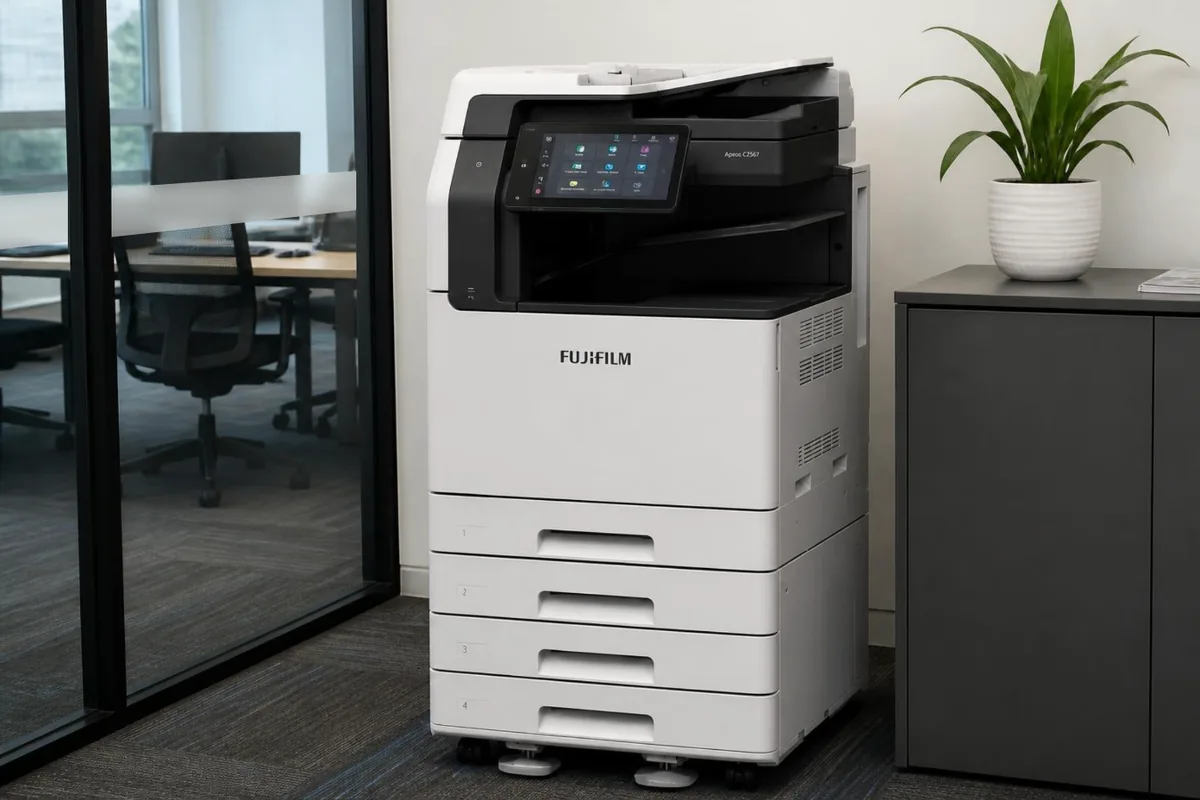
Fujifilm Apeos C2567, one of the Fujifilm photocopiers we repair in Brisbane.
Before you book a Fujifilm call in Brisbane
Before you ring, these are worth a minute:
- Write down all six digits of the code exactly as shown, plus what the machine was doing, for instance copying from the DADF or printing from Tray 2.
- Note the model name on the front of the machine, for example DocuCentre-V C3375 or ApeosPort-V C4476, and whether the badge reads Fujifilm or Fuji Xerox.
- Press the Machine Status button and read the billing meter totals. Quoting them with the fault helps the technician judge which life parts are close to their count.
Fujifilm printer and copier repairs in Brisbane
A Fujifilm printer, a Fuji Xerox copier and an Apeos photocopier can be the same kind of machine wearing a different badge. When Fuji Xerox took on the Fujifilm name, the DocuCentre and ApeosPort multifunctions already in offices kept their old badges, while the current Apeos machines carry the new one. DocuPrint is the name on the smaller printers and desktop multifunctions.
For a repair, the badge makes little difference. Every one of these machines reports faults in the same six digit chain link format, so a copier repair on an older DocuCentre and a printer repair on a DocuPrint are booked alike: the model as shown on the front, the complete code, and the job it was running. The first three digits, the chain, show the technician where in the machine the fault was raised, before anyone sets out.
Repair or replace your Fujifilm photocopier?
Fujifilm models span several generations. ApeosPort-IV and DocuCentre-IV machines are the earlier platform, ApeosPort-V and DocuCentre-V came after, and Apeos is the current range. An older machine is not automatically a write off. What matters is whether the fault is a wear part that can still be sourced, and whether the rest of the copier is in good order. The technician checks both before anything is ordered.
When replacement is the better answer, we supply new copiers and refurbished and renewed machines in Brisbane as well, and install them. A new or refurbished Fujifilm can be bought outright through photocopiers for sale in Brisbane, or rented or leased through photocopier leasing and rental in Brisbane.
Keeping a Fujifilm photocopier running in Brisbane
Brisbane's humid summers are hard on paper before they are hard on the machine. A ream left open in a storeroom over a wet weekend soaks up moisture, curls as it passes the fuser, and jams at the exit or double feeds from the tray. Keep paper sealed in its wrapper until it goes in the drawer, and load only what the office will use in a day or two.
- Change the Waste Toner Bottle when the near full message appears rather than waiting, because once it is full the machine stops printing until a new bottle goes in.
- Remove staples, clips and sticky notes before originals go into the DADF. Torn, glossy or very thin originals belong on the glass, where they cannot damage the feed rolls.
- Turn the copier off with its main power switch, never at the wall, and let it shut down fully. A clean shutdown protects the hard disk; a wall socket of its own beats a crowded power board.
Fujifilm service agreement or a one off repair?
On a DSA service agreement, your Fujifilm copier's servicing, repairs and toner sit under one arrangement, billed from the pages you print. Toner is included, and freight is charged on each delivery. Life parts such as the Fusing Unit, Drum Cartridges and IBT Belt Unit are fitted at their page counts on a service visit, rather than being left until they fail.
Brisbane is where our service desk sits and where most of our agreements run. Planned servicing in Brisbane has its own page, with what a service visit covers. Photocopier servicing in Brisbane.
Fujifilm and Fuji Xerox copier repairs, photocopier service and printer service in Brisbane
Whether you searched Fujifilm copier repairs Brisbane, Fujifilm photocopier service, Fujifilm printer repair or Fujifilm copier service near me, it is the same team: on site technicians across greater Brisbane who work on Fujifilm and Fuji Xerox machines every week, booked through one service desk with the attendance charge confirmed before anyone is sent. Fuji Xerox machines are Fujifilm machines now, and we service both names. A breakdown is a repair call; planned servicing, cleaning and maintenance kits on their count are a service call; and an office that calls more than twice a year is usually better off with the servicing, parts and toner on one agreement. For the nearest technician to your suburb, see printer and copier repairs near me; for every brand on one page, photocopier repairs in Brisbane.
Book a Fujifilm repair Call 1300 922 260
Where in Brisbane
We attend Fujifilm machines on site right across Brisbane, all booked through one service desk:
- Brisbane CBD and inner city
- Brisbane north and Moreton Bay
- Logan and the Redlands
- Ipswich and Brisbane west
For planned servicing rather than a breakdown, see photocopier servicing in Brisbane. For Fujifilm toner, parts and new machines, see our Fujifilm page.
Outside Brisbane, Fujifilm repairs have their own page for each city we cover: Gold Coast, Sunshine Coast, Sydney, Melbourne, Canberra, Adelaide, Perth.
How a service call works
- Tell us the faultMake, model and what the machine is doing. A photo of any error on the screen helps.
- Charge confirmedWe confirm the attendance charge when you book, before anyone is sent.
- Diagnosed on siteThe technician finds the cause and fixes what can be fixed on the visit.
- Nothing extra without a yesAny part or further work is quoted to you before it goes ahead.
Common questions
Can I clear a Fujifilm or Fuji Xerox fault code myself?
Some of them. The last three digits show what kind of fault it is, and many system and communication codes clear when the machine is switched off and back on. Fusing Unit codes in the 010 chain are a different matter: the fix is a part or a service mode reset, so do not keep restarting. If a code comes back, book a call and quote all six digits.
Do you still repair Fuji Xerox badged machines?
Yes. Fuji Xerox became Fujifilm Business Innovation, and the DocuCentre, ApeosPort and DocuPrint machines sold under the old badge use the same parts and the same chain link codes. We service them the same way as the new Apeos machines.
Can you service a Fujifilm machine that came with a contract?
Yes, including machines whose original service contract or lease has finished. If servicing is still included in an agreement you are paying someone else for, we will tell you before we book anything.
Is an older DocuCentre worth repairing?
Often, while parts are still available, because these machines were built for long service. If a repair would cost more than the machine is worth to you, we will tell you before any work goes ahead.
Where in Brisbane do you attend?
All of Brisbane: the CBD and inner city, the north side and Moreton Bay, Logan and the Redlands, and Ipswich and the west, booked through the one service desk.
Are your technicians qualified?
All our technicians are trained and certified.
What do the last three digits of a Fujifilm code tell me?
They are the link, and as a rough guide they show how serious the fault is. A link in the 200s, from 210 to 299, means an option such as a fax card has failed while other services keep running. The 300s are system fails needing a restart or a technician. Links in the 400s warn that a part is near replacement, and those in the 900s pause the job until you fix the cause.
What does 077-101 mean on a DocuCentre or ApeosPort?
A sheet arrived at registration, the checkpoint just before the image is transferred, and did not move on in time. Clear the paper following the panel's guidance and run the job again. If 077-101 keeps returning, note which tray the paper came from. A single tray points to its rolls, while every tray points further along the path, and either way the technician needs to look.
Can you look at a Fujifilm copier in a Brisbane CBD tower?
Yes. Tell us the building, the floor and any sign in or loading dock rules when you book, and the technician comes prepared for them. Most CBD buildings only need a name and a time in advance.
DSA is an independent service provider. Fujifilm and Fuji Xerox are trademarks of their owner and are used here only to describe the machines we service.