
Fuji Xerox and Fujifilm machines in Melbourne get the same service from us whatever the badge: DocuCentre and ApeosPort copiers, the current Apeos range, and DocuPrint printers such as the CM415 on our records. The first three digits of the six digit code name the chain, 010 for the Fusing Unit and 091 to 094 for drums, toner and transfer, so the part can be shipped to your office before our local technician comes back to fit it.
The Fujifilm machines we look after in Melbourne
ApeosPort-V and DocuCentre-V C2276, C3376, C4476, C5576, C6676 and C7776, and the earlier C2275, C3375, C4475, C5575, C6675 and C7775.
DocuCentre-V C2263 and DocuCentre-V C2265.
ApeosPort-V and DocuCentre-V 2060, 3060 and 3065, and the larger 5580, 6680, 7780, 5585, 6685 and 7785.
ApeosPort-IV and DocuCentre-IV C2270, C4470, C5570, C2275, C3375, C4475 and C5575, DocuCentre-IV C2260 and C2263, ApeosPort-IV and DocuCentre-IV 3070 and 4070, and DocuCentre-IV 2060 and 3060.
The current Fujifilm Apeos multifunctions, and DocuPrint printers.
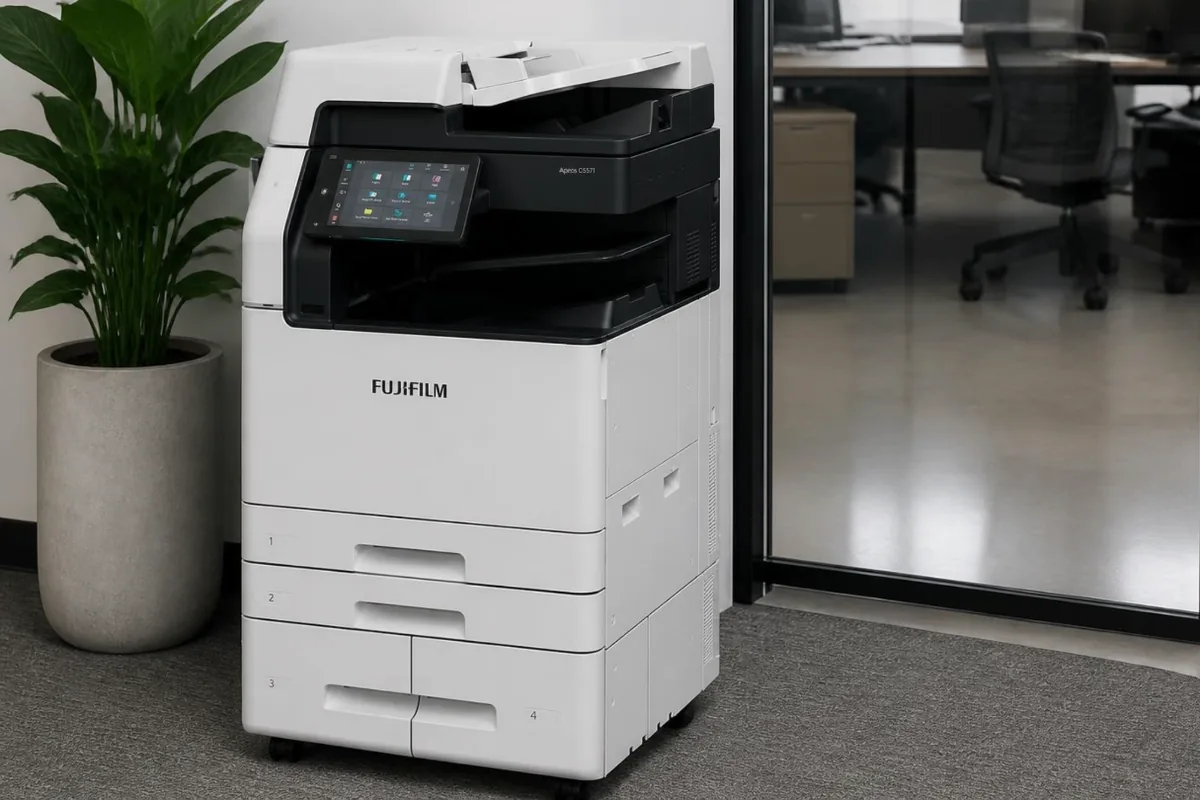
Fujifilm Apeos C5571, one of the Fujifilm photocopiers we repair in Melbourne.
Fujifilm photocopier repairs in Melbourne: the faults we fix
When one colour turns pale or patchy while the others stay strong, the drum for that colour is a common cause, though its toner and print head are suspects too. The drum surface carries the image before it moves to the belt, and it wears with every page. Codes 091-328 to 091-331 mean the chip could not be read; restart once, then call.
Codes 092-312 to 092-315 stop the copier outright. They mean the ATC sensor in one of the Deve Units has given readings outside its limits for too long. Restarting is not the fix. The technician checks the toner supply into that unit and the sensor itself, then replaces the Deve Unit if it has worn. Quote the exact code when you book.
The machine checks its own colour by reading test patches off the belt with the ADC sensor. If 092-651 appears, that sensor gave an abnormal reading of the IBT Belt, which can mean a dirty sensor or a marked belt surface. Registration and density then drift. Leave it for a technician, because the belt marks easily if fingers touch it.
Fujifilm codes we are called to in Melbourne
Some Fujifilm codes clear with one restart at the main power switch; others lock the machine until a technician has fixed the cause.
| Code | What it points to | Restart? |
|---|---|---|
| 071-210, 072-210, 073-210, 074-210 | A tray failed to lift three times in a row. Check the stack is square and nothing is underneath it first. | Needs a technician |
| 071-212, 072-212, 073-212, 074-212 | A tray's paper size sensor is giving a faulty reading, sometimes because the bottom of the tray is damaged. | Needs a technician |
| 075-135 | A sheet from the bypass tray, which Fujifilm calls the MSI, did not get to the registration sensor in time. | Needs a technician |
| 077-101 | A sheet stopped at the registration sensor, where paper lines up before the image is applied, and did not clear it. | Needs a technician |
| 077-123 | Paper coming back round the duplex path for its second side did not arrive at registration on time. | Needs a technician |
| 077-300, 077-301 | The front cover or the left hand cover is open, or its switch is not detecting that it has closed. | Needs a technician |
Before you book a Fujifilm call
Three things that help the technician arrive with the right part:
- The full six digit code, such as 010-327 or 077-101. The first three digits name the chain, the part of the machine that failed.
- The billing meter, from the Machine Status button.
- Which tray is jamming, and whether the DADF on top jams as well.
And some quick checks that often save a visit:
- Write down all six digits of the code exactly as shown, plus what the machine was doing, for instance copying from the DADF or printing from Tray 2.
- Restart once properly: switch off at the main power switch, wait a full minute for the screen to go dark, then switch on. Repeated restarts on a 010 code achieve nothing.
- Try a fresh ream from a sealed pack. Paper left open in a humid storeroom curls, and curl is a common reason a sound copier starts jamming.
Every Fujifilm code family, and which ones clear with a restart
Booking a Fujifilm repair in Melbourne
Melbourne Fujifilm calls come in on (03) 8538 1600 and are booked through our service desk. The attendance charge is confirmed before anyone is sent, our local technician diagnoses the fault on site, and any part is shipped to your office for the return visit.
Fujifilm printer and copier repairs in Melbourne
Many offices with a Fujifilm A3 photocopier in the corridor also have smaller A4 machines on desks, often DocuPrint models such as the CM305 df or the CM415. They share the badge and the chain link codes, but repairing them is not the same job. A desktop Fujifilm printer has a short paper path and a compact engine, so printer repairs on it centre on worn feed rollers, fusing faults and a tired transfer belt.
The shared A3 multifunction, a DocuCentre, ApeosPort or Apeos machine, carries far more: a DADF on top, several trays, usually a hard disk holding the address book, often a finisher, and a Drum Cartridge and Deve Unit for each colour. A whole floor relies on it, so give the desk the code and mention what is still running: a fault in one option, such as the finisher, often leaves copying and printing going while the copier repair is arranged. Book both kinds through the same desk and say which machine it is.
Repair or replace your Fujifilm photocopier?
Options change the sums. A fax card that fails is treated by the machine as a local fault, so copying and scanning carry on, and you may decide you can live without it. A finisher is different if your office relies on stapled sets. Each option is weighed on its own, separately from the main body of the copier, so one failed accessory does not decide the whole machine.
When replacement is the better answer, new machines are on our new copiers page, delivered and set up in Melbourne.
Keeping a Fujifilm photocopier running in Melbourne
Melbourne swings between dry, heated winter offices and muggy summer days, and a Fujifilm feels both. Dry winter air builds static, so sheets cling together and double feed; humid days curl paper and cause exit jams. Store paper sealed and away from heaters, and fan the edges of a ream before loading it.
- Set the paper type for each tray to match what is actually loaded. Card, labels and recycled stock need different fusing and transfer settings, and a wrong setting shows as toner that rubs off.
- Turn the copier off with its main power switch, never at the wall, and let it shut down fully. A clean shutdown protects the hard disk; a wall socket of its own beats a crowded power board.
- Change the Waste Toner Bottle when the near full message appears rather than waiting, because once it is full the machine stops printing until a new bottle goes in.
Fujifilm service agreement or a one off repair?
Agreement billing runs from meter readings. Most machines email theirs each month. Where one does not, you get a reminder, or you can scan the sticker on the machine and enter the reading through the customer portal. One off repairs and service calls suit a lightly used machine that rarely needs a visit, while a busy DocuCentre or ApeosPort is usually simpler to run on an agreement.
Melbourne has its own page for planned servicing. Parts for a Melbourne Fujifilm are shipped to your office ahead of the return visit. Photocopier servicing in Melbourne.
Across Melbourne
We attend Fujifilm machines anywhere around Melbourne, including:
- Werribee
- Hoppers Crossing
- Tarneit
- Melbourne CBD
- Richmond
- Kew
- Hawthorn
- Camberwell
Every area we cover is on our Melbourne page. For Fujifilm toner, parts and new machines, see our Fujifilm page.
For planned servicing rather than a breakdown, see photocopier servicing in Melbourne.
How a service call works
- Tell us the faultMake, model and what the machine is doing. A photo of any error on the screen helps.
- Charge confirmedWe confirm the attendance charge when you book, before anyone is sent.
- Diagnosed on siteThe technician finds the cause and fixes what can be fixed on the visit.
- Nothing extra without a yesAny part or further work is quoted to you before it goes ahead.
Common questions
Do you repair the DocuPrint CM415 in Melbourne?
Yes. It is on our Melbourne records. Feed rollers, the fuser and the transfer belt are the usual repairs on the DocuPrint colour multifunctions.
Can you service a Fujifilm that came with a contract?
Yes. If servicing is already included in an agreement you pay for, we will tell you rather than let you pay twice.
Do you have a technician in Melbourne for Fujifilm?
Yes. Our local technician attends Melbourne jobs, booked through the same service desk as every DSA call, on (03) 8538 1600.
Are your technicians qualified?
All our technicians are trained and certified.
Why do copies have black lines when computer prints are clean?
Lines only on copies and scans mean the fault is in the scanning side, not the print engine. When originals go through the DADF, the scanner reads them through a narrow glass strip, and a speck of dust or correction fluid there draws a line down every page. Clean the strip and main glass gently. If the lines stay, the technician checks the scanner.
Should we replace our DocuCentre-IV with a current Apeos model?
Not automatically. A DocuCentre-IV in good order with a reasonable count can keep working while its parts are available. The case for an Apeos grows when the machine needs several major life parts at once, when faults keep recurring across different chains, or when the office has outgrown its speed or scanning. The technician can lay out what the old machine needs so you can compare.
Why does my Fujifilm double feed more in a Melbourne winter?
Static. Heated offices dry the air, and dry sheets cling together and feed two at a time. Fanning the ream before loading it, and storing paper away from heaters, usually fixes it. If it carries on, the separation pad or roller is worn.
Fujifilm repairs in other cities
Other brands we repair in Melbourne
DSA is an independent service provider. Fujifilm is a trademark of its owner and is used here only to describe the machines we service.