
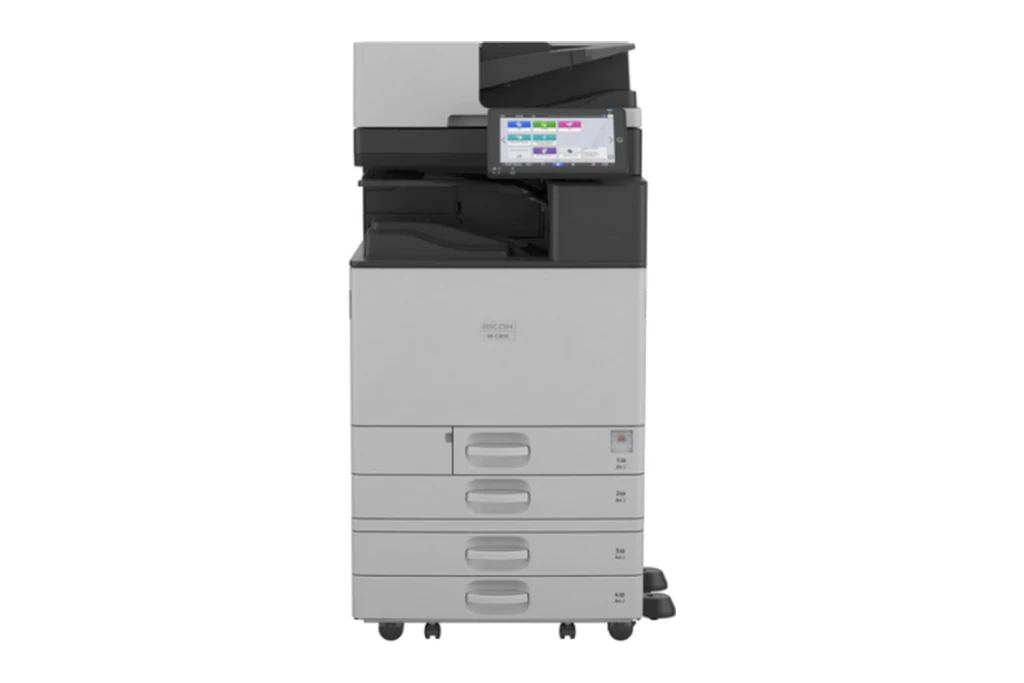
We repair Ricoh multifunctions across Melbourne, from the current IM C machines to the MP C and MP generations still working after their leases, and Lanier badged machines made by Ricoh. Ricoh calls its drum and developer assembly the PCDU, one per colour, and replaces it on a page count; faint or streaky colour usually traces to one of them. Our local technician diagnoses the fault on site and fits the part once it reaches your office.
The Ricoh machines we look after in Melbourne
IM C2000, IM C2500, IM C3000, IM C3500, IM C4500, IM C5500, IM C6000, and the newer IM C2010, IM C2510, IM C3010, IM C3510, IM C4510, IM C5510 and IM C6010.
MP C2003, MP C2503, MP C3003, MP C3503, MP C4503, MP C5503, MP C6003, and the MP C3004 to MP C6004 series.
MP 2555, MP 3055, MP 3555, MP 4055, MP 5055, MP 6055, and IM 2500 to IM 6000.
Aficio MP C2030, MP C2050, MP C2051, MP C2550, MP C2551 and Lanier badged models.
SP C261, SP C360, SP C361, IM C300 and IM C400.
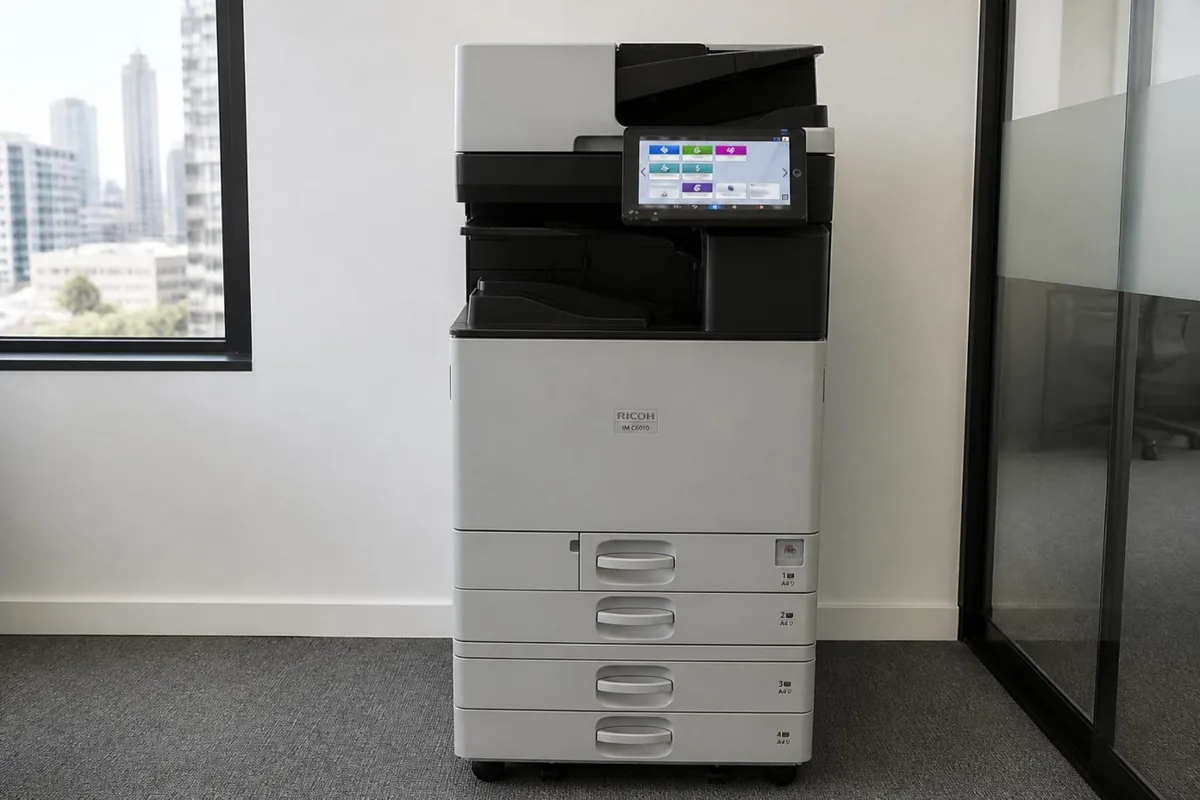
Ricoh IM C6010, one of the Ricoh photocopiers we repair in Melbourne.
Ricoh photocopier repairs in Melbourne: the faults we fix
Thin solids, colours that drift between jobs, or SC360 or SC370 on the panel point at how the machine measures toner. A density sensor in each development unit keeps the toner and developer mix right, and a second sensor reads test patches on the belt. If either cannot calibrate, the code appears. SC360 usually sends the technician to that colour's development unit.
Large areas of colour come out mottled, with pale patches that shift from page to page. The image reaches the belt, but not all of it crosses onto the paper. That step relies on a charged transfer roller and dry paper. If a fresh ream makes no difference, the roller or its high voltage supply needs checking, and Ricoh logs that fault as SC492.
A tray that will not rise, showing SC501 to SC503, did not lift or lower the way its sensor expected. Something under the base plate, a torn sheet or a paper clip, is a common cause. Pull the tray out, clear it, reload below the limit mark and restart. If the code comes back, the lift motor or sensor needs the technician.
Ricoh codes we are called to in Melbourne
Some Ricoh codes clear with one restart at the main power switch; others lock the machine until a technician has fixed the cause.
| Code | What it points to | Restart? |
|---|---|---|
| SC544 | The fusing unit ran hotter than its limit. Level A, a safety lock that only a technician can reset after finding why. | Needs a technician |
| SC547 | Zero cross error: the way the machine senses the mains supply, or a relay feeding the fuser, is not behaving. | Needs a technician |
| SC559 | Three fusing jams in a row locked the machine to protect the fuser. Level A, a setting only switched on for some customers. | Needs a technician |
| SC620 | The machine lost contact with its document feeder. Restart once; if it returns, the feeder connection or board needs checking. | Worth one restart |
| SC621 | Contact with the finisher dropped out. A restart may restore it, while a repeat points to the cable or a board. | Worth one restart |
| SC622 | The machine cannot talk to the paper bank underneath it. Try a restart, and call if the code reappears straight away. | Worth one restart |
Before you book a Ricoh call
Three things that help the technician arrive with the right part:
- The SC code on the panel, such as SC542 or SC360, and whether the machine still copies at all.
- The total counter, from the Counter screen in the machine settings.
- Which tray is jamming, and whether the bridge unit or the finisher is part of it.
Worth checking before the call:
- Write the whole SC code down, the three digits and the two after the dash, and note what the machine was doing at the time: copying, printing, scanning or waking up.
- Have the serial number from the label on the machine if you can reach it. If a DSA sticker is fitted, the ID on that sticker identifies the machine just as well.
- For a tray lift code or repeated misfeeds, pull that tray out, check nothing has slipped under the base plate, and make sure the guides sit snug against the stack.
Every Ricoh code family, and which ones clear with a restart
Booking a Ricoh repair in Melbourne
Ring (03) 8538 1600 with the Ricoh model and the fault. You hear the attendance charge first, the technician finds the cause where the machine stands, and nothing extra goes ahead without your yes. Parts are shipped to your office, so the job keeps moving.
Ricoh printer and copier repairs in Melbourne
In many offices the Ricoh fleet comes in two sizes. On desks sit the A4 machines, an SP C261 or SP C360 printer, or an IM C300 or IM C400 multifunction, each serving a few people. In the shared space stands the A3 Ricoh photocopier, an MP C model or one of the IM C range with its Smart Operation Panel, used by the whole floor for printing, copying and scanning.
Repairs on the two differ in size. Inside an A4 Ricoh printer the paper travels a short distance past one fusing unit, and the network link is the other usual trouble spot; while it is down, its users can usually send work elsewhere. The A3 machine has several trays, often a paper bank, a document feeder, PCDUs for every colour, a transfer belt and perhaps a finisher with its bridge unit, so a stoppage there holds up everyone. Copier repairs on it start from the SC code, which tells the technician where to look. Printer repairs on the A4 models are normally lighter work.
Repair or replace your Ricoh photocopier?
When a lease on a Ricoh comes to an end, what happens to the machine depends on the lease terms. If it stays with you, its page count and condition decide what makes sense next. A machine in good order can go on a DSA service agreement and keep working. One with several assemblies near the end of their life may be the natural point to replace it instead.
When replacement is the better answer, new machines are on our new copiers page, delivered and set up in Melbourne.
Keeping a Ricoh photocopier running in Melbourne
Melbourne swings between dry, heated winter offices and muggy summer days, and a Ricoh feels both. Dry winter air builds static, so sheets cling together and double feed; humid days curl paper and cause exit jams. Store paper sealed and away from heaters, and fan the edges of a ream before loading it.
- Keep spare toner bottles sealed in their packs, in a cool cupboard out of direct sun, and only open one when the panel asks for it.
- Do not push the machine across carpet, over a door strip or down a step. A jolt can disturb toner inside and loosen the connection to the finisher, so ask the service desk before it is moved.
- Clean the exposure glass and the narrow reading strip beside it with a soft cloth. Dampen the cloth rather than spraying the glass, so no liquid can run underneath.
Ricoh service agreement or a one off repair?
Toner is included on an agreement, and freight is charged on each delivery, so a Replace Toner message on the panel means placing an order rather than shopping around. Life parts such as the PCDUs and the fusing unit are fitted at their page counts on a service visit, instead of waiting for a worn part to turn into a breakdown.
Melbourne has its own page for planned servicing. Parts for a Melbourne Ricoh are shipped to your office ahead of the return visit. Photocopier servicing in Melbourne.
Across Melbourne
We attend Ricoh machines anywhere around Melbourne, including:
- Craigieburn
- Sunbury
- St Albans
- Caroline Springs
- Point Cook
- Werribee
- Hoppers Crossing
- Tarneit
Every area we cover is on our Melbourne page. For Ricoh toner, parts and new machines, see our Ricoh page.
For planned servicing rather than a breakdown, see photocopier servicing in Melbourne.
How a service call works
- Tell us the faultMake, model and what the machine is doing. A photo of any error on the screen helps.
- Charge confirmedWe confirm the attendance charge when you book, before anyone is sent.
- Diagnosed on siteThe technician finds the cause and fixes what can be fixed on the visit.
- Nothing extra without a yesAny part or further work is quoted to you before it goes ahead.
Common questions
Can you repair a Ricoh with an SC542 code in Melbourne?
Yes. SC542 belongs to the fusing unit, and it stays on the panel until a technician fixes the cause and resets it. Book a call and quote the code.
Is an older MP C machine worth repairing?
Often, while Ricoh parts are available. MP C machines that have finished a lease are still common, and most faults are wear parts.
Which parts of Melbourne do you cover?
The CBD and inner suburbs, the east out to Ferntree Gully and Rowville, the south east through Dandenong to Pakenham and Frankston, the north to Epping and Craigieburn, and the west to Werribee and Tarneit. Call to check your suburb.
Are your technicians qualified?
All our technicians are trained and certified.
How do I find the page count on my Ricoh?
On the panel, open the counter display from the user settings. Colour models split the total into black and colour pages. From a computer, typing the machine's network address into a browser opens Web Image Monitor, whose status pages list the counters too. The service desk asks for the total when you book, because it tells the technician how far the life parts have run.
Why is my Ricoh making a grinding noise before it stops?
A grinding, clicking or labouring sound from inside often means a drive is straining. Ricoh watches its motors and stops the machine with a lock code, such as SC324 for a development motor, SC441 for the drum and transfer drive or SC540 for the fusing motor. Switch off at the main power switch, note when the noise started, and do not keep restarting it.
Why does my Ricoh double feed more in a Melbourne winter?
Static. Heated offices dry the air, and dry sheets cling together and feed two at a time. Fanning the ream before loading it, and storing paper away from heaters, usually fixes it. If it carries on, the separation pad or roller is worn.
Ricoh repairs in other cities
Ricoh parts, by part number
If you already have a part number, from the machine or an old box, look it up in our Ricoh spare parts list. We can supply the part by itself, shipped to your office, or fitted by our local technician in Melbourne. Lanier badged machines have their own list: Lanier spare parts.
Other brands we repair in Melbourne
DSA is an independent service provider. Ricoh is a trademark of its owner and is used here only to describe the machines we service.