
Canon accounts for 26 of our Melbourne bookings since 2017, close behind HP and Epson. Our records here include imageRUNNER ADVANCE C2020 and C2030 colour copiers, and we service the later ADVANCE machines, imageCLASS desktops and imagePROGRAF plotters too. The fixing assembly, the drums and the document feeder are the usual work on the copiers, and our local technician carries it out on site in Melbourne.
Canon on our Melbourne records
From our own booking desk record: casual service calls booked in Melbourne, 2017 to 2025. Contract servicing comes on top.
Canon is fourth among the brands we are booked to in Melbourne.
The Canon machines we look after in Melbourne
imageRUNNER ADVANCE C5255, C5250, C5240 and C5235.
imageRUNNER ADVANCE C5051, C5045, C5035, C5030 and C3530i.
imageRUNNER C2570, C2880, C3170, C3200 and C3880.
imageRUNNER 1310, 1630, 2016, 2230, 2270, 2530, 2830, 2870, 3530, 3570, 4270 and 4570.
imageCLASS mono and colour laser printers and multifunctions, and MAXIFY business inkjets.
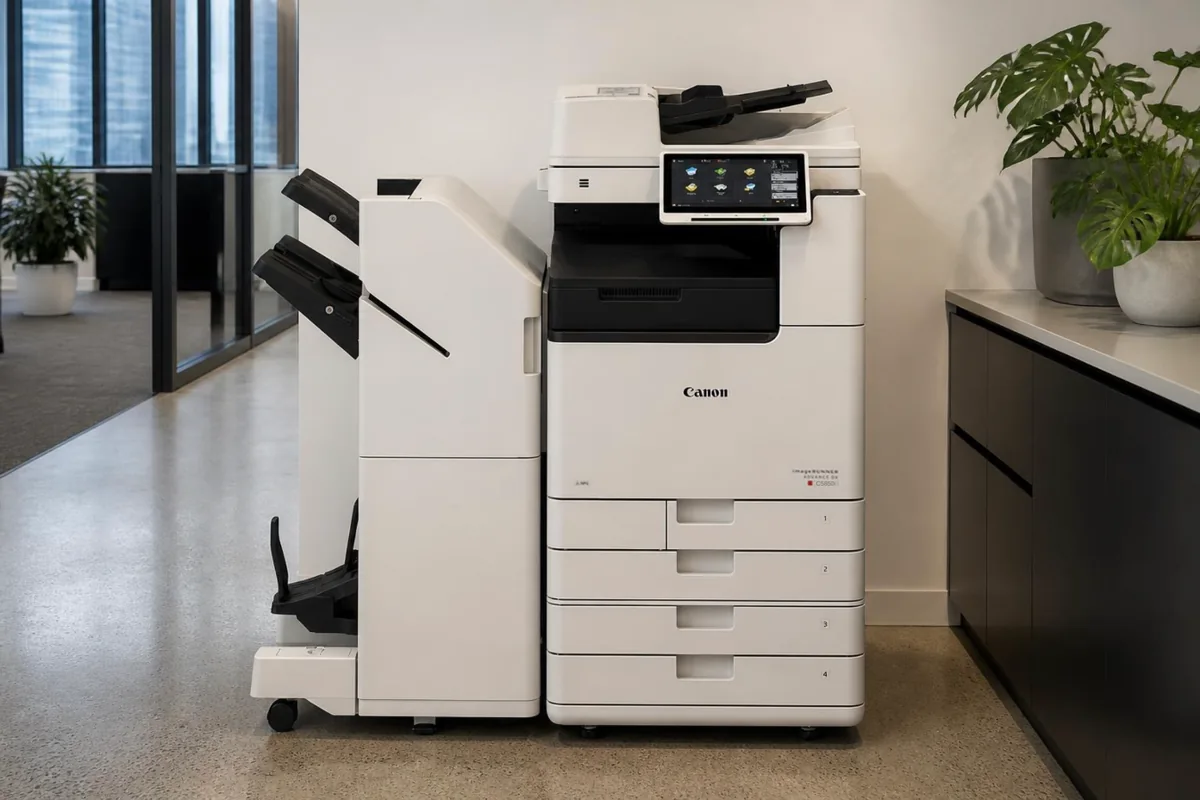
Canon imageRUNNER ADVANCE DX C5850i, one of the Canon photocopiers we repair in Melbourne.
Canon photocopier repairs in Melbourne: the faults we fix
E012 means a drum motor or its encoder sensor is not turning or reporting as it should. The second digit after the dash gives the colour: 1 yellow, 2 magenta, 3 cyan, 4 black. E012-1000 or E012-1001 is the ITB motor instead, and E012-2000 to E012-3002 mean all the drum drives, or the drums and ITB together, failed.
E020 codes come from the image density checks. E020-0011 to E020-0024 mean the patch sensor reading for one colour was out of range, which can point at the developing assembly, the drum or the sensor itself. Codes from E020-0130 to E020-04B1 mean the toner density sensor failed its check, or the toner to carrier ratio has drifted out of range.
E074-0001 or E074-0002 stops the machine because the primary transfer rollers did not move into or out of contact with the ITB. They lift away and press back as part of normal running, so wear in that mechanism eventually shows up as this code. Restarting will not fix it. The technician checks the roller drive and the belt unit, then replaces the worn part.
Canon codes we are called to in Melbourne
Some Canon codes clear with one restart at the main power switch; others lock the machine until a technician has fixed the cause.
| Code | What it points to | Restart? |
|---|---|---|
| E074-0001, E074-0002 | The rollers for primary transfer failed to press onto the ITB, or failed to pull away from it. | Needs a technician |
| E075-0003, E075-0103 | The ITB has wandered fully to the rear or to the front, and needs realigning or replacing. | Needs a technician |
| E100-0100, E100-0300 | A laser scanner unit, on either the yellow and magenta side or the cyan and black side, gave no start of line signal. | Worth one restart |
| E202-0001, E202-0002 | The reader's scanner unit was unable to locate its home position. A restart may well clear it. | Worth one restart |
| E301, E302 | The scanner's light level or shading calibration did not complete. The reading LED, its cable or dirt on the shading plate are the usual causes. | Needs a technician |
| E400-0001, E400-0002 | The reader and the document feeder stopped communicating. Switching off and on again often clears this one. | Worth one restart |
Before you book a Canon call
Three things that help the technician arrive with the right part:
- The E code on the panel, such as E001 or E602, or the jam location the screen shows.
- Whether the fault shows on copies only. A mark on copies only usually means the document feeder or the reader glass.
- The counter reading from the Counter Check button. It shows what maintenance is due.
Before you ring, these are worth a minute:
- Write down the complete code, detail digits and all. Some panels show E000001 rather than E001; they are the same code, so copy exactly what you see.
- Read the counter. Canon panels have a counter button that shows the totals, and those figures tell the technician which page count parts are close to due.
- For a jam, follow the panel's own steps to the door or cassette it names, take the sheet out gently, and check that no torn corner is left behind.
Every Canon code family, and which ones clear with a restart
Booking a Canon repair in Melbourne
Melbourne Canon calls come in on (03) 8538 1600 and are booked through our service desk. The attendance charge is confirmed before anyone is sent, our local technician diagnoses the fault on site, and any part is shipped to your office for the return visit.
Canon printer and copier repairs in Melbourne
Many offices run two kinds of Canon. Smaller imageCLASS machines sit on desks or in a branch, each used by one person or a small team, alongside the odd MAXIFY inkjet. Then there is the A3 Canon photocopier in the shared area, an imageRUNNER ADVANCE or an imageRUNNER, that a whole floor prints, copies and scans through every day.
The repairs differ in scale. A desktop Canon printer has a pickup roller, a fixing assembly and a network connection to go wrong, and while it is out of action its users can often print to another machine. The shared multifunction has cassettes, a document feeder and, on a colour model, drums and developing assemblies for every colour plus an ITB, and often a Staple Finisher or Booklet Finisher, and when it stops the whole floor waits. That is why copier repairs on the big machine lean on the E code, which tells the technician which assembly to bring parts for. Printer repairs on the desktop models are usually simpler, with fewer parts to rule out.
Repair or replace your Canon photocopier?
Smaller machines call for a different view. A Canon printer such as an imageCLASS, or a desktop imageRUNNER 1310 or 2016, is a smaller outlay than a floor standing colour copier, so the repair needs to be in proportion to the machine. The technician tells you what is wrong and what fixing it involves, and if replacement makes more sense, you hear that plainly.
When replacement is the better answer, new machines are on our new copiers page, delivered and set up in Melbourne.
Keeping a Canon photocopier running in Melbourne
Melbourne swings between dry, heated winter offices and muggy summer days, and a Canon feels both. Dry winter air builds static, so sheets cling together and double feed; humid days curl paper and cause exit jams. Store paper sealed and away from heaters, and fan the edges of a ream before loading it.
- Keep the next toner container in its sealed box until the panel says it can be replaced. Canon lets printing carry on for a while on the toner already inside the machine.
- Keep the room around the machine reasonably cool and dry. Canon fits environment sensors that it relies on, and E890 is the code when a sensor stops communicating or reads out of range.
- Clean the platen glass and the narrow strip of reading glass beside it with a soft dry cloth. Any spot on that strip turns into a line on every page sent through the document feeder.
Canon service agreement or a one off repair?
One off repairs suit a machine that seldom stops and prints lightly. A colour imageRUNNER ADVANCE working steadily through toner containers and life parts is a different case. Under an agreement, the film unit, drum units, developing assemblies and feed rollers are fitted at their page counts on a service visit, rather than waiting for one of them to fail.
Melbourne has its own page for planned servicing. Parts for a Melbourne Canon are shipped to your office ahead of the return visit. Photocopier servicing in Melbourne.
Across Melbourne
We attend Canon machines anywhere around Melbourne, including:
- Reservoir
- Thomastown
- Epping
- Bundoora
- Greensborough
- Craigieburn
- Sunbury
- St Albans
Every area we cover is on our Melbourne page. For Canon toner, parts and new machines, see our Canon page.
For planned servicing rather than a breakdown, see photocopier servicing in Melbourne.
How a service call works
- Tell us the faultMake, model and what the machine is doing. A photo of any error on the screen helps.
- Charge confirmedWe confirm the attendance charge when you book, before anyone is sent.
- Diagnosed on siteThe technician finds the cause and fixes what can be fixed on the visit.
- Nothing extra without a yesAny part or further work is quoted to you before it goes ahead.
Common questions
Do you repair the Canon imageRUNNER ADVANCE C2030 in Melbourne?
Yes. It and the C2020 are on our Melbourne records. Drums, the fixing assembly and paper feed are the usual repairs on these.
My Canon copies have a line down them but prints are clean. Why?
That points at the reader: dust or a mark on the narrow glass strip the document feeder reads through. Clean it with a soft cloth. If the line stays, book a call.
Will I get a surprise bill on a Melbourne Canon repair?
No. We confirm the attendance charge before anyone is booked, and any part or further work is quoted to you before it goes ahead.
Are your technicians qualified?
All our technicians are trained and certified.
Why is my Canon printing a faint copy of the image further down?
A faint repeat of part of the page is called ghosting. On a colour Canon it usually means toner is not being cleaned fully from the ITB or a drum, or the fixing assembly is carrying toner round and putting it back down. Note the distance between the image and its ghost, because that helps the technician find which part is responsible.
What happens to our Canon copier when the lease finishes?
Your lease contract decides whether the machine goes back, is bought out or keeps being rented. If it stays with you, a service visit shows what condition it is in and what is coming due. A machine in good order can go on a DSA service agreement, and if it is worn out, the technician will tell you that too.
Why does my Canon double feed more in a Melbourne winter?
Static. Heated offices dry the air, and dry sheets cling together and feed two at a time. Fanning the ream before loading it, and storing paper away from heaters, usually fixes it. If it carries on, the separation pad or roller is worn.
Canon repairs in other cities
Canon parts, by part number
If you already have a part number, from the machine or an old box, look it up in our Canon spare parts list. We can supply the part by itself, shipped to your office, or fitted by our local technician in Melbourne.
Other brands we repair in Melbourne
DSA is an independent service provider. Canon is a trademark of its owner and is used here only to describe the machines we service.