
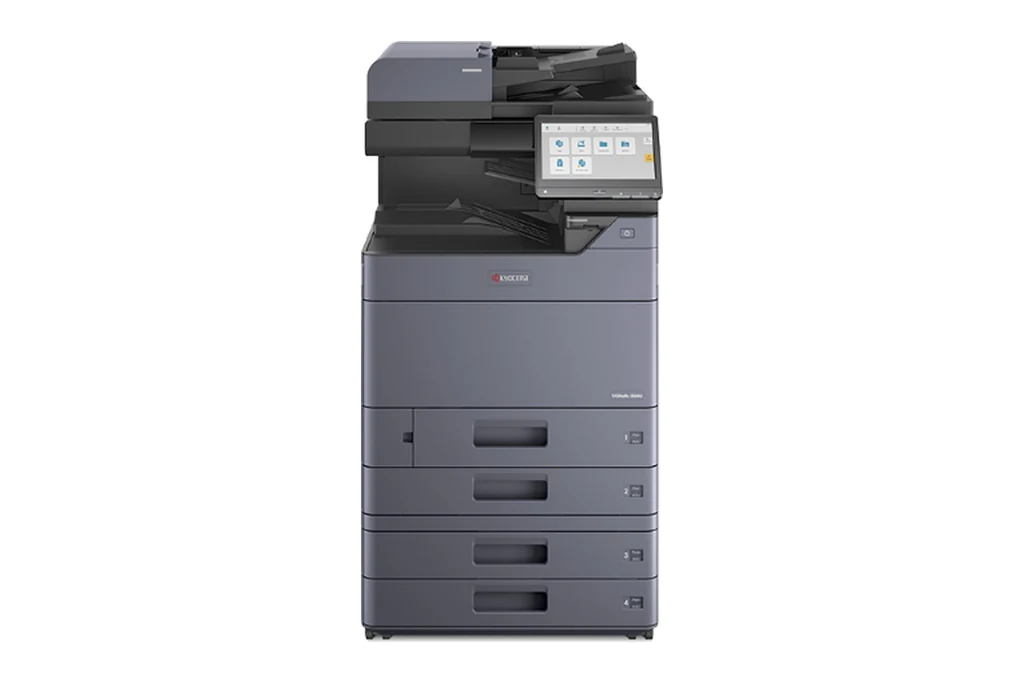
Kyocera machines are all through Brisbane offices, from TASKalfa copiers on current leases to ECOSYS printers on desks and older FS models that have kept going for years. We service all of them on site, casual or on a service agreement, and we sell new Kyocera machines too.
Kyocera builds its machines around replaceable units with their own names: the maintenance kit, the drum unit, the developer unit, the fuser unit and the transfer belt unit. Most Kyocera faults we are called to in Brisbane come down to one of those, the paper feed, or the document processor on top. The sections below set out what each one does when it starts to go, in the terms your panel uses.
The Kyocera machines we repair in Brisbane
TASKalfa 3051ci, TASKalfa 3551ci, TASKalfa 4551ci and TASKalfa 5551ci, and the later TASKalfa ci ranges.
Kyocera's A3 colour workhorses. As the page counts climb, it is fuser units, transfer belt units and paper feed rollers we fit most.
The TASKalfa mono A3 multifunctions.
High volume mono machines. Drum, developer and fuser wear on a page count, and feed rollers wear on busy cassettes.
ECOSYS M8124cidn and ECOSYS M8130cidn.
Compact A3 colour machines for smaller offices. Maintenance kits and paper feed make up most of the work.
ECOSYS P5026cdw, ECOSYS M5526cdw, ECOSYS P6035cdn and ECOSYS P7040cdn.
Colour machines on desks and in workgroups. Maintenance kits, drum and developer units, and feed rollers on the busier trays.
ECOSYS P2035d, ECOSYS P2135d and ECOSYS P4040dn, and the newer MA and PA models.
Long life mono printers. A maintenance kit fitted on time keeps them going for years; after that it is usually paper feed.
FS-2100DN and FS-4100DN.
Still running in plenty of offices. Repairable while parts last, and we will tell you plainly when one is not worth it.
What goes wrong on a Kyocera, in Kyocera's terms
When the panel says Replace MK, the machine has reached the page count for its kit of wear parts. It is not a fault, but fitting the kit on time is the single best thing you can do for a Kyocera.
The C6000 family. Kyocera watches its fuser heaters and thermistors closely, and a heating fault stops the machine until the cause is found. Usually the fuser unit itself, sometimes the wiring to it or a dip in the mains supply.
Grey backgrounds, faint or patchy colour, and streaks down the page usually start here. The C7101 to C7104 toner sensor codes, and the C7901 to C7914 codes for the memory chips on these units, point the same way.
Colours out of register, blotchy solids, and the C2730, C2760 and C2770 codes for the transfer release, the belt drive and the belt tracking.
Misfeeds and double feeds, shown as J0501 to J0519, from worn feed, forward and retard rollers. C1010 to C1040 is a cassette that will not lift, often because the lift plate is not moving freely.
Originals that skew or stop, shown as J9000 and the other J9 codes, and C9000 when the machine loses contact with the document processor, sometimes after a firmware mismatch.
Staple jams, punch faults, and the C8000 family when a finisher motor or its communication fails.
C0640 for the hard disk, C0840 for the clock battery, and the F codes between the main board, the panel and the engine. Scan to email and to folders, SMTP changes when your mail provider moves, and firmware, set up through Command Center RX.
Kyocera error codes we are called to
Quote the code on the panel when you book. It tells the technician which part of the machine to look at, and which parts to bring.
| Code | What it points to |
|---|---|
| C6000 to C6770 | Fuser heating, temperature and belt faults. Safety related: the machine stops, and a technician must find and fix the cause. |
| C1000 to C1040 | A cassette or the MP tray did not lift. Check the tray moves freely first; if it returns, the lift motor or sensor needs attention. |
| C2730 to C2810 | Transfer release, transfer belt drive, belt tracking and waste toner drive errors. |
| C7101 to C7914 | Toner sensor, developer unit and drum unit errors, including the memory chips on those units. |
| C4001 to C4204 | Laser scanner unit errors: a polygon motor not up to speed, or the laser beam not detected. |
| C9000 to C9070 | Document processor communication, lift motor and memory errors. |
| F000 to F278 | System errors between the main board, the panel, the print engine and the scanner. A restart often clears them; repeats need a technician. |
| J codes | Paper jams, numbered by where the paper stopped, so we know which cassette and roller to look at before we arrive. |
Every Kyocera code family, and which ones clear with a restart
Where in Brisbane
We attend Kyocera machines on site right across Brisbane, all booked through one service desk:
- Brisbane CBD and inner city
- Brisbane north and Moreton Bay
- Logan and the Redlands
- Ipswich and Brisbane west
For planned servicing rather than a breakdown, see photocopier servicing in Brisbane. For Kyocera toner, parts and new machines, see our Kyocera page.
How a service call works
- Tell us the faultMake, model and what the machine is doing. A photo of any error on the screen helps.
- Charge confirmedWe confirm the attendance charge when you book, before anyone is sent.
- Diagnosed on siteThe technician finds the cause and fixes what can be fixed on the visit.
- Nothing extra without a yesAny part or further work is quoted to you before it goes ahead.
Common questions
Can I clear a Kyocera C code myself?
Sometimes. F codes and some communication codes clear when the machine is switched off at the main power switch, left a few seconds, and switched back on. Fuser codes in the C6000 range are safety related and need a technician to find the cause. If a code comes back after a restart, book a call and quote the full code.
What does Replace MK mean on a Kyocera?
The maintenance kit is due. Kyocera counts pages and asks for its kit of wear parts at set intervals. It is not a fault, but fitting the kit on time is what keeps a Kyocera running for years, and we can fit it on site.
Do you sell new Kyocera machines as well?
Yes. We sell new TASKalfa and ECOSYS machines, with a service agreement to match if you want one, and we service the older models you already have.
Is an older TASKalfa or FS printer worth repairing?
Usually, while parts are still available, because Kyocera builds its machines to be serviced and to run for a long time. If a repair would cost more than the machine is worth to you, we will say so before any work goes ahead.
Where in Brisbane do you attend?
Right across Brisbane: the CBD and inner city, the north side and Moreton Bay, Logan and the Redlands, and Ipswich and the west, all booked through one service desk.
Are your technicians qualified?
All our technicians are trained and certified.
DSA is an independent service provider. Kyocera is a trademark of their owner and are used here only to describe the machines we service.