
Sharp MX multifunctions are in schools, councils and offices right through Brisbane, from the MX-3070N and MX-4070N to the MX-3050N and MX-3550N models still printing well years after their lease ended. We service all of them on site, casual or on a service agreement, along with the mono MX machines and the newer BP series.
Most Sharp faults we are called to come down to a handful of assemblies: the fusing unit, the developing units, the OPC drum units and chargers, the primary transfer belt, the paper feed, and the document feeder on top. The sections below set out what each one does when it starts to go, in the terms your panel uses.
The Sharp machines we repair in Brisbane
MX-3070N, MX-3570N and MX-4070N.
A3 colour machines that scan both sides of an original in one pass. As the page counts climb, it is the fusing belt, the pressure roller, the primary transfer belt and the developer we fit most.
MX-3060N, MX-3560N and MX-4060N, and the MX-3050N, MX-3550N and MX-4050N.
The same engine family with a reversing document feeder. Still everywhere in Brisbane, and well worth keeping going while parts are available.
Sharp's mono MX multifunctions.
Busy office machines. The drum, the developer and the fusing unit wear on a page count, and feed rollers wear on the busy trays.
Sharp's BP series multifunctions.
The newer Sharp range, now on many current leases. They wear the same kinds of parts, and they are serviced the same way.
MX-FN27 inner finisher, MX-FN28 finisher, MX-FN29 saddle stitch finisher, MX-FN30 finisher, MX-DE25 to MX-DE28 paper drawers and the MX-LC17 large capacity tray.
The options around the machine. Stapling, punching and tray lift faults show here, and so do communication codes when an option and the machine stop talking.
What goes wrong on a Sharp, in Sharp's terms
The H2, H3, H4 and H5 trouble codes. A fusing fault stops the machine for safety, and it stays stopped until the thermistor, the heater lamp, the thermostat or the unit itself is dealt with and a technician cancels the code in simulation mode.
Sharp's developing units hold the developer for each colour. Grey backgrounds, faint or patchy colour, and the F2-40 to F2-43 toner density sensor codes usually start here. After new developer goes in, the EE-EL, EE-EU and EE-EC codes mean the density setting did not complete.
Streaks, light print and marks down the page, and the C1 main charger codes. The drum, the charger unit and the cleaning blade are replaced together on a page count.
Colours out of register, blotchy solids, marks repeating down the page, and the C4 transfer codes or L4-06 when the transfer unit will not lift.
Double feeds and misfeeds from worn paper feed and separation rollers, and F3-12 or F3-22 when a tray will not lift, often because of a scrap of paper under the tray or a tired lift sensor.
Originals that skew, crease or stop in the reversing or duplex single pass feeder. Usually its feed and separation rollers, and a clean of the scanning glass while we are there. The U5 codes point here.
Stapling, punching and saddle stitch faults, and F1-00 when the finisher and the machine stop talking to each other.
E7-03 and E7-A7 for the hard drive and the SSD, and the U2 memory codes. Where the drive can still be read, we take a copy of your address book and settings before anything is replaced.
Sharp error codes we are called to
Quote the code on the panel when you book. It tells the technician which part of the machine to look at, and which parts to bring.
| Code | What it points to |
|---|---|
| H3-00 to H4-02 | Fusing unit over or under temperature. The machine stops for safety and a technician must cancel the code once the cause is fixed. |
| H5-01 | Five fusing jams in a row, so the machine locks to protect the fusing unit. Usually paper left inside, a sensor, or the fusing unit itself. |
| F3-12 and F3-22 | Tray 1 or tray 2 did not lift. Check for a scrap of paper under the tray first. If it returns, the lift sensor or lift motor needs attention. |
| EE-EL, EE-EU and EE-EC | The toner density setting failed after developer was changed. Over toner, under toner, or out of range. |
| F2-40 to F2-43 | A toner density sensor fault in one of the developing units, black, cyan, magenta or yellow. |
| C4-00 to C4-40 | Transfer high voltage faults, pointing at the primary transfer unit, the secondary transfer roller or the high voltage board. |
| F1-00 | Communication lost between the finisher and the machine. |
| E7-03 and U2-00 | Hard drive and memory faults in the controller. |
Every Sharp code family, and which ones clear with a restart
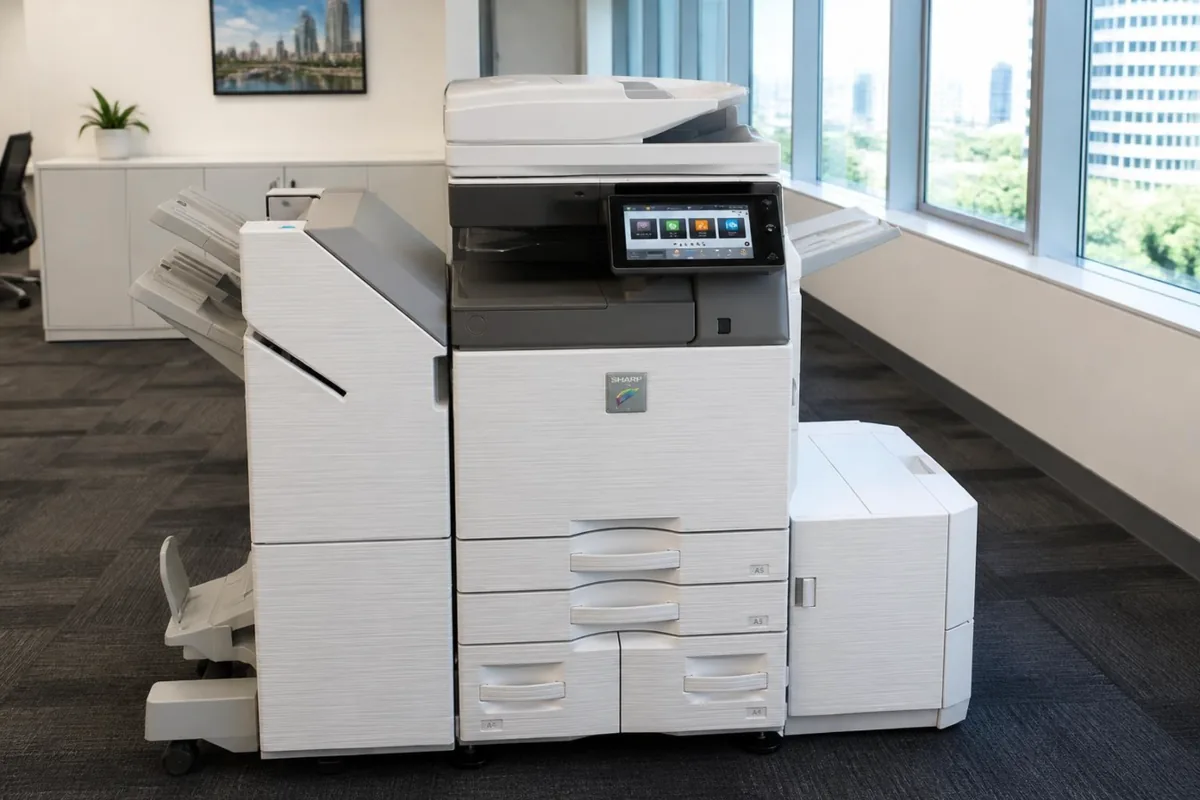
Sharp MX-3071, one of the Sharp photocopiers we repair in Brisbane.
Before you book a Sharp call in Brisbane
A few checks that help, or fix it outright:
- Write down both halves of the code, the main code and the sub code after the dash, such as H4-00 or F2-40. The main code on its own does not say enough.
- Read the model from the front, such as MX-3070N or MX-4050N, and the serial number from its label. Note any options too, such as a finisher or an extra paper drawer.
- Find the total on the panel's counter screen. It tells the technician how far the drum, developer, fusing belt and primary transfer unit have run.
Many Brisbane copiers live in CBD towers or business parks with building rules. If your building needs a visitor or trades sign in, a loading dock booking or a parking spot, tell the desk when you book, and say which floor and room the machine is in.
Sharp printer and copier repairs in Brisbane
Whether your office calls it the printer, the copier or the photocopier, a Sharp MX or BP office machine is usually one multifunction device doing all three jobs. The scanner on top reads your originals, and the laser engine underneath prints both your copies and the jobs sent from computers. To the technician, a Sharp printer and a Sharp copier are usually the same box, with the same parts inside.
That is why a printer repair and a copier repair are booked the same way. Give the service desk the model name printed on the front, and say whether the problem shows on prints, on copies, or on both. A fault on both points to the engine, such as the drum, the developer or the fusing unit. A fault that appears on copies alone points to the scanner or the feeder, so the technician knows where to start.
Repair or replace your Sharp photocopier?
Sharp's MX colour machines from the MX-3050N up to the MX-4070N are one engine family, covered by the same service manual, whether they carry a reversing feeder or the duplex single pass feeder. That helps when you are weighing a repair, because parts carry across the family. The BP series is Sharp's newer range, and a repair on one is weighed the same way.
When replacement is the better answer, we supply new copiers and refurbished and renewed machines in Brisbane as well, and install them. A new or refurbished Sharp can be bought outright through photocopiers for sale in Brisbane, or rented or leased through photocopier leasing and rental in Brisbane.
Keeping a Sharp photocopier running in Brisbane
Storm season brings the other Brisbane problem: power. A strike nearby or a brief outage can leave a Sharp hanging on its start screen, throwing a controller or hard drive error, or losing a scan setting. A surge protected power point, and switching the machine off properly before a storm when the office is empty, saves more service calls than people expect.
- Treat Maintenance required as a booking prompt rather than a nuisance. With FK1, DK, VK or TK1 it names the part, and fitting it then stops that part causing a fault later.
- Firmware updates are a technician's job. An interrupted update can leave A0-01 or A0-02, damaged firmware, so keep the power on until any update has finished.
- Leave space around the machine for air. Sharp watches the cooling fans on the power supply, the fusing unit and the process section, and stops with an L4 fan code if one fails.
Sharp service agreement or a one off repair?
A Sharp on a DSA service agreement has servicing, repairs and toner under one arrangement, billed from the pages it prints. Most machines email their meter readings each month. If yours does not, you get a reminder, or you can scan the sticker on the machine and enter the reading through the customer portal. Toner is included, and freight is charged on each delivery.
Brisbane is where our service desk sits and where most of our agreements run. Planned servicing in Brisbane has its own page, with what a service visit covers. Photocopier servicing in Brisbane.
Sharp copier repairs, photocopier service and printer service in Brisbane
Whether you searched Sharp copier repairs Brisbane, Sharp photocopier service, Sharp printer repair or Sharp copier service near me, it is the same team: on site technicians across greater Brisbane who work on Sharp machines every week, booked through one service desk with the attendance charge confirmed before anyone is sent. A breakdown is a repair call; planned servicing, cleaning and maintenance kits on their count are a service call; and an office that calls more than twice a year is usually better off with the servicing, parts and toner on one agreement. For the nearest technician to your suburb, see printer and copier repairs near me; for every brand on one page, photocopier repairs in Brisbane.
Book a Sharp repair Call 1300 922 260
Where in Brisbane
We attend Sharp machines on site right across Brisbane, all booked through one service desk:
- Brisbane CBD and inner city
- Brisbane north and Moreton Bay
- Logan and the Redlands
- Ipswich and Brisbane west
For planned servicing rather than a breakdown, see photocopier servicing in Brisbane. For Sharp toner, parts and new machines, see our Sharp page.
Outside Brisbane, Sharp repairs have their own page for each city we cover: Gold Coast, Sunshine Coast, Sydney, Melbourne, Canberra, Adelaide, Perth.
How a service call works
- Tell us the faultMake, model and what the machine is doing. A photo of any error on the screen helps.
- Charge confirmedWe confirm the attendance charge when you book, before anyone is sent.
- Diagnosed on siteThe technician finds the cause and fixes what can be fixed on the visit.
- Nothing extra without a yesAny part or further work is quoted to you before it goes ahead.
Common questions
Can I clear a Sharp trouble code myself?
Sometimes. A few communication codes, such as U5-00 on the document feeder, clear when the machine is switched off and on at the main power switch. Fusing codes in the H2 to H5 range, tray lift codes and memory codes are held by the machine until a technician fixes the cause and cancels them in simulation mode, Sharp's service mode. If a code comes back after a restart, book a call and quote the full code.
Do you service older Sharp MX machines?
Yes. The MX-3050N, MX-3550N and MX-4050N and their MX-xx60N and MX-xx70N siblings share a lot of parts, and we service them the same way as the newer machines.
Can you service a Sharp that came with a lease?
Yes, including machines that have come off a finance lease. If servicing is already included in an agreement you pay someone else for, we will tell you, rather than let you pay twice.
Is an older Sharp worth repairing?
Usually, while parts are still available, because these machines were built to run for a long time. If a repair would cost more than the machine is worth to you, we will say so before any work goes ahead.
Where in Brisbane do you attend?
Right across Brisbane: the CBD and inner city, the north side and Moreton Bay, Logan and the Redlands, and Ipswich and the west, all booked through one service desk.
Are your technicians qualified?
All our technicians are trained and certified.
What is simulation mode on a Sharp copier?
Simulation mode is Sharp's service mode, used by technicians to test parts, adjust settings and cancel trouble codes. Many Sharp codes, including fusing codes, tray lift codes and U2 memory codes, stay stored after the fault is fixed and can only be cancelled there. That is why a restart cannot clear them, and why a technician visit is needed even for a simple cause.
What does Maintenance required with FK1 or TK1 mean?
It means a wear part has reached its page count. FK1 is the fusing belt and TK1 the primary transfer unit; DK is the black drum and VK the black developer. The machine is warning you before the part causes a fault, so book a service visit and quote the code shown, and the technician brings the right part to fit.
Does Brisbane humidity cause Sharp paper jams?
It can. Paper that has absorbed moisture curls as it is heated in the fuser and jams near the exit, or sticks together and double feeds. Keeping reams sealed until they are loaded solves a surprising number of repeat jams.
Sharp parts, by part number
If you already have a part number, from the machine or an old box, look it up in our Sharp spare parts list. We can supply the part by itself, or have one of our technicians fit it in Brisbane.
DSA is an independent service provider. Sharp is a trademark of their owner and are used here only to describe the machines we service.