
Sharp's MX and BP multifunctions are full size office machines, and we repair them on site across Adelaide, from the CBD and Kent Town to Mawson Lakes and Port Adelaide. A C1 or C4 code points at charging or transfer, H2 to H7 at the fusing unit and F1 at the finisher, so the code tells our local technician which part to have shipped to your office.
The Sharp machines we look after in Adelaide
MX-3070N, MX-3570N and MX-4070N.
MX-3060N, MX-3560N and MX-4060N, and the MX-3050N, MX-3550N and MX-4050N.
Sharp's mono MX multifunctions.
Sharp's BP series multifunctions.
MX-FN27 inner finisher, MX-FN28 finisher, MX-FN29 saddle stitch finisher, MX-FN30 finisher, MX-DE25 to MX-DE28 paper drawers and the MX-LC17 large capacity tray.
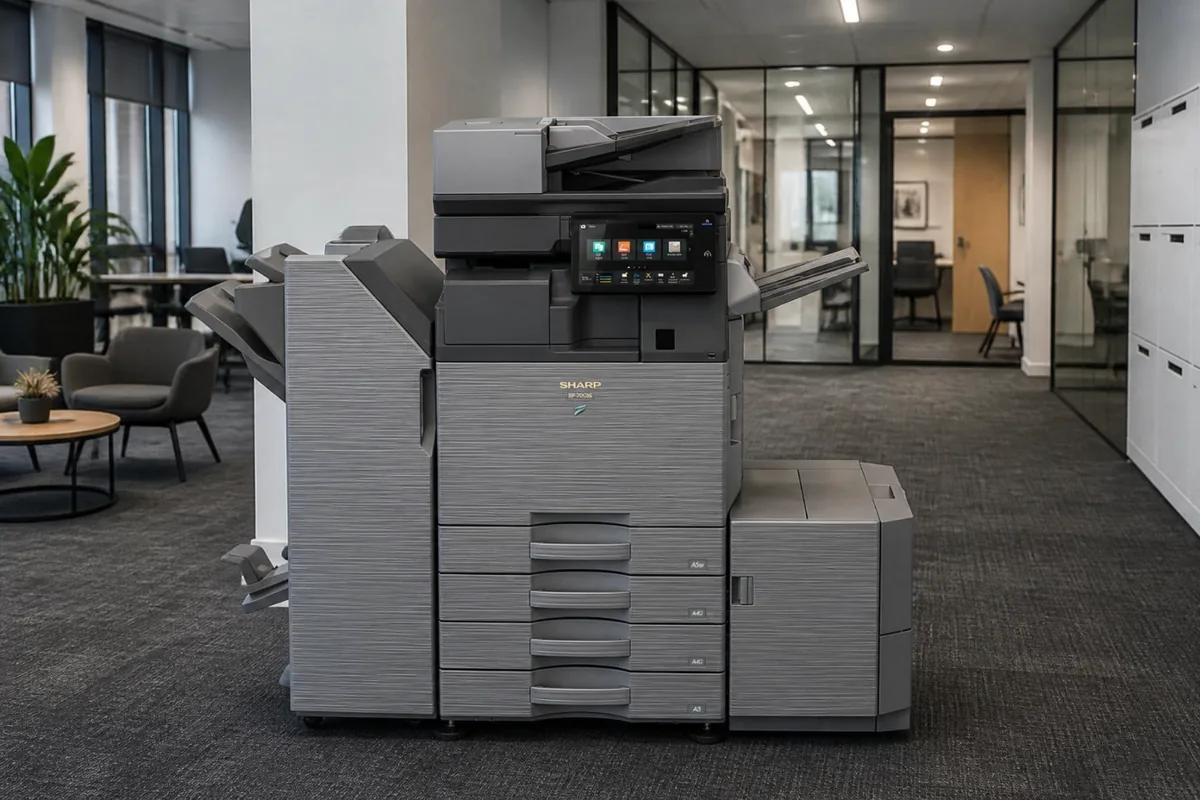
Sharp BP-70C36, one of the Sharp photocopiers we repair in Adelaide.
Sharp photocopier repairs in Adelaide: the faults we fix
A0-01 or A0-02 means the firmware on the engine or main board is damaged, often after an update was interrupted, and A0-20 to A0-22 that firmware and stored data versions do not match. U2-30 shows the manufacturing numbers stored on the main and engine boards disagree, typically after a board is replaced. Each is put right by the technician, not by restarting.
H5-01 is a jam turned into a lock: after five jams in a row at the fusing exit, the Sharp stops. Something is often still in the way, the exit sensor is misreading, or the fusing unit is not seated. Do not dig in the fusing area yourself. H2 codes are different: a fusing thermistor reads open, so the temperature cannot be measured.
F2-64 to F2-67 mean toner supply failed for one colour: the toner motor, sensor, cartridge or toner pipe. F2-70, F2-71, F2-72 or F2-73 means the machine will not accept the cartridge as right for it, and an unreadable chip brings up F2-74, F2-75, F2-76 or F2-77. Reseat the cartridge once and check it is the correct type.
Sharp codes we are called to in Adelaide
Write down the whole code, including any digits after a dash. These Sharp codes are among the most common calls:
| Code | What it points to | Restart? |
|---|---|---|
| U6-00, U6-20 | The link to the paper feed desk, or to the large capacity tray, has dropped. Restarting the machine may restore it. | Worth one restart |
| F1-00 | The finisher and the main machine have lost communication, and a technician needs to find out why. | Needs a technician |
| F1-37, F1-38 | A backup memory error has been found on the finisher board or the punch board. A restart may clear it. | Worth one restart |
| E7-03 | The hard drive has failed outright, or is not properly connected to the rest of the controller. | Needs a technician |
| U2-40 | A file error in one storage area of the SSD. Switching off and on lets the machine rebuild it from the hard drive backup. | Worth one restart |
| A0-01, A0-02 | Damaged firmware on the engine board or main board, frequently the result of a firmware update that was cut short. | Needs a technician |
Before you book a Sharp call
Three things that help the technician arrive with the right part:
- Whether the fault is on copies only. Lines on copies only usually mean the single pass document feeder or the scanner glass.
- Which tray is jamming, and whether a large capacity tray or desk drawer is fitted.
- Whether the finisher or saddle stitch unit shows an F1 code.
Worth checking before the call:
- Find the total on the panel's counter screen. It tells the technician how far the drum, developer, fusing belt and primary transfer unit have run.
- For a jam, open only what the panel points to and clear the sheet following its instructions. Sharp logs each jam, so say whether it keeps happening in one place.
- If scans to email or a network folder stop arriving while copying still works, note any recent password, email or network change, and any message the panel shows when sending.
Adelaide jobs run from the CBD and Kent Town to industrial sites in Wingfield and Port Adelaide. Tell the desk about parking, site inductions and where the machine sits when you book.
Every Sharp code family, and which ones clear with a restart
Booking a Sharp repair in Adelaide
An Adelaide Sharp job is booked through our service desk. We confirm the attendance charge, our local technician diagnoses the fault on site, and any part is shipped to your office ahead of the return visit.
Sharp printer and copier repairs in Adelaide
Not every fault on a Sharp photocopier is mechanical. If it copies cleanly but jobs from computers never arrive, or scans stop reaching email or a shared folder, the engine is usually fine and the cause sits in the network, the printer driver, or a setting on the machine. These are printer problems all the same, and they go through the same service desk as a copier repair.
Before booking, note what changed: a new router or internet provider, a new password on the email account the machine sends from, a Windows update, or a new computer. Check the network cable is firmly plugged in at both ends, then restart once at the main power switch. If the Sharp printer still cannot be found, the technician can check its network address, scan destinations and drivers, and set up the multifunction again where needed. Keep a list of your scan destinations; it makes any later printer service simpler.
Repair or replace your Sharp photocopier?
If a Sharp is being replaced, think about its hard drive and SSD before it leaves the building. They hold stored data, and the address book and settings may be worth carrying across to the next machine. Ask for the storage to be dealt with before collection, and keep your own note of scan destinations so they can be set up again.
When replacement is the better answer, new machines are on our new copiers page, delivered and set up in Adelaide.
Keeping a Sharp photocopier running in Adelaide
Dry air and dust are Adelaide's quieter problems. Static makes paper cling and double feed, and dust from roads and building sites settles on the scanner glass and in the document feeder, which shows up as streaks on copies. Wipe the glass and the feeder's scanning strip regularly with a soft, dry cloth.
- Plug the machine into its own wall socket rather than a crowded power board. L8-01 or L8-02 means the machine found the mains signal missing or its frequency out of range.
- When Check the waste toner box appears, have a new box ready. The machine carries on for now, but it stops once the box is full.
- Clean the document glass and the narrow scanning strip with a soft dry cloth. On a machine with the duplex single pass feeder, such as the MX-3070N, back side lines come from the feeder's own reader, so say which side.
Sharp service agreement or a one off repair?
A Sharp on a DSA service agreement has servicing, repairs and toner under one arrangement, billed from the pages it prints. Most machines email their meter readings each month. If yours does not, you get a reminder, or you can scan the sticker on the machine and enter the reading through the customer portal. Toner is included, and freight is charged on each delivery.
Parts for an Adelaide Sharp are shipped to your office ahead of the return visit, so the job keeps moving without a second diagnosis. How our service agreements work.
Across Adelaide
We attend Sharp machines anywhere around Adelaide, including:
- North Adelaide
- Kent Town
- Norwood
- Unley
- Mile End
- Thebarton
- Keswick
- Glenelg
Every area we cover is on our Adelaide page. For Sharp toner, parts and new machines, see our Sharp page.
How a service call works
- Tell us the faultMake, model and what the machine is doing. A photo of any error on the screen helps.
- Charge confirmedWe confirm the attendance charge when you book, before anyone is sent.
- Diagnosed on siteThe technician finds the cause and fixes what can be fixed on the visit.
- Nothing extra without a yesAny part or further work is quoted to you before it goes ahead.
Common questions
Do you service Sharp copiers in Mawson Lakes?
Yes. Mawson Lakes is part of our Adelaide coverage, along with Salisbury, Elizabeth and the rest of the north.
Do you service the newer Sharp BP range?
Yes, as well as the MX colour and black and white multifunctions that came before it.
What if my Sharp needs a part in Adelaide?
It is quoted to you, shipped to your office, and fitted on the return visit without a second diagnosis.
Are your technicians qualified?
All our technicians are trained and certified.
Does a Sharp MX need genuine toner to work properly?
Both genuine and compatible Sharp toner are available through the DSA shop for the listed models, and the choice is yours. Genuine toner is made for the machine. Whichever you use, keep cartridges sealed until needed and check the type matches your model. On a DSA service agreement, toner is already included, with freight charged per delivery, so there are no cartridges to buy separately.
Why is my Sharp copier making a grinding noise?
A new grinding or knocking sound usually comes from something that turns: a gear, a motor, a roller or a fan. Note when it happens, such as at warm up, when a particular drawer feeds, or during colour jobs. That narrows it to the drive, the paper feed or the cooling. If it is harsh or getting louder, stop using the machine and call.
Why do my Sharp copies have streaks in Adelaide?
Very often dust on the scanner glass or on the feeder's scanning strip. Wipe both with a soft, dry cloth. If copies from the glass are clean but feeder copies streak, it is the strip; if prints streak too, it is inside the machine.
Sharp repairs in other cities
Sharp parts, by part number
If you already have a part number, from the machine or an old box, look it up in our Sharp spare parts list. We can supply the part by itself, shipped to your office, or fitted by our local technician in Adelaide.
Other brands we repair in Adelaide
DSA is an independent service provider. Sharp is a trademark of its owner and is used here only to describe the machines we service.