
We have taken 22 HP calls in Adelaide since 2017, and 11 HP machines are on our service records here, from Color LaserJet CP5225 and M775 machines to LaserJet Enterprise and OfficeJet Pro models, in the city, Glenelg North, Hove, Port Adelaide and Camden Park. For businesses ready to replace, we supply HP's A3 Managed MFPs new with a service agreement. For the rest, HP's first two code digits name the area of the printer, so the part can be shipped before our local technician arrives.
HP on our Adelaide records
From our own records: the booking desk (casual calls booked, 2017 to 2025) and our service records (the machines we have serviced since 2017). Neither is the whole list.
Models we see most
- Color LaserJet CP5225
- Color LaserJet M775
Where they are
- Adelaide
- Glenelg North
- Camden Park
- Hove
- West Croydon
- Eastwood
HP is third among the brands we are booked to in Adelaide, and 11 HP machines are on our service records there.
The HP machines we look after in Adelaide
Color LaserJet Managed MFP E78523, E78528, E78625, E78630 and E78635, and E87740, E87750, E87760 and E87770.
LaserJet Managed MFP E73130, E73135 and E73140, and E82650, E82660 and E82670.
Color LaserJet Pro M454 and Color LaserJet Pro MFP M479.
LaserJet Pro, LaserJet Pro MFP, LaserJet Enterprise and Color LaserJet Enterprise printers and multifunctions.
OfficeJet Pro and PageWide business printers and multifunctions.
DesignJet plotters.
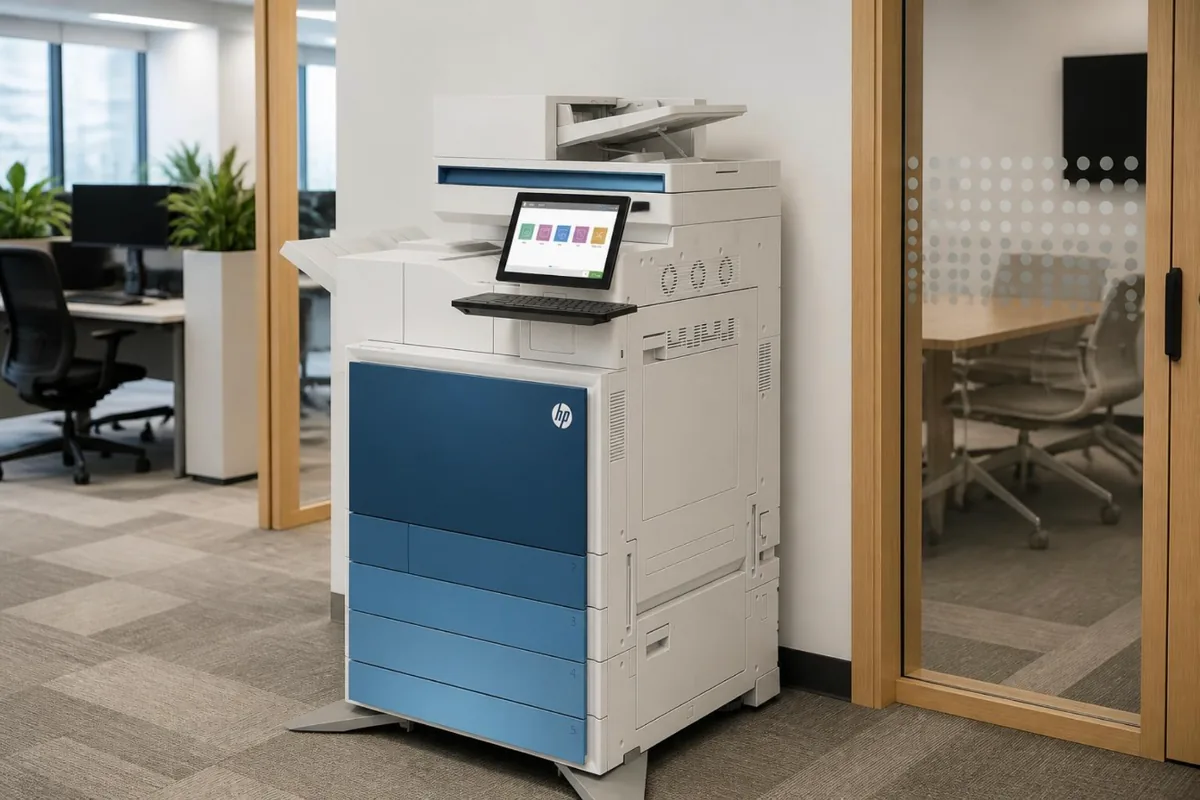
HP Color LaserJet Managed MFP E87770, one of the HP printers we repair in Adelaide.
HP printer repairs in Adelaide: the faults we fix
A code starting 33 is a security check that did not pass: backup, disk, BIOS or the HP SureStart firmware integrity check. These are not user fixes, and they lead to the formatter and its firmware. A code starting 44 means digital sending has had a firmware failure, so scan to email and scan to folder stop. Both need the technician.
A fuser on its way out often gives warning first. Prints pick up a faint second copy of the image further down the page, envelopes and heavy stock crease, or toner flakes away when a page is folded. Check the paper type setting first, since card run as plain paper will not fuse properly. If plain paper shows it too, the fuser is due.
A 13 code that clears once the sheet is out and the printer restarts is a jam, not a breakdown. The pattern is what matters. An occasional jam in different places is usually the paper. Repeated jams from the same tray, at the same spot, mean the rollers there are worn. Note the tray and the location the panel names before you book.
HP codes we are called to in Adelaide
Write down the whole code, including any digits after a dash. These HP codes are among the most common calls:
| Code | What it points to | Restart? |
|---|---|---|
| 31.xx.xx | A document feeder or scanner error on a multifunction, including a jam inside the feeder itself. | Needs a technician |
| 33.xx.xx | A security error from the backup, disk, BIOS or HP SureStart checks that confirm the firmware is intact. | Needs a technician |
| 44.xx.xx | Digital sending, the part of the printer that scans to email and to folders, has had a firmware failure. | Needs a technician |
| 21.xx.xx | A misprint because the page was too complex for the printer to process. Send it again, simplified if you can. | Worth one restart |
| 01 | An input and output error, which includes the wireless connection. Restarting the printer is the first step to take. | Worth one restart |
| Fax storage is full | Fax memory has filled up. Restart the printer or clear stored faxes, then send large jobs in smaller parts. | Worth one restart |
Before you book an HP call
Three things that help the technician arrive with the right part:
- Whether the printer still answers on the network: can you open its web page, or print a configuration page from the panel.
- Which tray the paper comes from when it jams. Tray 1 and Tray 2 have separate pickup rollers.
- A photo of a page showing the mark. It helps us tell a toner cartridge fault from a fuser or transfer belt fault before we come.
Then a few safe checks of your own first:
- Open the event log in the Troubleshooting menu and write down the most recent entries. It shows the errors the printer has recorded, which helps when a fault comes and goes.
- If jams keep returning, note the tray and the jam location shown each time. Repeats from one tray point to its rollers; repeats at the rear door point further along the path.
- For scan to email or network faults, ask whoever looks after your IT whether the router, mail server, passwords or firmware changed shortly before the trouble began.
Every HP code family, and which ones clear with a restart
Booking an HP repair in Adelaide
An Adelaide HP job is booked through our service desk. We confirm the attendance charge, our local technician diagnoses the fault on site, and any part is shipped to your office ahead of the return visit.
HP printer and copier repairs in Adelaide
Plenty of HP printer problems are not mechanical at all. If one computer cannot print while the rest of the office can, the cause is usually that computer's driver or print queue. If laptops on the guest wireless network cannot find the printer, they are probably on a separate network from it. If every computer lost it at once, its network address may have changed after a router swap.
These are fixed in settings rather than with parts, mostly through the Embedded Web Server, the printer's own web page, opened by typing its address into a browser. Scanning to email and to network folders is configured there too, and a 44 code points to a firmware failure in digital sending, which handles those scans. Printer service of this kind matches the multifunction's settings to your network as it stands, which can save a copier repair that was never needed and lets the photocopier scan again.
Repair or replace your HP printer?
If your LaserJet arrived on a lease or print contract that is now ending, read the paperwork for ownership and return terms before deciding. A printer that stays with you can be repaired on casual calls or put on a service agreement, provided it is in good order. If replacement makes more sense, new HP LaserJet Managed and Enterprise machines are available too.
When replacement is the better answer, new machines are on our new copiers page, delivered and set up in Adelaide.
Keeping an HP printer running in Adelaide
Adelaide's hot, dry summers put heat on top of heat for a HP, whose fuser already runs hot by design. In a cramped print room or a warehouse office without air conditioning, the machine works harder to stay within its limits. Give it its ventilation space at the back and sides, and keep it out of direct sun.
- Plug the printer directly into a wall socket rather than a crowded power board, and avoid running it from a UPS. A fuser draws a heavy current each time it heats.
- When fitting a new toner cartridge, follow the steps on the pack and the panel, and remove every strip of packing tape and every clip. A missed strip causes streaks or a cartridge error.
- Store spare cartridges sealed in their bags, lying flat, away from heat and sunlight. On the Color LaserJet Pro models the drum is inside the cartridge, so light and scratches damage it.
HP service agreement or a one off repair?
An HP LaserJet on a DSA service agreement has its servicing, repairs and toner under one arrangement, billed from the pages it prints. Toner is included, with freight charged on each delivery. Life parts such as the fuser, rollers and transfer belt are fitted at their page counts on a service visit, which matters most on busy Managed MFPs.
Parts for an Adelaide HP are shipped to your office ahead of the return visit, so the job keeps moving without a second diagnosis. How our service agreements work.
Across Adelaide
We attend HP machines anywhere around Adelaide, including:
- Keswick
- Glenelg
- Marion
- Edwardstown
- Mawson Lakes
- Salisbury
- Elizabeth
- Wingfield
Every area we cover is on our Adelaide page. For HP toner, parts and new machines, see our HP page.
How a service call works
- Tell us the faultMake, model and what the machine is doing. A photo of any error on the screen helps.
- Charge confirmedWe confirm the attendance charge when you book, before anyone is sent.
- Diagnosed on siteThe technician finds the cause and fixes what can be fixed on the visit.
- Nothing extra without a yesAny part or further work is quoted to you before it goes ahead.
Common questions
Do you repair the HP Color LaserJet CP5225 in Adelaide?
Yes. It is on our Adelaide records, and fuser, transfer belt and paper feed work keep it going while parts are available.
Do you repair HP printers on desks as well as HP copiers?
Yes. LaserJet Pro and Enterprise printers, Color LaserJet multifunctions, the A3 Managed MFPs, OfficeJet Pro and PageWide business inkjets, and DesignJet plotters.
What if my HP needs a part in Adelaide?
It is quoted to you, shipped to your office, and fitted on the return visit without a second diagnosis.
Are your technicians qualified?
All our technicians are trained and certified.
Why does my Color LaserJet Pro have no waste toner box?
Because on these two models, the M454 and the M479, used toner travels back into each cartridge rather than into a separate box. When you fit a new cartridge, the waste leaves with the old one. Larger LaserJet Enterprise and Managed machines can work differently, so check the supplies list for your model before ordering anything.
Can I use compatible toner in my HP printer?
Usually, but check one setting first: a printer can be configured to take only genuine HP supplies, and if it is, a compatible cartridge will be refused until that is dealt with. The DSA store sells both genuine and compatible toner, listed by model. Because the M454 and M479 build the drum into each cartridge, cartridge quality shows directly in the print.
Does Adelaide summer heat affect a HP copier?
It adds to the heat the machine makes itself. In a room without air conditioning, or in direct sun, the fuser and the electronics run hotter. Ventilation space and shade help; repeated heat related shutdowns need a technician.
HP repairs in other cities
Other brands we repair in Adelaide
DSA is an independent service provider. HP is a trademark of its owner and is used here only to describe the machines we service.