
More Sunshine Coast businesses book us for HP than for any other brand: 61 calls since 2017, ahead of Brother. Our service records here show Color LaserJet M570, M477, M479 and M281 multifunctions, OfficeJet Pro 8620 and 8710 inkjets and LaserJet M426 models, from Maroochydore and Birtinya to Caloundra and Moffat Beach. We supply HP's A3 Managed MFPs new as well. On the desktop models, fusers, transfer belts and pickup rollers are the usual repairs.
HP on our Sunshine Coast records
From our own records: the booking desk (casual calls booked, 2017 to 2025) and our service records (the machines we have serviced since 2017). Neither is the whole list.
Models we see most
- Color LaserJet M570cdw
- Color LaserJet M477fdw
- OfficeJet Pro 8620
- Color LaserJet M281fdw
- OfficeJet Pro 8710
- Color LaserJet M479fdw
Where they are
- Maroochydore
- Birtinya
- Caloundra
- Moffat Beach
- Coolum Beach
- Noosaville
HP is first among the brands we are booked to on the Sunshine Coast, and 51 HP machines are on our service records there.
The HP machines we look after on the Sunshine Coast
Color LaserJet Managed MFP E78523, E78528, E78625, E78630 and E78635, and E87740, E87750, E87760 and E87770.
LaserJet Managed MFP E73130, E73135 and E73140, and E82650, E82660 and E82670.
Color LaserJet Pro M454 and Color LaserJet Pro MFP M479.
LaserJet Pro, LaserJet Pro MFP, LaserJet Enterprise and Color LaserJet Enterprise printers and multifunctions.
OfficeJet Pro and PageWide business printers and multifunctions.
DesignJet plotters.
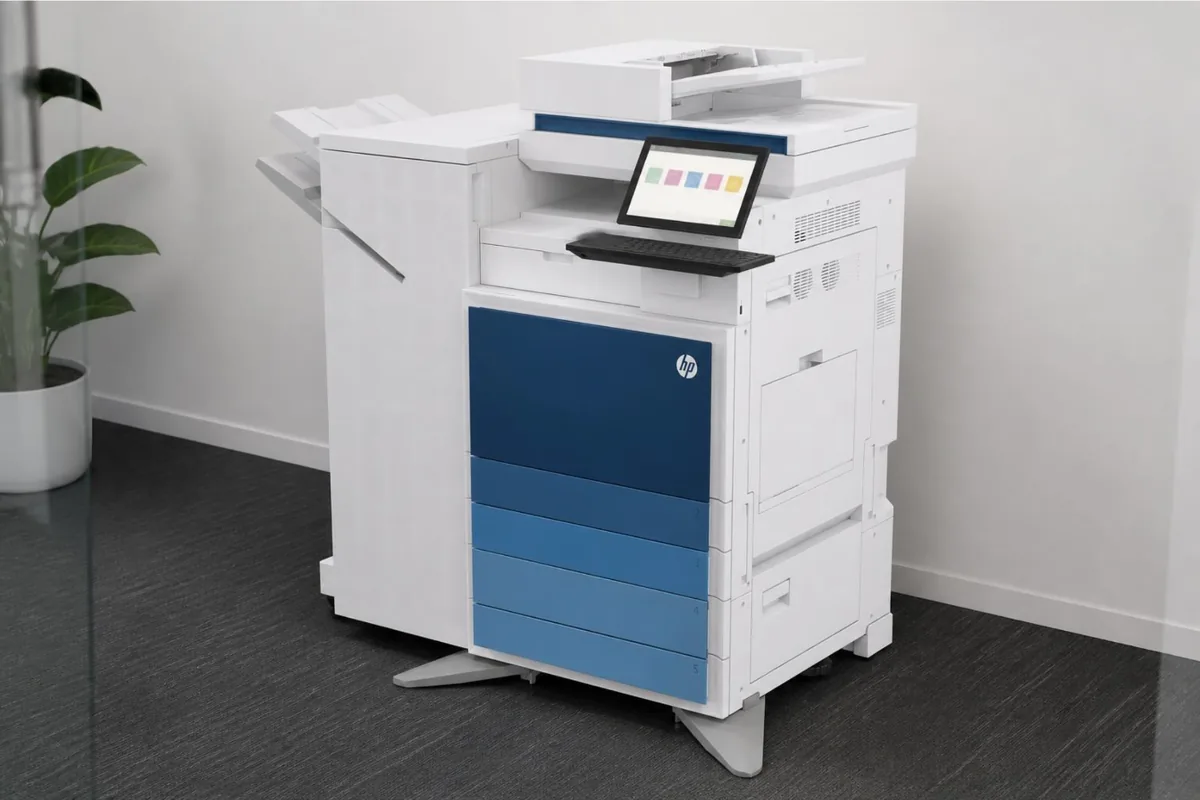
HP Color LaserJet Managed MFP E78635, one of the HP printers we repair on the Sunshine Coast.
HP printer repairs on the Sunshine Coast: the faults we fix
On the Color LaserJet Pro M454 and MFP M479, a toner cartridge is more than toner: the drum, a charging roller, the developer and a memory chip are all built into it. That makes it the first suspect for streaks, specks or faint colour. Fit a new cartridge in the colour showing the fault; if the mark goes, the old one was the cause.
On colour LaserJets the four toner images are laid onto the ITB, HP's intermediate transfer belt, and the secondary transfer roller then presses them onto the paper. A worn belt or roller shows as patchy solid areas, colours that do not quite line up, or a faint mark recurring at the same spacing on each sheet. Both are replaceable parts.
Blank pages, or the printer stopping with a code starting 51 or 52, point to the laser scanner assembly, the unit that sweeps the laser across the drums to write each page. A 51 code means the beam was not detected, and a 52 code means its scanner motor did not start up properly. Both need the technician; restarts will not change them.
HP codes we are called to on the Sunshine Coast
A code tells the technician which part of the HP to look at before leaving. The ones that come up most:
| Code | What it points to | Restart? |
|---|---|---|
| 10.00.11 | The black cartridge's memory chip sent bad data, so the printer refuses it. Moving one cartridge through too many printers can cause this. | Needs a technician |
| 59.xx.xx | A motor error. The M454 and M479 report this for their drum, fuser and developer disengagement motors. | Needs a technician |
| 60.xx.xx | Tray motor trouble. Either the tray never raised its stack into position, or no sheet was taken from it. | Needs a technician |
| 53.xx.xx | An optional tray or the duplexer was detected as fitted or removed, or a lifter in Trays 1 to 3 failed. | Needs a technician |
| 56.xx.xx | An error from a paper input, paper output or paper handling accessory rather than from the main engine. | Needs a technician |
| 51.xx.xx | The printer could not detect the beam from the laser scanner assembly, so it cannot write the page image. | Needs a technician |
Before you book an HP call
Three things that help the technician arrive with the right part:
- Whether the printer still answers on the network: can you open its web page, or print a configuration page from the panel.
- Which tray the paper comes from when it jams. Tray 1 and Tray 2 have separate pickup rollers.
- A photo of a page showing the mark. It helps us tell a toner cartridge fault from a fuser or transfer belt fault before we come.
And some quick checks that often save a visit:
- For a jam, open only the door or tray the panel names and ease the sheet out following its instructions. Keep fingers away from the area above the rear door, where the fuser sits.
- If jams keep returning, note the tray and the jam location shown each time. Repeats from one tray point to its rollers; repeats at the rear door point further along the path.
- Check the supplies status for each cartridge. A cartridge at very low may keep printing, prompt you or stop, depending on how the printer has been set up.
Every HP code family, and which ones clear with a restart
Booking an HP repair on the Sunshine Coast
Sunshine Coast HP calls come in on our local number, (07) 5327 3465, and are booked through the same service desk as the rest of the business. We confirm the attendance charge first, and the technician diagnoses the fault where the machine stands. On the Coast we also deliver and install new and refurbished machines, and move them when an office relocates.
HP printer and copier repairs on the Sunshine Coast
With the M454 and M479, HP's A4 Color LaserJet Pro pair, print quality and toner are closely tied, because each cartridge carries its own drum, developer and charging roller. A streak, speck or pale band in one colour is often a toner matter, and so is fading on an HP printer that has been set to keep printing past Cartridge very low. Check the supplies status on the panel before deciding anything.
It becomes a printer repair when the fault survives a good cartridge, or shows in every colour at once. Colours that do not line up, blotchy solids and toner that rubs off point past the cartridges to the ITB, the secondary transfer roller or the fuser. On the A3 Managed MFPs the imaging parts can be laid out differently, so keep a sample page for the technician and let the copier repair on your office printer or photocopier start from what it shows.
Repair or replace your HP printer?
Read the page count on the configuration page alongside the age. A LaserJet with a high count that needs a fuser, a transfer belt and a roller kit at the same visit deserves a harder look than one needing a single part. The technician can tell you what else is close to the end of its life, so the whole picture is in front of you.
When replacement is the better answer, we supply new copiers and refurbished and renewed machines on the Sunshine Coast as well, and install them.
Keeping an HP printer running on the Sunshine Coast
Sunshine Coast offices tend to be smaller and spread from Caloundra to Noosa, and plenty of HP machines sit in rooms that are only air conditioned while someone is in them. Overnight humidity then settles into the paper and the paper path. A dehumidified or closed storeroom for paper, and a machine away from the window, make a real difference.
- When fitting a new toner cartridge, follow the steps on the pack and the panel, and remove every strip of packing tape and every clip. A missed strip causes streaks or a cartridge error.
- On the Color LaserJet Pro models there is no waste toner box to empty. Used toner goes back into each cartridge, so fitting a new cartridge takes care of it.
- Give the vents room and keep the printer away from heaters and direct sun. Before moving a printer that sits on an optional Tray 3, separate the two rather than carrying them as one.
HP service agreement or a one off repair?
An HP you already own can go on an agreement if it is in good order, which the technician checks first. That suits an office running several LaserJets, where toner and life parts would otherwise be ordered printer by printer. Casual calls remain open for any printer that rarely needs attention.
On the Coast we also deliver, install and relocate machines, so moving premises does not mean changing who services your HP. How our service agreements work.
Across the Sunshine Coast
We attend HP machines anywhere around the Sunshine Coast, including:
- Caloundra West
- Golden Beach
- Pelican Waters
- Nambour
- Palmwoods
- Bli Bli
- Yandina
- Coolum Beach
Every area we cover is on our Sunshine Coast page. For HP toner, parts and new machines, see our HP page.
How a service call works
- Tell us the faultMake, model and what the machine is doing. A photo of any error on the screen helps.
- Charge confirmedWe confirm the attendance charge when you book, before anyone is sent.
- Diagnosed on siteThe technician finds the cause and fixes what can be fixed on the visit.
- Nothing extra without a yesAny part or further work is quoted to you before it goes ahead.
Common questions
Do you repair HP Color LaserJet multifunctions on the Sunshine Coast?
Yes. The M477, M479, M570 and M281 are all on our Sunshine Coast records. Fusers, the transfer belt and the pickup rollers are most of the work.
Do you repair HP printers on desks as well as HP copiers?
Yes. LaserJet Pro and Enterprise printers, Color LaserJet multifunctions, the A3 Managed MFPs, OfficeJet Pro and PageWide business inkjets, and DesignJet plotters.
What if my HP needs a part?
It is quoted to you before it is ordered, and fitted on a return visit once it arrives, without a second diagnosis.
Are your technicians qualified?
All our technicians are trained and certified.
What does a 59 error mean on a Color LaserJet?
The M454 and M479 keep watch on three motors, drum, fuser and developer disengagement, and a 59 code says one of them misbehaved. The drum motor also drives the ITB, so a worn belt can be the real culprit rather than the motor itself. Listen for grinding or clicking before the stop, note all six characters, and leave the printer off until the technician sees it.
What does a 60 error mean on an HP tray?
It comes from the motor that raises a tray's paper or drives its pickup. Before calling, check the obvious: a tray pushed in crooked, a ream stacked over the fill marks, or a dropped label or clip beneath the paper can all stop the lift. If the code keeps returning with the tray loaded correctly, quote which tray it was and the full code when you book.
Do you service HP machines in home offices on the Sunshine Coast?
Yes. A copier or printer in a home office is serviced the same way as one in an office building. Tell us the address and where the machine sits when you call (07) 5327 3465.
HP repairs in other cities
Other brands we repair on the Sunshine Coast
DSA is an independent service provider. HP is a trademark of its owner and is used here only to describe the machines we service.