
On the Sunshine Coast, most machines with Xerox on the badge are Fuji Xerox designs, and they have their own Fujifilm page. For the Xerox brand itself, the VersaLink and AltaLink multifunctions and the WorkCentre and Phaser models before them, we work the same way as on any copier: read the code first, bring the drum cartridge, fuser module or feed rollers it points to, and fix the cause rather than clearing the screen.
The Xerox machines we look after on the Sunshine Coast
VersaLink colour and black and white printers and multifunctions.
AltaLink colour and black and white multifunctions.
WorkCentre multifunctions.
Phaser desktop printers.
ColorQube, DocuColor, CopyCentre and Document Centre.
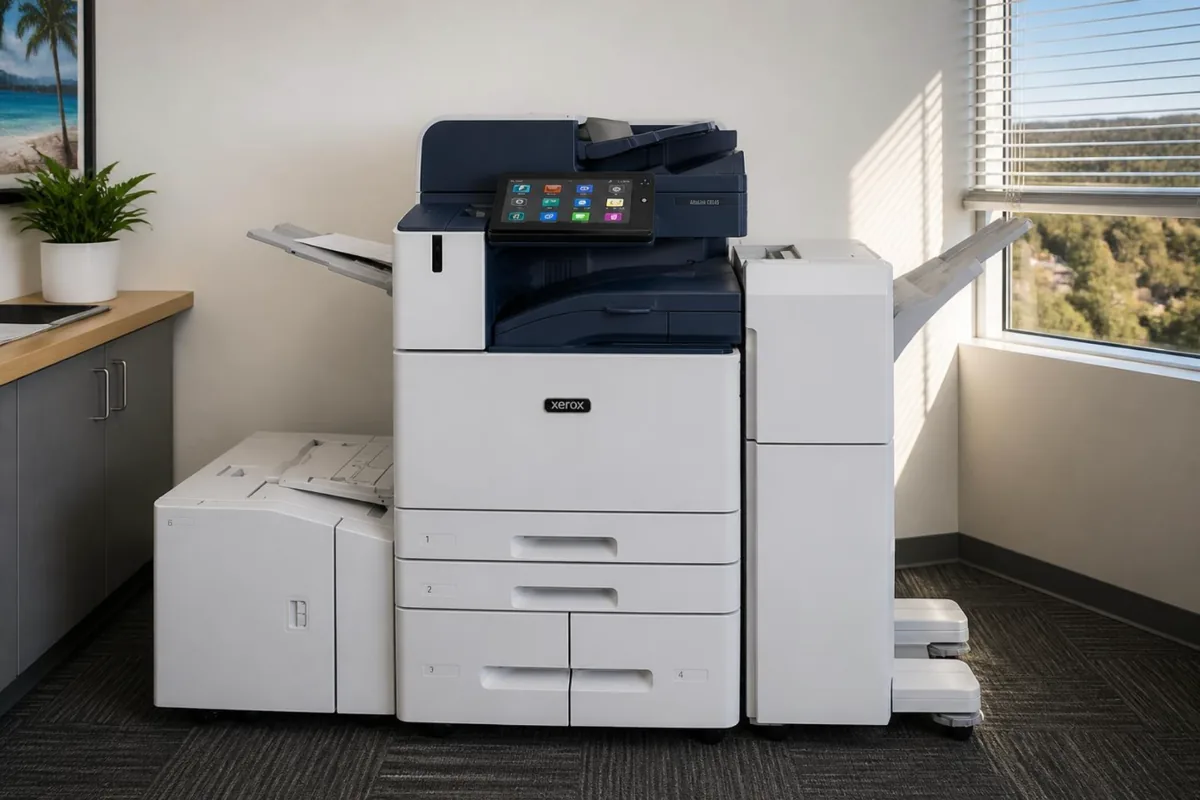
Xerox AltaLink C8145, one of the Xerox photocopiers we repair on the Sunshine Coast.
Xerox photocopier repairs on the Sunshine Coast: the faults we fix
A tray that jams on its first sheet, or sends two through stuck together, usually has rollers that have worn smooth or picked up paper dust. Codes 071-100 and 072-101 point to paper not leaving Tray 1 or Tray 2 in time. The rollers for one tray are changed together, so they grip evenly again.
Jams in the middle of the machine, between the trays and the exit, belong to the 077 group. 077-101 means a sheet did not pass the registration sensor in time, while 077-109 means it never arrived at the fuser exit sensor. A single cleared jam is nothing to worry about. Jams that return to one spot point to a roller or sensor.
Originals that skew, crumple or stop on their way across the top of the machine point to the document feeder. Codes 005-122 and 005-123 mean a page did not reach the feeder's first sensors when feeding began, usually because its rollers are worn or coated with paper dust. Staples and sticky notes speed that wear, so remove them first.
Xerox codes we are called to on the Sunshine Coast
A code tells the technician which part of the Xerox to look at before leaving. The ones that come up most:
| Code | What it points to | Restart? |
|---|---|---|
| 010-337 | Paper has wrapped itself around the fuser's heat roll and needs to be dealt with by a technician. | Needs a technician |
| 010-379 | After running too hot, the fuser took too long to cool back down into its normal range. | Needs a technician |
| 005-122, 005-123 | An original did not reach the document feeder's first sensors as feeding started, usually because of worn or dirty rollers. | Needs a technician |
| 005-907, 005-908 | The feeder found paper on one of its sensors at start up or when a cover closed. Look for a scrap. | Needs a technician |
| 062-277 | The machine lost touch with the document feeder. Restarting the copier usually restores the link between them. | Worth one restart |
| 062-380 | The scan lamp read too dim during calibration, from something in the light path or a dirty or tired lamp. | Needs a technician |
Before you book a Xerox call
Three things that help the technician arrive with the right part:
- Whether the machine is a VersaLink, AltaLink, WorkCentre or Phaser, and the model number.
- Which tray is jamming, and whether the bypass tray does it too.
- The meter reading, from the machine status screen.
A few things you can safely check yourself:
- Open a fresh ream if jams have started suddenly. Paper stored open in a damp room curls, and curled sheets tend to jam in the duplex path first.
- Read the supplies messages. A full waste toner container stops printing, and a drum cartridge or fuser near end of life message means a visit is due.
- For scanning faults, ask whoever manages your IT whether the mail server, a password or the network has changed, and note the exact scan error shown.
Many Coast businesses work from home offices, medical suites and shopfronts as well as Maroochydore and Kawana office buildings. Tell the desk where the machine is and how to reach it, and ring the local number, (07) 5327 3465.
Every Xerox code family, and which ones clear with a restart
Booking a Xerox repair on the Sunshine Coast
Ring (07) 5327 3465 with the Xerox model and what it is doing. The attendance charge is confirmed when you book, the fault is diagnosed on site, and nothing further goes ahead without your yes. On the Coast we also deliver and install new and refurbished machines, and move them when an office relocates.
Xerox printer and copier repairs on the Sunshine Coast
When a Xerox printer starts printing pale, check the panel before anything else. If it reports toner low for the colour that has faded, fit a new cartridge as the screen directs and print the same page again. If the fade disappears, it was a toner matter. If the panel says a drum cartridge is near the end of its life instead, that is the part to have changed next.
Print quality problems that a cartridge does not explain need a copier repair. Streaks or marks that appear on prints and copies alike point to a drum cartridge, or on colour models the transfer belt and roller. Toner that wipes off, or pages that crease, point to the fuser module. Lines on copies only belong to the scanner glass or feeder. Keep two samples, one printed from a computer and one copied, and book printer repairs with any code shown. On a multifunction photocopier, that pair tells the technician which half of the machine to start in.
Repair or replace your Xerox photocopier?
The page count matters more than the purchase date. A VersaLink that has printed lightly may have plenty of life left, while a heavily used AltaLink can reach the point where several modules fall due together. When the fuser, transfer belt and drums are all near their counts at once, the technician sets out the combined work so you can weigh it up properly.
When replacement is the better answer, we supply new copiers and refurbished and renewed machines on the Sunshine Coast as well, and install them.
Keeping a Xerox photocopier running on the Sunshine Coast
Coastal storms and the occasional power dip are worth planning for on the Sunshine Coast. A Xerox plugged straight into a wall socket shares every surge with the kitchen and the air conditioner. Give it a surge protected outlet of its own, and if it starts slowly or loses settings after a storm, mention that when you book.
- Keep spare toner cartridges sealed, lying flat and away from heat and sunlight. Change one when the panel asks for it, following the panel's own steps.
- Clean the document glass and the narrow strip beside it with a soft cloth, slightly damp at most. Spraying cleaner directly onto glass lets it seep underneath.
- Call before moving a Xerox, even between rooms. The finisher, trays and any extra feeders need securing, and a bump in transit can upset the scanner.
Xerox service agreement or a one off repair?
A Xerox machine you already own can join an agreement if it is in good order, which the technician confirms first, whether it is an older WorkCentre or a current VersaLink. For a machine that seldom needs attention, casual calls booked one at a time remain an option. The agreement suits a business that would rather toner and life parts were simply looked after.
On the Coast we also deliver, install and relocate machines, so moving premises does not mean changing who services your Xerox. How our service agreements work.
Across the Sunshine Coast
We attend Xerox machines anywhere around the Sunshine Coast, including:
- Maroochydore
- Mooloolaba
- Alexandra Headlands
- Buderim
- Sippy Downs
- Mountain Creek
- Kuluin
- Kawana
Every area we cover is on our Sunshine Coast page. For Xerox toner, parts and new machines, see our Xerox page.
How a service call works
- Tell us the faultMake, model and what the machine is doing. A photo of any error on the screen helps.
- Charge confirmedWe confirm the attendance charge when you book, before anyone is sent.
- Diagnosed on siteThe technician finds the cause and fixes what can be fixed on the visit.
- Nothing extra without a yesAny part or further work is quoted to you before it goes ahead.
Common questions
Can you set up scan to email on a Xerox VersaLink on the Sunshine Coast?
Yes. When scan to email stops after a mail server or password change, codes such as 016-764 or 027-500 usually show, and it is a settings job rather than a part.
What does a 077 code mean on a Xerox?
The 077 codes belong to the paper path and covers, for example 077-101 for paper that did not reach a sensor in time. Many are jams that clear once the paper is out; a code that keeps coming back needs a technician.
Which parts of the Sunshine Coast do you cover for Xerox?
From Caloundra and Pelican Waters up through Kawana, Maroochydore and Coolum to Noosa, and inland to Buderim, Nambour, Palmwoods and Yandina. If you are further out, call and ask.
Are your technicians qualified?
All our technicians are trained and certified.
What does 047-216 mean on an AltaLink with a finisher?
The machine has lost contact with its finisher. It is one of the codes a restart frequently clears, so power the machine down fully, wait for the panel to go dark, and start it again. If it returns, the connection or the finisher itself needs testing. Tell the desk if the finisher was moved, bumped or reconnected recently, since that shortens the search.
Why do my Xerox prints have repeating marks down the page?
A mark that repeats at a fixed spacing comes from something round turning against the paper, such as a drum, a roller in the transfer stage or the fuser. Measure the gap between marks and keep the sample, because the spacing tells the technician which part to look at. A mark that shows on copies but never on computer prints is a scanner matter instead.
Why does my Xerox jam more after a wet week on the Sunshine Coast?
Damp paper. Paper that has been open in a humid room curls when it is heated and jams near the exit, or sticks and double feeds. Fresh, sealed paper usually settles it; if it does not, the rollers need a look.
Xerox repairs in other cities
Other brands we repair on the Sunshine Coast
DSA is an independent service provider. Xerox is a trademark of its owner and is used here only to describe the machines we service.