
We service the Xerox brand across Sydney: VersaLink and AltaLink multifunctions, and the WorkCentre and Phaser models before them. Fuji Xerox badged machines are Fujifilm now and have their own page. Xerox codes come in two groups of three digits, 010 for the fuser, 077 for the paper path and 016 or 027 for network and scan to email, so the code you give us decides which part comes with the technician.
The Xerox machines we look after in Sydney
VersaLink colour and black and white printers and multifunctions.
AltaLink colour and black and white multifunctions.
WorkCentre multifunctions.
Phaser desktop printers.
ColorQube, DocuColor, CopyCentre and Document Centre.
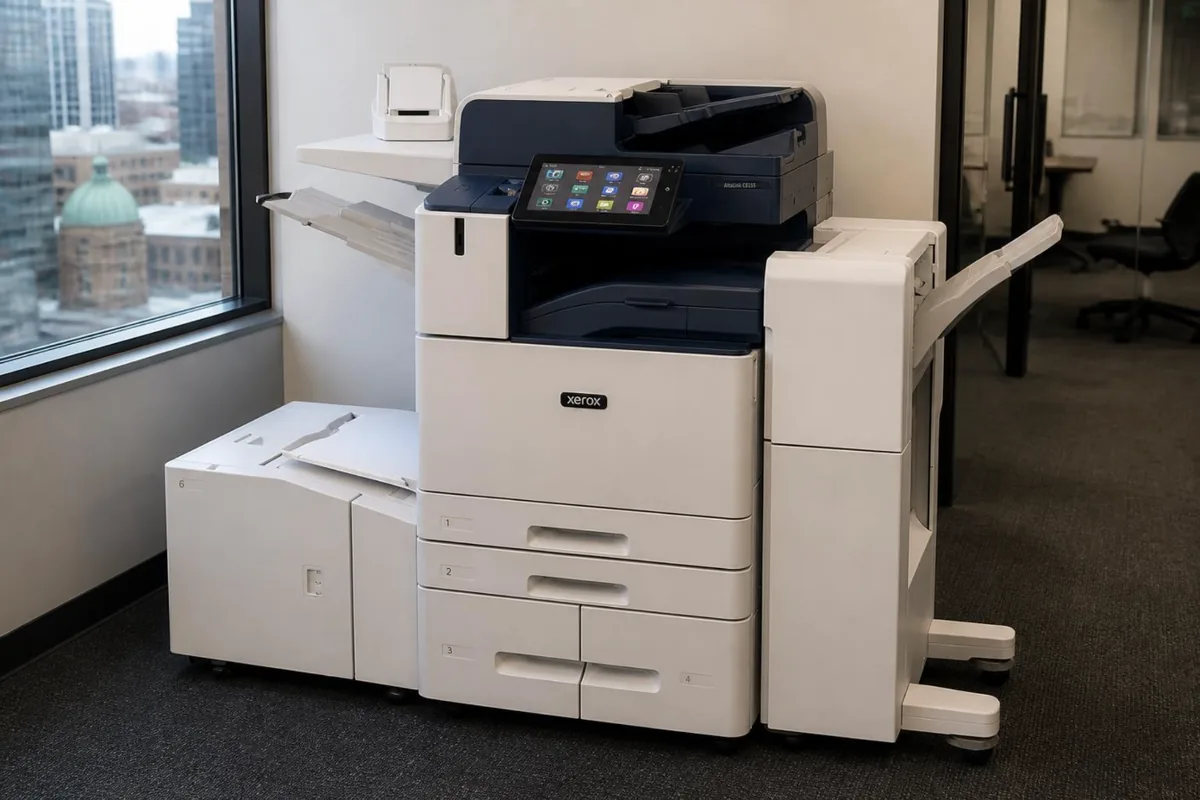
Xerox AltaLink C8155, one of the Xerox photocopiers we repair in Sydney.
Xerox photocopier repairs in Sydney: the faults we fix
AltaLink machines often carry a finisher, and its everyday faults are mechanical: sets that will not staple, spilling stacks or paper bunching at the entry. If the panel reports 047-216, the machine lost contact with the finisher. Turn the machine off with its main power switch, give it a minute, then turn it on. If it comes back, the connection or finisher needs testing.
A Xerox that reports 016-366 or 016-367 as it starts has a hard drive that failed its self test. 116-330 means the drive's file system is damaged or unformatted. The drive holds stored jobs and settings, so the technician protects the address book before any replacement. Sudden power loss while a job is running is a common contributor.
When the panel shows 010-337, a sheet has wound round the heat roll inside the fuser, usually out of sight. Do not pull at it: the paper is wound inside a hot assembly, and tearing it only makes the job harder. Close the doors and switch off. Curled, damp or very light stock wraps more readily, so keep a sample of what was loaded.
Xerox codes we are called to in Sydney
Read the code off the screen and give it to the service desk word for word. Common Xerox codes, in plain words:
| Code | What it points to | Restart? |
|---|---|---|
| 005-907, 005-908 | The feeder found paper on one of its sensors at start up or when a cover closed. Look for a scrap. | Needs a technician |
| 062-277 | The machine lost touch with the document feeder. Restarting the copier usually restores the link between them. | Worth one restart |
| 062-380 | The scan lamp read too dim during calibration, from something in the light path or a dirty or tired lamp. | Needs a technician |
| 071-100, 072-101 | Paper did not leave Tray 1 or Tray 2 when expected, which usually means the feed rollers are worn. | Needs a technician |
| 071-105, 072-105, 073-105, 074-105 | Paper from one of the trays did not arrive at the registration sensor in time to be printed. | Needs a technician |
| 075-135 | A sheet fed from the bypass tray did not get as far as the registration sensor in time. | Needs a technician |
Before you book a Xerox call
Three things that help the technician arrive with the right part:
- The full code, such as 077-101 or 010-327. Xerox writes its faults as two groups of three digits, and the first group names the area.
- Whether the machine is a VersaLink, AltaLink, WorkCentre or Phaser, and the model number.
- Whether a drum cartridge, fuser module or waste cartridge is asking to be replaced.
And some quick checks that often save a visit:
- If a door code appears, open and firmly close the front and left side doors once. A door that will not latch needs the technician, not force.
- Keep a sample print showing the problem and mark which way it came out of the machine. Marks repeating at a set spacing point to a particular roller or drum.
- When you call, have the name of a person on site, where the machine sits in your building, how to get access, and whether it is on a service agreement.
Every Xerox code family, and which ones clear with a restart
Booking a Xerox repair in Sydney
Book a Sydney Xerox call with the model and what it is doing. The attendance charge is confirmed first, our technician in Sydney finds the cause on site, and any part goes to your office ahead of the return visit so you do not pay for a second diagnosis.
Xerox printer and copier repairs in Sydney
Xerox fault codes point to an area of the machine, though what a given number means can differ a little from one model to the next, so what you saw matters as much as the code. Before you call about a Xerox photocopier, photograph the panel with all six digits showing, and write a line on the job that was running: a long print run, a double sided copy, a scan to email, or starting up after the weekend.
Give the desk the model, such as an AltaLink C8145 or a VersaLink printer, and the billing count from the panel, which gives a rough idea of how far the life parts have run. Say whether a restart changed anything and whether the code has appeared before. If the Xerox printer or copier still manages some work, such as black and white prints, mention that too. That way the printer repair or copier repair can be matched to the right parts. If your office has more than one multifunction, say which one by where it stands.
Repair or replace your Xerox photocopier?
Parts for the older Xerox ranges become harder to find as time passes. While fuser modules, drums and rollers are still available, a repair makes sense. Once key parts are scarce, fixing one fault can leave you exposed to the next with nothing to fit. You are told plainly about the parts situation for your model before any work is booked.
When replacement is the better answer, new machines are on our new copiers page, delivered and set up in Sydney.
Keeping a Xerox photocopier running in Sydney
Sydney's summer humidity and its towers both shape how a Xerox behaves. Offices that switch the air conditioning off over the weekend come back on Monday to damp paper and a run of jams, and copiers in tight print rooms run warm. Leave the machine its ventilation space and keep paper in its wrapper until it is loaded.
- Fan each stack before loading and keep it below the tray's fill line. Overfilled trays strain the lift mechanism and sit behind many tray lift codes.
- Handle drum cartridges by their handles, keep them out of strong light and never touch the drum surface. Marks left on it reappear on every print.
- Leave space around the vents, and keep the machine out of direct sun and away from air conditioning blowing straight onto it. Both upset paper and print quality.
Xerox service agreement or a one off repair?
Putting a Xerox photocopier on a DSA service agreement brings servicing, repairs and toner together in one arrangement, billed from the pages you print. Toner is included and freight is charged on each delivery. The fuser module, drum cartridges and other life parts are fitted at their page counts on a service visit, so wear is dealt with before it shows on paper.
Sydney has its own page for planned servicing and agreements. Parts for a Sydney Xerox are shipped to your office ahead of the return visit. Photocopier servicing in Sydney.
Across Sydney
We attend Xerox machines anywhere around Sydney, including:
- Liverpool
- Castle Hill
- Norwest
- Blacktown
- Penrith
- Sydney CBD
- North Sydney
- Chatswood
Every area we cover is on our Sydney page. For Xerox toner, parts and new machines, see our Xerox page.
For planned servicing rather than a breakdown, see photocopier servicing in Sydney.
How a service call works
- Tell us the faultMake, model and what the machine is doing. A photo of any error on the screen helps.
- Charge confirmedWe confirm the attendance charge when you book, before anyone is sent.
- Diagnosed on siteThe technician finds the cause and fixes what can be fixed on the visit.
- Nothing extra without a yesAny part or further work is quoted to you before it goes ahead.
Common questions
Do you repair Xerox AltaLink machines in Sydney?
Yes. AltaLink multifunctions are repaired on site, with fuser, transfer and finisher work the most common as page counts climb.
Do you repair Xerox Phaser printers?
Yes, as well as the VersaLink, AltaLink and WorkCentre multifunctions.
Do you have a technician in Sydney for Xerox machines?
Yes. Our local technician attends Sydney jobs, and every call is booked and followed up through one service team, so the machine history stays in one place.
Are your technicians qualified?
All our technicians are trained and certified.
Why does toner smudge off my Xerox prints?
Smearing toner has not fused properly into the paper. Check first that the tray's paper type setting matches the paper loaded, since card or coated stock run on a plain paper setting may not fuse well. Damp paper can do it too. If correctly set plain paper still smudges, the fuser module is worn or faulty and needs replacing by the technician.
What happens when the Xerox waste toner container is full?
The machine stops printing until a new container is fitted. The container collects the toner cleaned off during printing and fills gradually with use. Keep a spare on hand, fit it following the panel's steps, and keep the used one upright in a bag for disposal. On a service agreement, order supplies like this through the customer portal.
Can your technician get into a Sydney CBD building for a Xerox call?
Yes. Give the desk the building name, the floor and any sign in or loading dock rules when you book on (02) 7813 0963, and the technician arranges access before attending.
Xerox repairs in other cities
Other brands we repair in Sydney
DSA is an independent service provider. Xerox is a trademark of its owner and is used here only to describe the machines we service.