
We service the Xerox brand across Adelaide, VersaLink and AltaLink multifunctions and the older WorkCentre and Phaser machines. Fuji Xerox badged machines are Fujifilm now, with their own page. Xerox codes come as two groups of three digits, 010 for the fuser module, 071 to 075 for the trays, 047 for the finisher, so the code you give us decides which part is shipped to your office for our local technician to fit.
The Xerox machines we look after in Adelaide
VersaLink colour and black and white printers and multifunctions.
AltaLink colour and black and white multifunctions.
WorkCentre multifunctions.
Phaser desktop printers.
ColorQube, DocuColor, CopyCentre and Document Centre.
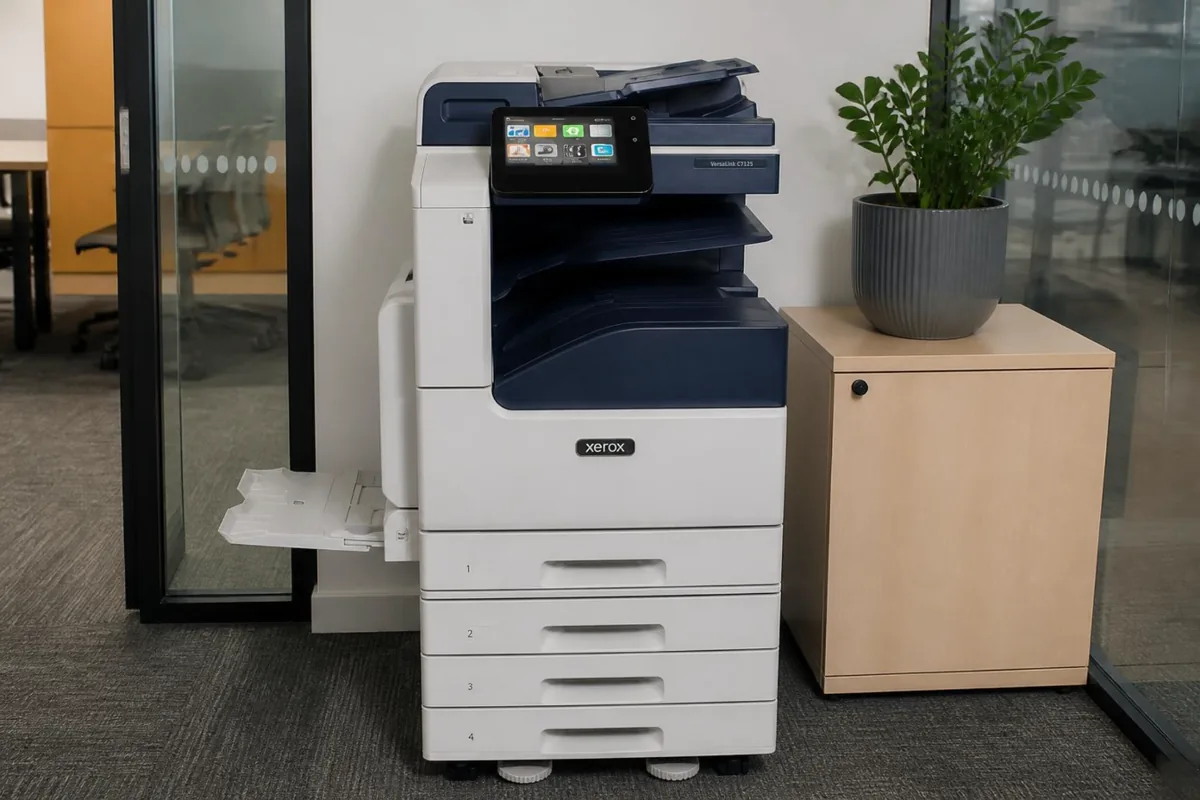
Xerox VersaLink C7125, one of the Xerox photocopiers we repair in Adelaide.
Xerox photocopier repairs in Adelaide: the faults we fix
Scan to email that stops overnight is rarely the machine's own doing. 016-503 and 027-500 mean the email server's name could not be looked up, and 016-764 means the server could not be reached. A new mail provider, a changed password or tighter security on the server are the usual triggers. Tell the desk what changed so the settings can be matched.
A fuser near end of life message is a warning rather than a breakdown. The module is close to its replacement count and should be changed before it begins marking pages or throws a fault. Codes 010-331 and 010-333 are a different matter: the fuser went over temperature, sometimes because of a paper wrap, and a technician needs to find out why.
A drum that has been scratched, left in sunlight or stored out of its bag leaves that damage on every print, usually as a line or patch in the same place. Toner spilt inside during a cartridge change can do something similar. Neither is cured by cleaning the glass, so check whether the mark shows on computer prints as well as copies.
Xerox codes we are called to in Adelaide
Write down the whole code, including any digits after a dash. These Xerox codes are among the most common calls:
| Code | What it points to | Restart? |
|---|---|---|
| 077-900, 077-901 | Paper was detected inside the machine at switch on, or as a door was being shut. | Needs a technician |
| 077-300, 077-301 | One of the doors at the front or left is open, or the switch on it has not detected it closing. | Needs a technician |
| 047-216 | Communication with the finisher has dropped out. Switching the machine off and on again often restores it. | Worth one restart |
| 016-366, 016-367 | The hard drive failed the self test it runs, so the controller cannot rely on it. | Needs a technician |
| 024-340 | The controller and the print engine stopped communicating with each other. A restart is the first thing to try. | Worth one restart |
| 116-321 | The software hit an error it could not recover from by itself, and a restart usually clears it. | Worth one restart |
Before you book a Xerox call
Three things that help the technician arrive with the right part:
- Whether the machine is a VersaLink, AltaLink, WorkCentre or Phaser, and the model number.
- Which tray is jamming, and whether the bypass tray does it too.
- The meter reading, from the machine status screen.
A few checks that help, or fix it outright:
- Note the billing counters shown on the panel, so the technician can see roughly how far the drum cartridges, fuser module and other life parts have run.
- Read the supplies messages. A full waste toner container stops printing, and a drum cartridge or fuser near end of life message means a visit is due.
- Keep a sample print showing the problem and mark which way it came out of the machine. Marks repeating at a set spacing point to a particular roller or drum.
Adelaide jobs run from the CBD and Kent Town to industrial sites in Wingfield and Port Adelaide. Tell the desk about parking, site inductions and where the machine sits when you book.
Every Xerox code family, and which ones clear with a restart
Booking a Xerox repair in Adelaide
Call with the Xerox model and the fault. The attendance charge is confirmed before anyone is sent, the technician finds the cause on site in Adelaide, and parts go to your office so you do not pay for a second diagnosis.
Xerox printer and copier repairs in Adelaide
When a Xerox multifunction stops printing from computers, make a copy at the machine first. If the copy comes out clean, the engine, toner and paper are doing their job, and the fault lies between your computers and the multifunction: the network, the print driver, or a setting. The same goes for scans that stop reaching email or a folder. Codes such as 016-503, 016-764 and 027-518 point that way, and 027-452 suggests another device on the network is using the machine's IP address.
Tell the desk about anything that changed around the same time: a new router, new computers, a different mail provider, a stricter password policy. Printer problems like these are usually fixed in the settings rather than with a part, but they still need someone who understands both the Xerox printer and your network. The technician can check its address, the drivers and the scan destinations. Book it through the same desk as a photocopier fault or copier repair; it is printer service all the same, even when no part is needed.
Repair or replace your Xerox photocopier?
A Phaser desktop printer is a different calculation from a floor standing multifunction. Imaging parts and paper feed are the usual repairs, and these are often reasonable to do. If a Phaser develops a controller fault, or parts for it are no longer available, a replacement printer is usually the sensible path, and you will be told so before any part is ordered.
When replacement is the better answer, new machines are on our new copiers page, delivered and set up in Adelaide.
Keeping a Xerox photocopier running in Adelaide
Dry air and dust are Adelaide's quieter problems. Static makes paper cling and double feed, and dust from roads and building sites settles on the scanner glass and in the document feeder, which shows up as streaks on copies. Wipe the glass and the feeder's scanning strip regularly with a soft, dry cloth.
- Leave space around the vents, and keep the machine out of direct sun and away from air conditioning blowing straight onto it. Both upset paper and print quality.
- Keep spare toner cartridges sealed, lying flat and away from heat and sunlight. Change one when the panel asks for it, following the panel's own steps.
- Handle drum cartridges by their handles, keep them out of strong light and never touch the drum surface. Marks left on it reappear on every print.
Xerox service agreement or a one off repair?
Putting a Xerox photocopier on a DSA service agreement brings servicing, repairs and toner together in one arrangement, billed from the pages you print. Toner is included and freight is charged on each delivery. The fuser module, drum cartridges and other life parts are fitted at their page counts on a service visit, so wear is dealt with before it shows on paper.
Parts for an Adelaide Xerox are shipped to your office ahead of the return visit, so the job keeps moving without a second diagnosis. How our service agreements work.
Across Adelaide
We attend Xerox machines anywhere around Adelaide, including:
- Thebarton
- Keswick
- Glenelg
- Marion
- Edwardstown
- Mawson Lakes
- Salisbury
- Elizabeth
Every area we cover is on our Adelaide page. For Xerox toner, parts and new machines, see our Xerox page.
How a service call works
- Tell us the faultMake, model and what the machine is doing. A photo of any error on the screen helps.
- Charge confirmedWe confirm the attendance charge when you book, before anyone is sent.
- Diagnosed on siteThe technician finds the cause and fixes what can be fixed on the visit.
- Nothing extra without a yesAny part or further work is quoted to you before it goes ahead.
Common questions
Do you repair Xerox Phaser printers in Adelaide?
Yes, along with VersaLink, AltaLink and WorkCentre machines.
What does a 077 code mean on a Xerox?
The 077 codes belong to the paper path and covers, for example 077-101 for paper that did not reach a sensor in time. Many are jams that clear once the paper is out; a code that keeps coming back needs a technician.
Do you have a technician in Adelaide for Xerox?
Yes. Our local technician attends Adelaide jobs, booked and followed up through the same service desk as every DSA call.
Are your technicians qualified?
All our technicians are trained and certified.
Can a Xerox hard drive be replaced without losing our settings?
The important parts can usually be kept. Jobs and settings live on the drive, so before a replacement the technician saves the address book and scan settings wherever the old drive still allows it. Codes 016-366, 016-367 and 116-330 point to drive trouble. Keep your own note of key scan destinations too, in case the old drive cannot be read at all.
Why does my Xerox document feeder skew or crumple originals?
The feeder's rollers wear and gather paper dust, so they grip one side of a page harder than the other and it twists on the way through. Staples, clips, creased or very thin originals add to the problem. Set the guides snugly against the stack, remove fasteners and use the glass for fragile pages. If skewing continues with clean originals, the rollers need replacing.
Why do my Xerox copies have streaks in Adelaide?
Very often dust on the scanner glass or on the feeder's scanning strip. Wipe both with a soft, dry cloth. If copies from the glass are clean but feeder copies streak, it is the strip; if prints streak too, it is inside the machine.
Xerox repairs in other cities
Other brands we repair in Adelaide
DSA is an independent service provider. Xerox is a trademark of its owner and is used here only to describe the machines we service.