
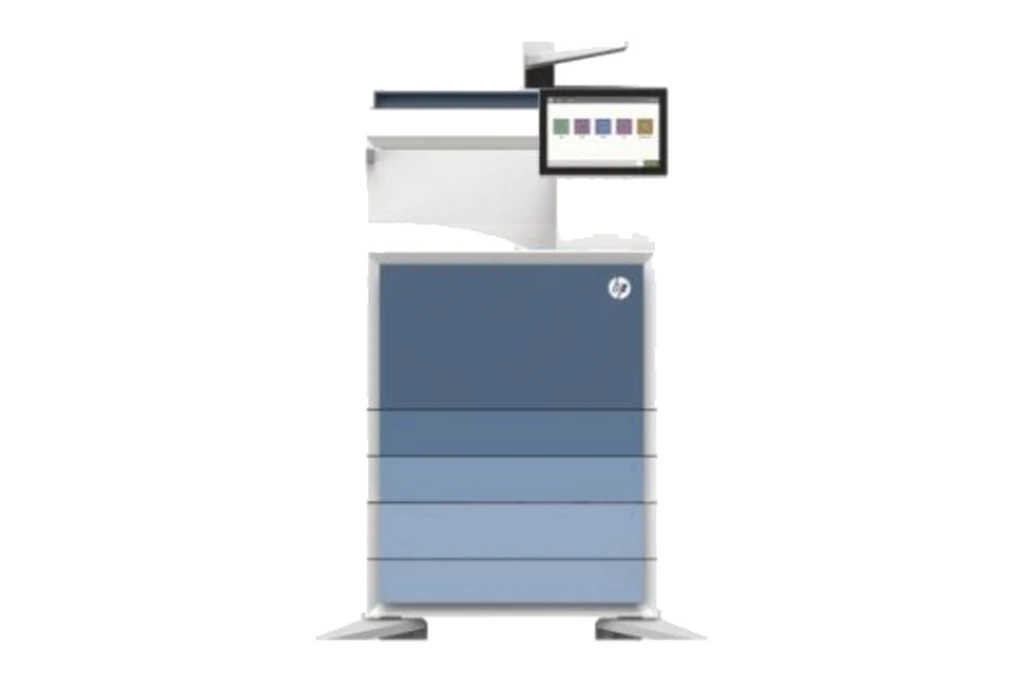
HP printers are in more Brisbane offices than any other brand we attend, from a LaserJet Pro on a reception desk to floors of LaserJet Enterprise and Managed multifunctions, and DesignJet plotters in drawing offices. We service all of them on site, casual or on a service agreement, and we sell new HP LaserJet Managed and Enterprise machines in A3 and A4.
HP numbers its faults by system: 10 for supplies, 13 for jams, 50 for the fuser, 59 for motors, 60 for tray lift and pickup. Most HP faults we are called to in Brisbane come down to the fuser, the toner cartridges, the transfer belt, the pickup and separation rollers, or firmware. The sections below set out what each one does when it starts to go, in the terms your panel uses.
The HP machines we repair in Brisbane
Color LaserJet Managed MFP E78523, E78528, E78625, E78630 and E78635, and E87740, E87750, E87760 and E87770.
The A3 colour multifunctions we supply new. As the page counts climb, it is paper feed rollers, fusers and transfer parts we fit most, with firmware kept current.
LaserJet Managed MFP E73130, E73135 and E73140, and E82650, E82660 and E82670.
High volume mono multifunctions. Fuser and paper feed wear on a page count, and the document feeder on busy scanning desks.
Color LaserJet Pro M454 and Color LaserJet Pro MFP M479.
A4 colour printers and multifunctions on desks and in branches. The toner cartridges carry the drums, so print quality faults often start there; after that it is the fuser, the transfer belt and the pickup rollers.
LaserJet Pro, LaserJet Pro MFP, LaserJet Enterprise and Color LaserJet Enterprise printers and multifunctions.
The mono and colour workgroup range. Pickup and separation rollers, fusers, and firmware and network faults make up most of the work.
OfficeJet Pro and PageWide business printers and multifunctions.
HP's business inkjet ranges. Paper feed and print quality are most of what we see on them.
DesignJet plotters.
Used by architects, engineers and builders. Printhead, cutter and media feed faults.
What goes wrong on a HP, in HP's terms
The 50.xx.xx codes. HP's fuser uses a heater, a fuser film and a pressure roller, and the printer watches its temperature closely. A fuser fault stops the printer until the cause is found. Toner that smears or rubs off, and wrinkled pages, point here too.
On the Color LaserJet Pro models each cartridge holds its own drum, developer, charging roller and memory chip, so streaks, marks and faint colour often start with a cartridge. The 10.xx.xx codes are the printer reporting it cannot read or accept a cartridge.
HP calls the transfer belt the ITB. Colours out of register, blotchy solids and marks repeating down the page usually mean the ITB or the secondary transfer roller. The drum motor drives the ITB, so a 59.xx.xx motor code can point here.
The classic LaserJet jam: the printer picks up nothing, or two sheets at once. Worn Tray 1 and Tray 2 rollers or a tired separation pad, and 60.xx.xx tray lift and pickup codes on the busier trays.
The 51.xx.xx and 52.xx.xx codes, for a laser beam the printer cannot detect or a scanner motor that did not come up to speed.
Originals that skew or stop in the document feeder, usually its pickup rollers and separation pad, and the 30.xx.xx and 31.xx.xx scanner and feeder codes.
The boards that run the printer. 58.xx.xx engine power faults, a blank panel, and 33.xx.xx security and firmware integrity errors lead here.
Printers that drop off the network, or stop working for one computer, after an update or a router change. Firmware, scan to email and network settings, set up through the Embedded Web Server.
HP error codes we are called to
Quote the code on the panel when you book. It tells the technician which part of the machine to look at, and which parts to bring.
| Code | What it points to |
|---|---|
| 50.xx.xx | Fuser errors. Safety related: the printer stops, and a technician must find and fix the cause. |
| 13.xx.xx | Paper jams and door open jams. Clear the sheet the panel points to; if it keeps happening in the same place, rollers are usually worn. |
| 10.xx.xx | Supplies errors, including a toner cartridge whose memory chip the printer cannot read. |
| 59.xx.xx | Motor errors, including the drum motor that turns the transfer belt, and the fuser motor. |
| 60.xx.xx and 53.xx.xx | Tray lift and pickup errors, and trays or the duplexer being detected as fitted or removed. |
| 51.xx.xx and 52.xx.xx | Laser scanner errors: the beam was not detected, or the scanner motor did not start. |
| 30.xx.xx and 31.xx.xx | Flatbed scanner and document feeder errors on multifunction models. |
| 33.xx.xx | Security and firmware integrity errors, including backup, disk and HP SureStart checks. |
Every HP code family, and which ones clear with a restart
Where in Brisbane
We attend HP machines on site right across Brisbane, all booked through one service desk:
- Brisbane CBD and inner city
- Brisbane north and Moreton Bay
- Logan and the Redlands
- Ipswich and Brisbane west
For planned servicing rather than a breakdown, see photocopier servicing in Brisbane. For HP toner, parts and new machines, see our HP page.
How a service call works
- Tell us the faultMake, model and what the machine is doing. A photo of any error on the screen helps.
- Charge confirmedWe confirm the attendance charge when you book, before anyone is sent.
- Diagnosed on siteThe technician finds the cause and fixes what can be fixed on the visit.
- Nothing extra without a yesAny part or further work is quoted to you before it goes ahead.
Common questions
Can I clear an HP error code myself?
Sometimes. Paper jams in the 13 range clear once the sheet is out, and many other codes clear if you turn the printer off, wait 30 seconds and turn it back on. Fuser codes in the 50 range, motor codes in the 59 range and laser codes will come back until a technician fixes the cause. If a code returns after a restart, book a call and quote the full code.
Do you sell new HP printers and multifunctions?
Yes. We sell new HP LaserJet Managed and Enterprise machines in A3 and A4, with a service agreement to match if you want one, and we service the HP printers you already have.
Why did my HP stop working after an update?
HP printers update their firmware, and an update or a change to your router or mail server can leave a printer off the network or unable to scan to email. It is a common call and usually a settings fix rather than a part.
Is an older HP printer worth repairing?
Usually, while parts and software support are still available. We generally stop repairing HP printers over ten years old, because that support runs out. If a repair would cost more than the printer is worth to you, we will say so before any work goes ahead.
Where in Brisbane do you attend?
Right across Brisbane: the CBD and inner city, the north side and Moreton Bay, Logan and the Redlands, and Ipswich and the west, all booked through one service desk.
Are your technicians qualified?
All our technicians are trained and certified.
DSA is an independent service provider. HP is a trademark of their owner and are used here only to describe the machines we service.