
No brand comes through our booking desk from Canberra more than HP: 69 calls since 2017, well ahead of Fujifilm in second place. Our service records here hold 31 HP machines, Color LaserJet M479fdw, M477fdw and M377 multifunctions and DesignJet T730 and T2300 plotters among them, from the city and Deakin to Belconnen, Tuggeranong, Pearce and Fyshwick. HP sits alongside Toshiba and Kyocera as the brands we lead with, and we supply its A3 Managed MFPs new.
HP on our Canberra records
From our own records: the booking desk (casual calls booked, 2017 to 2025) and our service records (the machines we have serviced since 2017). Neither is the whole list.
Models we see most
- Color LaserJet M479fdw
- DesignJet T730
- Color LaserJet M377
- Color LaserJet M477fdw
- Color LaserJet CM2320
- Color LaserJet M476dw
Where they are
- Canberra
- Pearce
- Chapman
- Fyshwick
- Tuggeranong
- Belconnen
HP is first among the brands we are booked to in Canberra, and 31 HP machines are on our service records there.
The HP machines we look after in Canberra
Color LaserJet Managed MFP E78523, E78528, E78625, E78630 and E78635, and E87740, E87750, E87760 and E87770.
LaserJet Managed MFP E73130, E73135 and E73140, and E82650, E82660 and E82670.
Color LaserJet Pro M454 and Color LaserJet Pro MFP M479.
LaserJet Pro, LaserJet Pro MFP, LaserJet Enterprise and Color LaserJet Enterprise printers and multifunctions.
OfficeJet Pro and PageWide business printers and multifunctions.
DesignJet plotters.
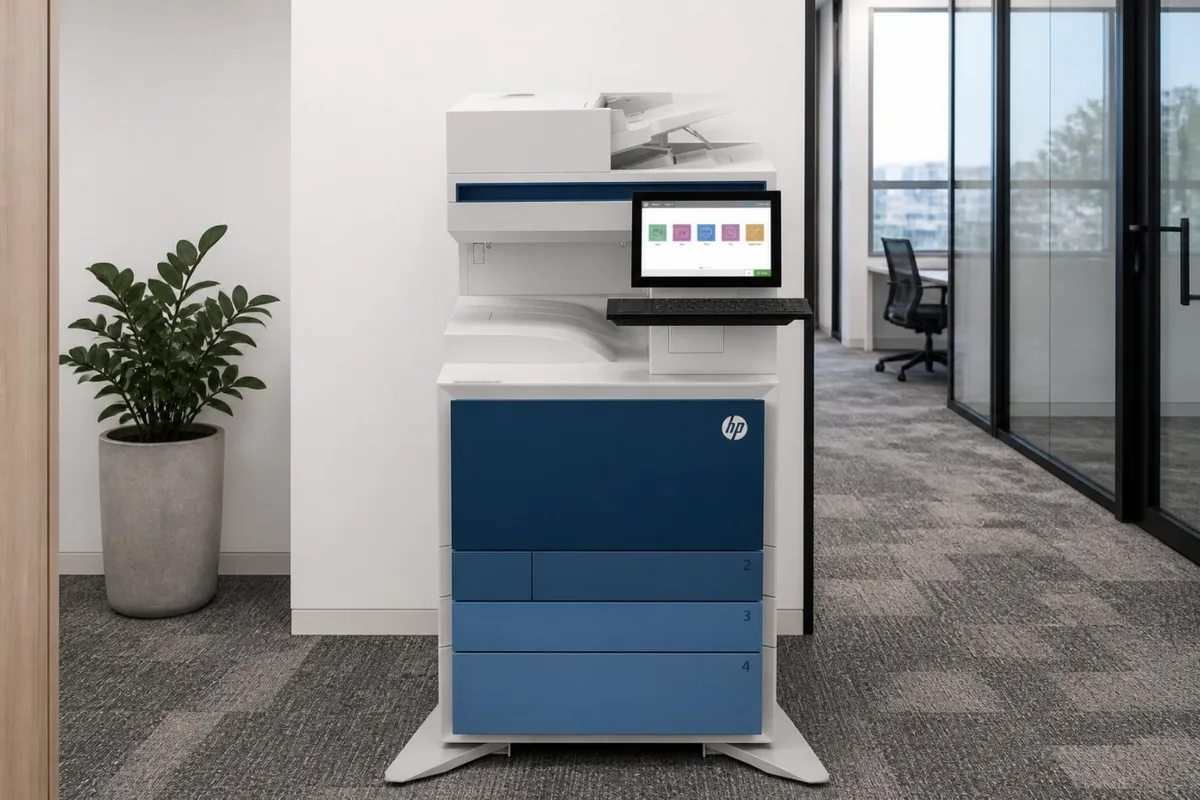
HP Color LaserJet Managed MFP E87760, one of the HP printers we repair in Canberra.
HP printer repairs in Canberra: the faults we fix
A 59 code is a motor fault, and on the M454 and M479 the printer is watching three: the drum motor, which also turns the transfer belt, the fuser motor and the developer disengagement motor. Because the drum motor drives the ITB, a belt that has started to drag can show up this way. Note the full code and call; restarting will not cure it.
A rising whine or hum just before a 52 code is the laser scanner motor, which spins a mirror at high speed, struggling to come up to its working speed. Dust, heat and age wear its bearing. Note when the noise starts and whether the printer sits somewhere warm with little air around it. The technician replaces the laser scanner assembly as one unit.
Streaks that turn up on copies and scans but never on computer prints are a scanner problem rather than a print engine one. Originals going through the feeder are read through a narrow glass strip beside the main glass, and a speck there draws a line down every page. Clean both with a soft, slightly damp cloth, never spraying cleaner straight onto the glass.
HP codes we are called to in Canberra
The panel nearly always says why a HP stopped. A few of the codes we see most, and whether a restart is worth trying:
| Code | What it points to | Restart? |
|---|---|---|
| 54.xx.xx | A sensor error that has nothing to do with a paper jam. The full code narrows down which condition was found. | Needs a technician |
| 55.xx.xx | An engine data error, reported by the print engine itself. It needs the technician, so note every character of the code. | Needs a technician |
| 30.xx.xx | An error inside the flatbed scanner of a multifunction model, separate from the document feeder on top. | Needs a technician |
| 31.xx.xx | A document feeder or scanner error on a multifunction, including a jam inside the feeder itself. | Needs a technician |
| 33.xx.xx | A security error from the backup, disk, BIOS or HP SureStart checks that confirm the firmware is intact. | Needs a technician |
| 44.xx.xx | Digital sending, the part of the printer that scans to email and to folders, has had a firmware failure. | Needs a technician |
Before you book an HP call
Three things that help the technician arrive with the right part:
- Which tray the paper comes from when it jams. Tray 1 and Tray 2 have separate pickup rollers.
- Whether a firmware update ran just before the fault. A printer that stopped after an update needs a different fix from one that wore out.
- A photo of a page showing the mark. It helps us tell a toner cartridge fault from a fuser or transfer belt fault before we come.
A few checks that help, or fix it outright:
- Note the full model name and number from the front, for example Color LaserJet Pro MFP M479 or LaserJet Managed MFP E73135, and the serial number from its product label.
- On a small LaserJet with a two line panel, note which lights are on. A blinking Attention light is an error; Ready and Attention together mean a firmware crash.
- If a cartridge message appeared just after fitting a new one, read its exact wording. Protected Cartridge and genuine only settings are cartridge matters, not printer faults.
Government and secure buildings in Barton, Parkes and the city usually need visitor registration and an escort. Tell the desk who will meet the technician, and the building's entry rules, when you book.
Every HP code family, and which ones clear with a restart
Booking an HP repair in Canberra
A Canberra HP call is booked through one service team. We confirm the attendance charge, our local technician diagnoses the fault on site, and any part is shipped to your office so the job keeps moving without a second diagnosis.
HP printer and copier repairs in Canberra
Once an HP printer repair is done, three habits keep the same fault away. Feed it paper in good condition, from sealed reams, with the tray guides set to the stack and the paper type matched to what is loaded. Switch it off with its own power button and let it finish, rather than cutting power at the wall, since a sudden loss of power can upset the stored settings and firmware. And deal with supplies messages when they appear, not when the printer stops.
On the larger machines, printer maintenance is planned by count. On a Managed MFP doing a photocopier's job, wear is predictable: the fuser, each tray's pickup rollers, the transfer parts and the feeder's own rollers reach the end of their life by page count, and a copier service visit can change them at that point instead of after a breakdown and a copier repair. Ask which part is next on your multifunction, and at what page count, so the next visit comes with the right parts.
Repair or replace your HP printer?
Parts for older HP models thin out with time. While rollers, fusers and transfer parts can still be sourced, a repair is usually worthwhile on a printer in good order. When a key part is no longer available, you will be told plainly at the start, rather than being left waiting on a part that may not come.
When replacement is the better answer, new machines are on our new copiers page, delivered and set up in Canberra.
Keeping an HP printer running in Canberra
Canberra offices often run large, tightly managed fleets with security settings on every device. A HP that has had firmware or network settings changed by an IT update can stop scanning to email or folders overnight. Note any recent IT change when you book, because it points straight at the cause.
- Clean the scanner glass and the narrow feeder glass strip with a soft cloth, lightly damp and never sprayed directly. Take staples and clips off originals before they go into the document feeder.
- Give the vents room and keep the printer away from heaters and direct sun. Before moving a printer that sits on an optional Tray 3, separate the two rather than carrying them as one.
- Keep reams sealed until needed and store them flat, off the floor. Humid air makes paper curl, and curled sheets are a frequent cause of jams near the rear door and duplexer.
HP service agreement or a one off repair?
An HP you already own can go on an agreement if it is in good order, which the technician checks first. That suits an office running several LaserJets, where toner and life parts would otherwise be ordered printer by printer. Casual calls remain open for any printer that rarely needs attention.
Parts for a Canberra HP are shipped to your office ahead of the return visit, and Queanbeyan is covered the same way as Canberra. How our service agreements work.
Across Canberra
We attend HP machines anywhere around Canberra, including:
- Phillip
- Woden
- Belconnen
- Bruce
- Gungahlin
- Mitchell
- Tuggeranong
- Greenway
Every area we cover is on our Canberra page. For HP toner, parts and new machines, see our HP page.
How a service call works
- Tell us the faultMake, model and what the machine is doing. A photo of any error on the screen helps.
- Charge confirmedWe confirm the attendance charge when you book, before anyone is sent.
- Diagnosed on siteThe technician finds the cause and fixes what can be fixed on the visit.
- Nothing extra without a yesAny part or further work is quoted to you before it goes ahead.
Common questions
Do you repair HP DesignJet plotters in Canberra?
Yes. The DesignJet T730 and T2300 are on our Canberra records. Printhead, cutter and media feed faults are the usual work.
What does a 50 code mean on an HP?
The 50.xx.xx codes belong to the fuser: temperature, heater or sensor faults. The printer stops to protect itself, and the fault usually means a fuser replacement or a check of its connections. We bring the fuser that fits your model.
What if my HP needs a part in Canberra?
It is quoted to you, shipped to your office, and fitted on the return visit without a second diagnosis.
Are your technicians qualified?
All our technicians are trained and certified.
Why does toner smudge or rub off my HP prints?
Toner that smudges has not been fused properly. Check that the paper type set for the tray matches what is loaded, because heavy stock run as plain paper does not receive enough heat. Damp paper does the same. If plain paper on the right setting still smudges, the fuser is wearing or failing, and a 50 code may not be far behind.
Why does my HP MFP leave lines on copies only?
If computer prints are clean but copies and scans carry lines, the fault is on the scanning side of the HP copier, not the print engine. Originals fed through the document feeder are read through a thin glass strip, and dust or correction fluid there marks every page. Wipe that strip and the main glass gently. If lines remain, the technician checks the scanner.
Why has my HP stopped scanning to email in Canberra?
Most often a network or security change: a new mail server setting, a password change, or a firmware update. Tell the desk what changed recently. The technician checks the scan settings against your network as it is now.
HP repairs in other cities
Other brands we repair in Canberra
DSA is an independent service provider. HP is a trademark of its owner and is used here only to describe the machines we service.