
In Canberra, Fujifilm and Fuji Xerox are second only to HP on our booking record, and they have their own page. For the Xerox brand itself, VersaLink and AltaLink multifunctions and older WorkCentre and Phaser machines, we work from the code on the panel: 010 for the fuser module, 077 for the paper path, 016 and 027 for network and scan to email. The part is shipped to your office and fitted by our local technician.
The Xerox machines we look after in Canberra
VersaLink colour and black and white printers and multifunctions.
AltaLink colour and black and white multifunctions.
WorkCentre multifunctions.
Phaser desktop printers.
ColorQube, DocuColor, CopyCentre and Document Centre.
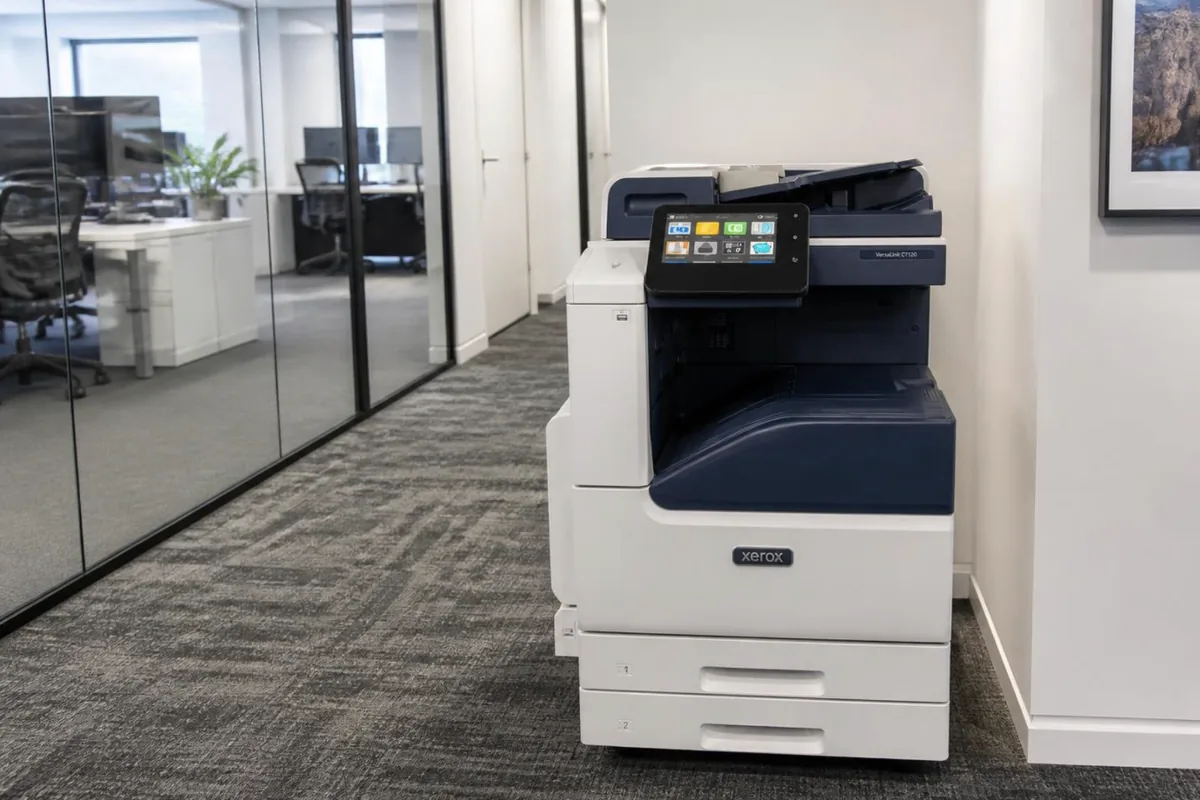
Xerox VersaLink C7120, one of the Xerox photocopiers we repair in Canberra.
Xerox photocopier repairs in Canberra: the faults we fix
Double sided jobs that jam while single sided ones run cleanly point to the duplex path, the loop that turns each sheet over for its second side. Code 077-123 means paper on its way back did not reach registration in time. Curled paper struggles most on that return trip, so try a fresh ream before the duplex rollers are checked.
Streaks down every copy that never appear on prints sent from a computer start in the scanner, not the print engine. Dust, a hair or correction fluid on the narrow glass strip beneath the feeder draws a line down each page. Clean that strip and the main glass with a soft dry cloth. If 062-380 shows, the scan lamp calibrated too dim.
Staple faults are very often the staple cartridge itself: empty, not seated, or holding a bent staple. Check it following the panel's guidance and refit it firmly. Mixed paper sizes and curled stock also upset stacking and stapling. If sets still fail with a fresh cartridge and good paper, the finisher's own rollers or stapler head need the technician.
Xerox codes we are called to in Canberra
The panel nearly always says why a Xerox stopped. A few of the codes we see most, and whether a restart is worth trying:
| Code | What it points to | Restart? |
|---|---|---|
| 071-210, 072-210, 073-210, 074-210 | A tray tried three times to lift its paper and failed. Check the loading and look underneath the stack. | Needs a technician |
| 077-101 | A sheet did not get past the registration sensor, the point where paper is lined up, in time. | Needs a technician |
| 077-109 | A sheet did not arrive at the fuser exit sensor when it should have, so the job stopped. | Needs a technician |
| 077-900, 077-901 | Paper was detected inside the machine at switch on, or as a door was being shut. | Needs a technician |
| 077-300, 077-301 | One of the doors at the front or left is open, or the switch on it has not detected it closing. | Needs a technician |
| 047-216 | Communication with the finisher has dropped out. Switching the machine off and on again often restores it. | Worth one restart |
Before you book a Xerox call
Three things that help the technician arrive with the right part:
- Which tray is jamming, and whether the bypass tray does it too.
- Whether scan to email stopped after a mail server or password change. Codes 016-764 and 027-500 point there.
- The meter reading, from the machine status screen.
Some safe checks first:
- Note the range name and model number printed on the machine, whether VersaLink, AltaLink, WorkCentre or Phaser, and the serial number from its rating label.
- The exact condition behind a number can differ between Xerox models, so describe what you saw as well as the code. A jam location or an odd noise helps confirm it.
- If a door code appears, open and firmly close the front and left side doors once. A door that will not latch needs the technician, not force.
Every Xerox code family, and which ones clear with a restart
Booking a Xerox repair in Canberra
Book a Xerox repair in Canberra or Queanbeyan with the model and the fault. The attendance charge comes first, the technician finds the cause on site, and parts are sent to your office for the return visit.
Xerox printer and copier repairs in Canberra
After a copier repair, ask the technician one question: what caused it? On a Xerox photocopier the answer often sits outside the machine. Repeated paper wraps in the fuser module can come from damp or curled stock. Feeder rollers that wore smooth may have been fed stapled originals. A hard drive fault can follow power being cut at the wall instead of a proper shutdown.
Changing those habits is printer maintenance in its plainest form. The rest is planned printer service. Each drum cartridge has its own count, as do the fuser module and the transfer parts, and the machine gives notice on screen as the end of each approaches. Book a visit when those notices appear instead of printing through them, so the part is changed on a planned call rather than after it fails. On a Xerox printer or multifunction, the same fault returning after a repair is worth reporting early, with its code, because it means the cause is still there.
Repair or replace your Xerox photocopier?
Many Xerox machines arrive on a finance lease or print contract that later ends. When that happens, read the paperwork for ownership and return conditions before deciding anything. A machine that stays with you can be repaired on casual calls or placed on a service agreement, provided it is in good order when the technician inspects it.
When replacement is the better answer, new machines are on our new copiers page, delivered and set up in Canberra.
Keeping a Xerox photocopier running in Canberra
Canberra's cold, very dry winters are the hardest season for paper handling. Heated offices pull moisture out of the air, sheets build static and stick together, and a Xerox starts double feeding or misfeeding from the bypass tray. Store paper sealed, keep it away from heaters, and fan each ream before it goes in.
- Take staples, paper clips and sticky notes off originals before they go into the document feeder, and put torn or fragile pages on the glass instead.
- Call before moving a Xerox, even between rooms. The finisher, trays and any extra feeders need securing, and a bump in transit can upset the scanner.
- Store paper sealed in its ream wrapper, flat and off the floor, ideally in the same room as the machine, so it settles to the room's conditions before use.
Xerox service agreement or a one off repair?
A Xerox machine you already own can join an agreement if it is in good order, which the technician confirms first, whether it is an older WorkCentre or a current VersaLink. For a machine that seldom needs attention, casual calls booked one at a time remain an option. The agreement suits a business that would rather toner and life parts were simply looked after.
Parts for a Canberra Xerox are shipped to your office ahead of the return visit, and Queanbeyan is covered the same way as Canberra. How our service agreements work.
Across Canberra
We attend Xerox machines anywhere around Canberra, including:
- Bruce
- Gungahlin
- Mitchell
- Tuggeranong
- Greenway
- Hume
- Queanbeyan
- Canberra City
Every area we cover is on our Canberra page. For Xerox toner, parts and new machines, see our Xerox page.
How a service call works
- Tell us the faultMake, model and what the machine is doing. A photo of any error on the screen helps.
- Charge confirmedWe confirm the attendance charge when you book, before anyone is sent.
- Diagnosed on siteThe technician finds the cause and fixes what can be fixed on the visit.
- Nothing extra without a yesAny part or further work is quoted to you before it goes ahead.
Common questions
Can you fix scan to email on a Xerox in Canberra?
Usually without a part. When codes such as 016-764 or 027-500 appear after a mail server or password change, it is a settings job on the machine.
Is Xerox the same as Fuji Xerox?
Not any more. Fuji Xerox became Fujifilm Business Innovation, while Xerox machines such as VersaLink and AltaLink are the Xerox brand. We service both, and our Fujifilm page covers the Fuji Xerox badged machines.
Do you cover Queanbeyan as well as Canberra?
Yes. Canberra and Queanbeyan, from the offices in the city, Barton and Parkes to the trade businesses in Fyshwick, Mitchell and Hume.
Are your technicians qualified?
All our technicians are trained and certified.
What does 077-900 mean if there is no paper showing?
The machine believes paper was left inside when it started or when a door closed, and 077-901 is the same idea. Often it is a torn corner from an earlier jam, resting on a sensor out of plain sight. Open the doors the panel shows, check gently with its guidance and close them firmly. If the code stays with nothing found, call.
Is a Xerox Phaser printer worth repairing?
Often, if the fault is a wear part. Phaser printers mostly need imaging parts and paper feed work, which are routine. The case weakens when a controller fault appears, when several parts fall due at once, or when parts for the model are no longer available. The technician tells you which applies before any part is ordered, so the choice is yours.
Can your technician attend a secure Canberra building for a Xerox?
Yes. Tell us the visitor registration and escort arrangements when you book, and who will meet the technician. Those details are passed on before the visit.
Xerox repairs in other cities
Other brands we repair in Canberra
DSA is an independent service provider. Xerox is a trademark of its owner and is used here only to describe the machines we service.