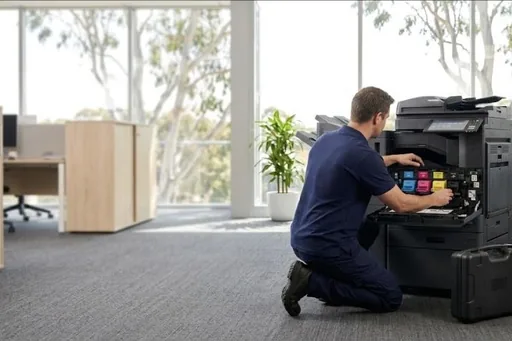
We service Sharp MX copiers, including machines that were bought outright or have come to the end of a rental and still have plenty of life in them.
We service Sharp colour and mono multifunction copiers, the MX series in particular, found in schools, councils and offices of every size.
Sharp machines respond well to regular servicing. Most of what we are called for is life parts and feed wear rather than anything that ends the machine.
Sharp service we provide
- On site breakdown repairs and fault diagnosis
- Scheduled maintenance and wear part replacement
- Print quality problems: streaks, marks and faded prints
- Paper feed and jam problems, including rollers and feed assemblies
- Scanning, network and driver setup
- Contract servicing with toner included
Common Sharp work
Faded colour, grey backgrounds or streaks on the MX colour models.
Smudging and creasing on high volume units.
Misfeeds and jams from the cassettes.
Stapling and sorting faults on the larger machines.
Sharp machines we service
- MX series colour multifunctions
- MX mono multifunctions
- BP series
Not on the list? We service all Sharp models still supported with parts. Call 1300 922 260 with the model number.
How Sharp repairs and service work from one desk
Sharp repairs and service are booked through a single service desk, whichever office the machine is in. The desk asks for the main code and sub code, the model, and whether the machine has a duplex single pass or reversing feeder. With that, the area at fault and the parts it needs can usually be worked out first, and you are told the attendance charge when the call is booked.
On site, the technician finds the cause before anything is cancelled. Many Sharp codes are held in simulation mode, so clearing the screen without the repair only brings the lock back. Parts are quoted to you before they are ordered, and no further work goes ahead without your go ahead.
Choosing who services your Sharp photocopier
A few direct questions help. Do they read the main and sub code, and work in simulation mode? Can they source fusing belts, developer, drum and charger units and primary transfer units for your MX model? Will they tell you honestly when an older machine is not worth repairing? Do they look after the finisher, the paper drawers and the scanning on both kinds of feeder?
Ask, too, whether they work on the BP series as well as the MX range, so one service desk covers every Sharp printer and copier in the business. All our technicians are trained and certified. It is fair to ask how meter readings are collected and how parts are quoted, so there are no surprises when the account arrives.
Sharp toner, consumables and life parts explained
The DSA shop sells Sharp toner and parts, genuine and compatible, for the models it lists. Keep a spare cartridge for each colour you use heavily, a spare waste toner box, and staples if you have a finisher. The low toner message is your cue to order. Store cartridges sealed and flat until the panel asks for them.
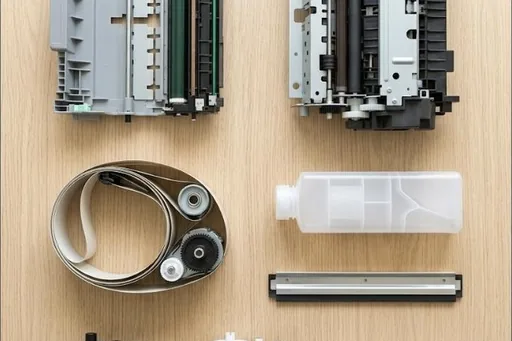
Life parts are the technician's side. Sharp names the main ones in its Maintenance required messages: FK1 for the fusing belt, TK1 for the primary transfer unit, then DK and VK for the black drum and black developer. The pressure roller, charger, cleaning blade and feed rollers wear too. These are fitted on a service visit at their counts, so the machine keeps printing.
Sharp codes offices ask us about
Every Sharp code family, and which ones a restart may clear, is in our Sharp error code guide. A few that come up often:
| Code | What it points to | Restart? |
|---|---|---|
| U6-00, U6-20 | The link to the paper feed desk, or to the large capacity tray, has dropped. Restarting the machine may restore it. | Worth one restart |
| F1-00 | The finisher and the main machine have lost communication, and a technician needs to find out why. | Needs a technician |
| F1-37, F1-38 | A backup memory error has been found on the finisher board or the punch board. A restart may clear it. | Worth one restart |
| E7-03 | The hard drive has failed outright, or is not properly connected to the rest of the controller. | Needs a technician |
| U2-40 | A file error in one storage area of the SSD. Switching off and on lets the machine rebuild it from the hard drive backup. | Worth one restart |
| A0-01, A0-02 | Damaged firmware on the engine board or main board, frequently the result of a firmware update that was cut short. | Needs a technician |
| L8-01, L8-02 | The mains power signal is missing or its frequency is out of range, pointing at the power unit or the supply. | Needs a technician |
Sharp spare parts
Our Sharp spare parts list sets out the parts by part number, with the models each one fits. Ask the service desk for any of them, on its own or fitted by a technician.
Sharp repairs by city
Brisbane has its own page, with the Sharp machines we repair on site across the city and the codes we are called to: Sharp repairs in Brisbane.
Sydney and Melbourne have their own Sharp pages and local numbers: Sharp repairs in Sydney and Sharp repairs in Melbourne.
Each city we service has its own Sharp page too, written for that city from our own records:
Code on the panel? Sharp error codes explained.
How a service call works
- Tell us the faultMake, model and what the machine is doing. A photo of any error on the screen helps.
- Charge confirmedWe confirm the attendance charge when you book, before anyone is sent.
- Diagnosed on siteThe technician finds the cause and fixes what can be fixed on the visit.
- Nothing extra without a yesAny part or further work is quoted to you before it goes ahead.
Where we service Sharp machines
DSA is an independent service provider. Sharp is a trademark of its owner and is used here only to describe the machines we service.
What a service call looks like