
Sharp makes full size office multifunctions, the MX colour and black and white machines and the newer BP series, and we repair them on site across Sydney from the CBD to Castle Hill and Norwest. Sharp writes its codes as a letter and number pair, H2 to H7 for fusing, EE for toner density, L4 for motors and F1 for the finisher, so the code on the panel decides which part our technician needs.
The Sharp machines we look after in Sydney
MX-3070N, MX-3570N and MX-4070N.
MX-3060N, MX-3560N and MX-4060N, and the MX-3050N, MX-3550N and MX-4050N.
Sharp's mono MX multifunctions.
Sharp's BP series multifunctions.
MX-FN27 inner finisher, MX-FN28 finisher, MX-FN29 saddle stitch finisher, MX-FN30 finisher, MX-DE25 to MX-DE28 paper drawers and the MX-LC17 large capacity tray.
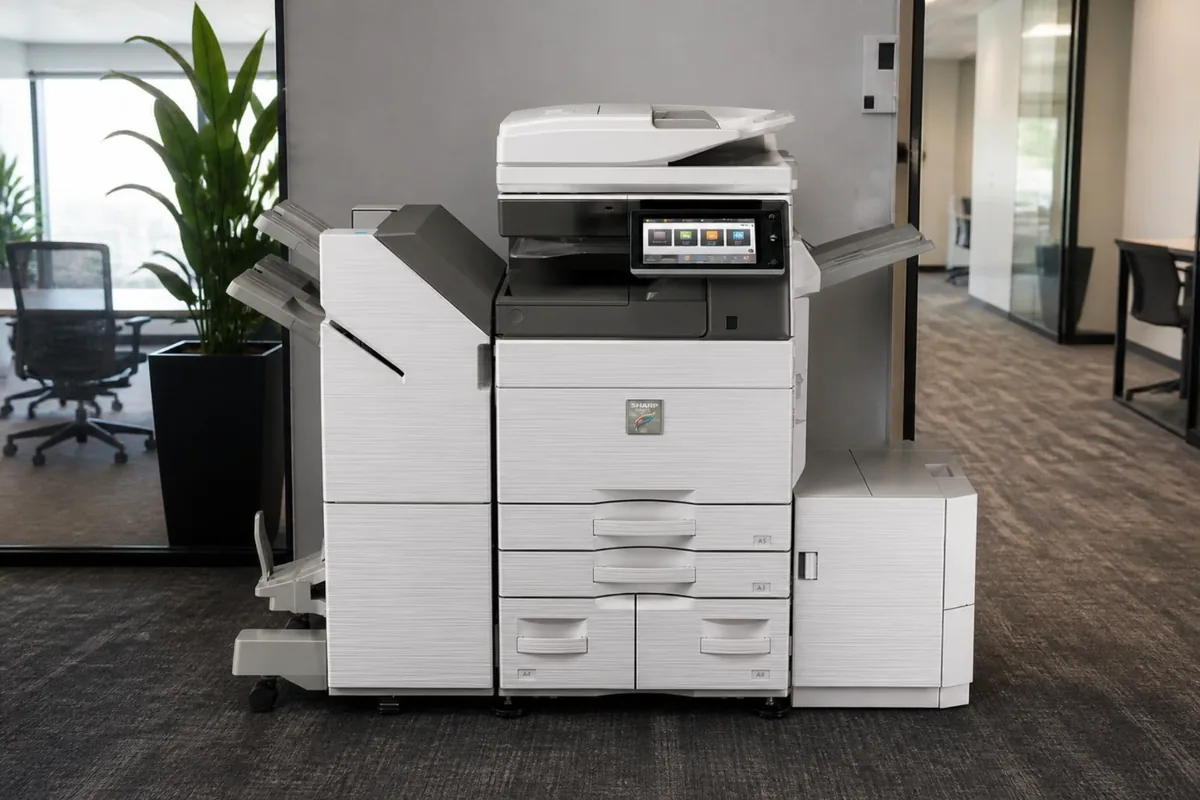
Sharp MX-5071, one of the Sharp photocopiers we repair in Sydney.
Sharp photocopier repairs in Sydney: the faults we fix
Sets that come out unstapled, or a stapling option the machine will no longer offer, point to the finisher's staple unit. F1-10 means the staple motor or the stapling operation has a fault. Check the staple cartridge is seated and not empty, following the guidance on the panel, then try again. If F1-10 stays, the stapler needs the technician.
E7-03 means the hard drive has failed or is not connected properly, and E7-A7 the same for the mSATA SSD. U2-40 is milder: a file error on the SSD that the machine repairs from its hard drive backup once you switch off and on. When the old drive is still readable, the technician saves your address book and machine settings before swapping it.
Toner that wipes off, a glossy smear behind dark areas, or paper coming out wrinkled usually traces to the fusing unit. On MX colour machines such as the MX-3070N, a fusing belt and pressure roller do that work, and both wear with every page. Maintenance required with FK1 means the belt has reached its count, so book the service before it causes a fault.
Sharp codes we are called to in Sydney
Read the code off the screen and give it to the service desk word for word. Common Sharp codes, in plain words:
| Code | What it points to | Restart? |
|---|---|---|
| F2-74, F2-75, F2-76, F2-77 | The machine was unable to read the chip fitted to one of its toner cartridges. | Needs a technician |
| C1-10 | Black main charger circuit fault, open or shorted. The charger, the wires to it, or the developing unit may be responsible. | Needs a technician |
| C4-00, C4-05 | A high voltage fault at the PTC unit, which is a part the technician can replace. | Needs a technician |
| L4-06 | The transfer unit failed to rise into its working position, or to drop back out of it. | Needs a technician |
| L6-10 | The polygon motor inside the LSU, Sharp's laser unit, has failed, so no image can be written. | Needs a technician |
| E7-20, E7-21, E7-22, E7-23 | No laser beam was detected for black, cyan, magenta or yellow inside the LSU. | Needs a technician |
Before you book a Sharp call
Three things that help the technician arrive with the right part:
- The code on the panel, such as H3-00 or EE-EL. The letter and number before the dash name the area of the machine.
- Whether the fault is on copies only. Lines on copies only usually mean the single pass document feeder or the scanner glass.
- The model, such as MX-3071 or BP-50C31. The MX and BP ranges use different parts.
Before you ring, these are worth a minute:
- For toner, check which cartridge the panel names. When black runs out the machine stops printing, but when a colour runs out it can still print black and white until it is replaced.
- If scans to email or a network folder stop arriving while copying still works, note any recent password, email or network change, and any message the panel shows when sending.
- Keep a sample of the fault. Say whether it shows on copies, prints or both, and on the front or back of two sided scans, which separates the scanner, the feeder's reader and the engine.
Every Sharp code family, and which ones clear with a restart
Booking a Sharp repair in Sydney
A Sydney Sharp job runs through the same service desk as the rest of the business. You tell us the model and the fault, we confirm the attendance charge, and our local technician diagnoses it on site. If a part is needed it is shipped to your office, and the technician returns to fit it.
Sharp printer and copier repairs in Sydney
A good booking saves a second visit. Before you call about a Sharp printer or photocopier, take a photo of the panel showing the full code, for example C4-20, and note what the machine was doing at the time: warming up, printing a long job, stapling, or feeding originals through the top. Say whether it happened once or keeps happening.
Then add the model, such as MX-4060N or BP-70C45, and the total from the counter screen, because the count tells the technician which wear parts are near their end. Mention anything that changed recently, such as a power cut, a move, or a new paper stock. With that, the likely parts for the copier repair can be identified before the visit. Say, too, whether the multifunction still copies or prints in black, because that tells the desk how much the printer repair is holding your office up.
Repair or replace your Sharp photocopier?
Parts for older Sharp models do not stay in supply forever. Before quoting, the technician confirms a part can actually be supplied, so a repair does not stall halfway. If a key part is no longer obtainable, you are told plainly, so a replacement can be planned in your own time rather than forced on you by a breakdown.
When replacement is the better answer, new machines are on our new copiers page, delivered and set up in Sydney.
Keeping a Sharp photocopier running in Sydney
Sydney's summer humidity and its towers both shape how a Sharp behaves. Offices that switch the air conditioning off over the weekend come back on Monday to damp paper and a run of jams, and copiers in tight print rooms run warm. Leave the machine its ventilation space and keep paper in its wrapper until it is loaded.
- Store spare Sharp toner cartridges sealed and flat, somewhere cool. Fit one when the panel asks, following the guidance on screen, and push it fully home so its chip can be read.
- Clean the document glass and the narrow scanning strip with a soft dry cloth. On a machine with the duplex single pass feeder, such as the MX-3070N, back side lines come from the feeder's own reader, so say which side.
- Plug the machine into its own wall socket rather than a crowded power board. L8-01 or L8-02 means the machine found the mains signal missing or its frequency out of range.
Sharp service agreement or a one off repair?
A Sharp on a DSA service agreement has servicing, repairs and toner under one arrangement, billed from the pages it prints. Most machines email their meter readings each month. If yours does not, you get a reminder, or you can scan the sticker on the machine and enter the reading through the customer portal. Toner is included, and freight is charged on each delivery.
Sydney has its own page for planned servicing and agreements. Parts for a Sydney Sharp are shipped to your office ahead of the return visit. Photocopier servicing in Sydney.
Across Sydney
We attend Sharp machines anywhere around Sydney, including:
- Hurstville
- Kogarah
- Sutherland
- Miranda
- Bankstown
- Liverpool
- Castle Hill
- Norwest
Every area we cover is on our Sydney page. For Sharp toner, parts and new machines, see our Sharp page.
For planned servicing rather than a breakdown, see photocopier servicing in Sydney.
How a service call works
- Tell us the faultMake, model and what the machine is doing. A photo of any error on the screen helps.
- Charge confirmedWe confirm the attendance charge when you book, before anyone is sent.
- Diagnosed on siteThe technician finds the cause and fixes what can be fixed on the visit.
- Nothing extra without a yesAny part or further work is quoted to you before it goes ahead.
Common questions
Do you repair Sharp copiers in the Hills district?
Yes. Our Sydney coverage includes Castle Hill and Norwest, as well as the CBD, the north shore, Parramatta and the south.
Why does my Sharp say EE-EL?
EE codes come from the developer's toner density control: EE-EL means the automatic setting finished with too much toner, usually just after new developer has gone in. It points at the developer or the toner supply, and needs a technician.
Which parts of Sydney do you cover?
The CBD and North Sydney, Chatswood, St Leonards and Macquarie Park, out to Parramatta, the inner west, the eastern suburbs, the south to Sutherland, and west to Blacktown and Penrith. If you cannot see your suburb, call and ask.
Are your technicians qualified?
All our technicians are trained and certified.
What is the LSU in a Sharp copier?
It is the laser unit, which writes each page onto the drums as a pattern of charge. Inside, a polygon motor spins a mirror to sweep the beam, and L6-10 means that motor has failed. When the beam goes missing you see E7-20, E7-21, E7-22 or E7-23, for black, cyan, magenta and yellow, and F2-49 flags the LSU temperature sensor.
What does H5-01 mean, and why does it lock the machine?
It is Sharp's way of preventing repeated damage. Each jam at the fusing exit is counted, and after the fifth in a row the machine stops itself to save the fusing unit from further harm. A scrap still inside, a faulty exit sensor or a poorly seated fusing unit are the likely reasons. Only a technician can cancel it, after checking the exit area.
Can your technician get into a Sydney CBD building for a Sharp call?
Yes. Give the desk the building name, the floor and any sign in or loading dock rules when you book on (02) 7813 0963, and the technician arranges access before attending.
Sharp repairs in other cities
Sharp parts, by part number
If you already have a part number, from the machine or an old box, look it up in our Sharp spare parts list. We can supply the part by itself, shipped to your office, or fitted by our local technician in Sydney.
Other brands we repair in Sydney
DSA is an independent service provider. Sharp is a trademark of its owner and is used here only to describe the machines we service.