
Sharp is one of the less common brands on the Coast, with eight machines on our service records, but they are full size MX copiers, the MX-2614, MX-3610N, MX-3640, MX-4060 and MX-4070, so when one stops a whole office notices. Sharp writes its codes as a letter and number pair, H2 to H7 for fusing and EE for toner density, and the technician reads it before setting out. We service the newer BP range the same way.
Sharp on our Gold Coast records
From our own service records: the machines we have serviced on the Gold Coast since 2017. It is not the whole list.
Models we see most
- MX-2614
- MX-3640
- MX-3610N
- MX-4060
- MX-4070
Where they are
- Bundall
- Surfers Paradise
- Ormeau
- Southport
- Arundel
- Helensvale
The Sharp machines we look after on the Gold Coast
MX-3070N, MX-3570N and MX-4070N.
MX-3060N, MX-3560N and MX-4060N, and the MX-3050N, MX-3550N and MX-4050N.
Sharp's mono MX multifunctions.
Sharp's BP series multifunctions.
MX-FN27 inner finisher, MX-FN28 finisher, MX-FN29 saddle stitch finisher, MX-FN30 finisher, MX-DE25 to MX-DE28 paper drawers and the MX-LC17 large capacity tray.
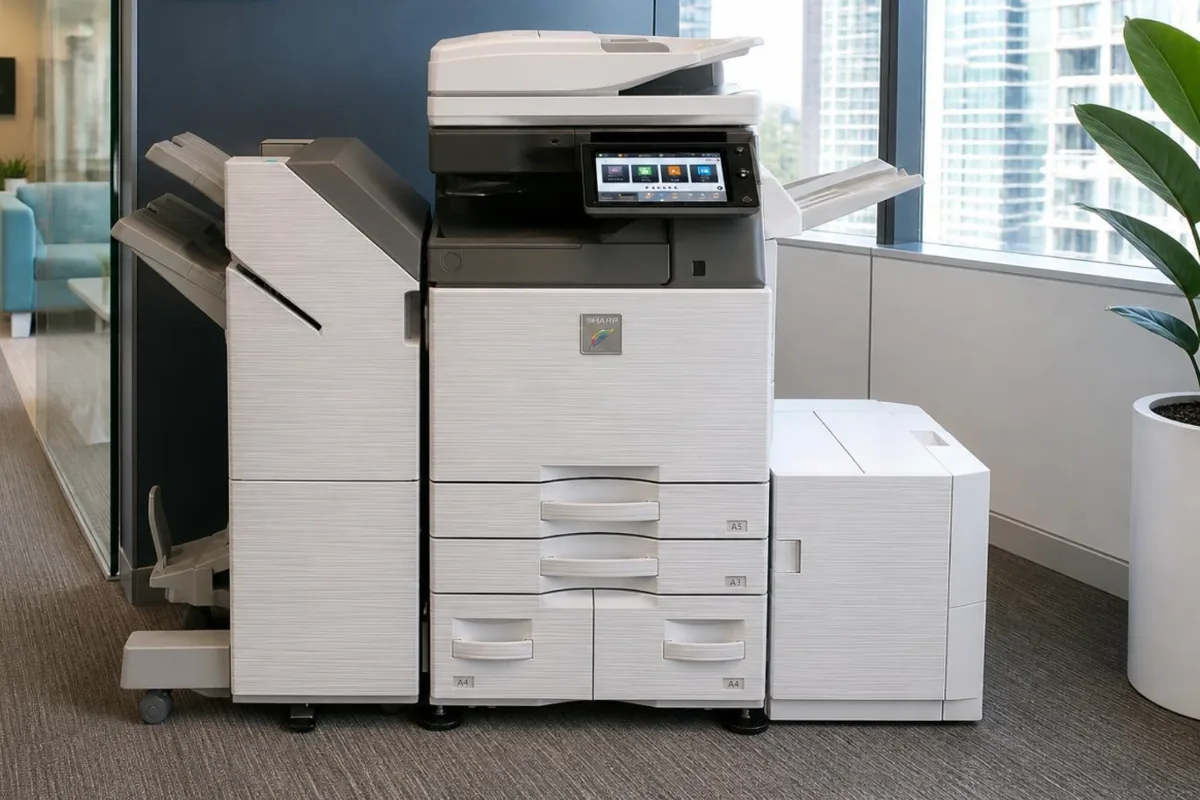
Sharp MX-3571, one of the Sharp photocopiers we repair on the Gold Coast.
Sharp photocopier repairs on the Gold Coast: the faults we fix
An H code stops the Sharp outright. H4-00 means the fusing unit never reached its working temperature, and H3-00 means it ran over temperature at the upper main thermistor. Sharp holds these in memory, so even after the cause is fixed the code has to be cancelled in simulation mode. Note the full code, keep away from the fusing area, and book the technician.
A grey haze across the background, colour that looks faint or patchy, or one shade weaker than the rest usually leads to a developing unit. Each colour on a Sharp MX has its own unit holding developer, and that developer tires over its page count. Maintenance required with VK means the black developer is due. After fitting new developer, the technician runs the density setting.
Streaks, light print or marks down the length of the page often start at the OPC drum or its main charger. The charger puts an even charge on the drum before the image is written, and a cleaning blade keeps the surface clear. Sharp changes the three as a set at their page count, and the panel flags DK when the black drum is due.
Sharp codes we are called to on the Gold Coast
Quote the code on the panel when you book. These are the Sharp codes we are asked about most here, and what each one points to.
| Code | What it points to | Restart? |
|---|---|---|
| H3-00 | Over temperature at the fusing unit's upper main thermistor. It stays stored until a technician cancels it in simulation mode. | Needs a technician |
| H4-00 | The fusing unit never got up to working temperature. The heater lamp, thermostat, a thermistor or an interlock switch are usual causes. | Needs a technician |
| H5-01 | Five fusing exit jams in a row have locked the machine. Paper left inside, the exit sensor or unit seating are likely. | Needs a technician |
| EE-EL | The automatic toner density setting ended with too much toner, which mostly happens after new developer is fitted. | Needs a technician |
| F2-40, F2-41, F2-42, F2-43 | The density sensor in one developing unit has failed: F2-40 for black, F2-41 cyan, F2-42 magenta, F2-43 yellow. | Needs a technician |
| F2-64, F2-65, F2-66, F2-67 | Toner is not reaching one colour's developing unit. The toner motor, a sensor, the cartridge itself or the toner pipe may be to blame. | Needs a technician |
Before you book a Sharp call
Three things that help the technician arrive with the right part:
- The code on the panel, such as H3-00 or EE-EL. The letter and number before the dash name the area of the machine.
- The model, such as MX-3071 or BP-50C31. The MX and BP ranges use different parts.
- The total count, from the counter screen in the machine settings.
A few checks that help, or fix it outright:
- If you restart, use the main power switch behind the front cover, not just the power key on the panel, and give it a little while before switching back on.
- Restart once only. A fusing code starting with H, a tray lift code or a U2 memory code is stored by the machine and will come back until it is cancelled.
- If the panel shows Maintenance required with TA, CA or AA, the maintenance counter has reached its set count. Book a service; depending on settings the machine may keep printing or stop.
Every Sharp code family, and which ones clear with a restart
Booking a Sharp repair on the Gold Coast
Our Gold Coast technicians work out of the region, so a Sharp call here is booked straight into the Coast run rather than sent down the highway. Tell us the make, model and fault, we confirm the attendance charge, and the technician diagnoses it on site. On the Coast we also deliver and install new and refurbished machines, and relocate them when an office moves.
Sharp printer and copier repairs on the Gold Coast
Paper jams are rarely random, so before you clear one, note where the sheet stopped and on which job. A page caught just after leaving a drawer points to that drawer's rollers or to the paper itself. Jams that only happen on two sided jobs point to the duplex path inside the photocopier. A sheet that stops at the fusing area, or comes out creased, is a different fault again.
Clear each jam following the panel's own instructions, with the machine's guidance, and if a sheet is caught in the fusing area, which runs hot, leave it for the technician. Then load a fresh ream with the guides set to the paper size. If the same spot jams again, it is a copier repair rather than a paper problem. Book it, and tell the desk the tray and the kind of job. On a Sharp printer or multifunction, worn feed rollers are routine printer repairs, and replacing them during printer service heads off the next run of jams.
Repair or replace your Sharp photocopier?
Most Sharp repairs are wear parts: the developer, the drum with its charger and cleaning blade, the fusing belt and its pressure roller, the primary transfer unit and the feed rollers. Like most commercial copiers, these machines are designed around replacing those parts. Repeated E7 controller faults, A0 firmware damage or U2 memory errors are a different matter, because they involve the boards that run everything else.
When replacement is the better answer, we supply new copiers and refurbished and renewed machines on the Gold Coast as well, and install them.
Keeping a Sharp photocopier running on the Gold Coast
On the Gold Coast the salt air and the humidity work on a Sharp from two directions. Paper picks up moisture and curls, and machines near open doors, balconies or beachfront windows collect a fine film that is unkind to sensors and contacts over time. Set the machine back from doors and air conditioner outlets, and keep its paper sealed until it is used.
- Keep reams wrapped and flat until they go into a drawer, away from air conditioning outlets and damp walls. Humid paper curls through the fusing unit and jams at the exit, and repeated exit jams can end in H5-01.
- Do not move a Sharp MX yourself. Toner can spill if it tilts, finishers and drawers have to be separated, and the scanner may need its transport lock set and released again afterwards.
- When the panel shows Prepare a toner or Toner supply is low, order the next cartridge. On a service agreement it can be ordered from the customer portal.
Sharp service agreement or a one off repair?
Casual repairs can make sense for a quiet machine that rarely stops. A busy Sharp MX working through toner, developer, drum units and fusing belts is different. On an agreement, those life parts are fitted at their page counts during a service visit, so the Maintenance required messages are handled as part of the routine rather than as separate calls.
On the Coast we also deliver, install and relocate machines, so a Sharp on agreement can be moved with the office without changing who looks after it. How our service agreements work.
Across the Gold Coast
We attend Sharp machines anywhere around the Gold Coast, including:
- Carrara
- Ashmore
- Molendinar
- Arundel
- Labrador
- Runaway Bay
- Helensvale
- Hope Island
Every area we cover is on our Gold Coast page. For Sharp toner, parts and new machines, see our Sharp page.
How a service call works
- Tell us the faultMake, model and what the machine is doing. A photo of any error on the screen helps.
- Charge confirmedWe confirm the attendance charge when you book, before anyone is sent.
- Diagnosed on siteThe technician finds the cause and fixes what can be fixed on the visit.
- Nothing extra without a yesAny part or further work is quoted to you before it goes ahead.
Common questions
Do you service the Sharp MX-4070 on the Gold Coast?
Yes. It is on our Gold Coast records with the MX-2614, MX-3640 and MX-4060. Fusing, the developing unit and the single pass feeder are the usual work.
What does an H code mean on a Sharp?
The H2 to H7 codes belong to the fusing unit, for example H3-00 for a temperature that ran too high. They lock the machine until a technician fixes the cause.
What if my Sharp needs a part?
The technician confirms the part on the first visit and it is quoted to you before it is ordered. Once it arrives, it is fitted on a return visit without a second diagnosis.
Are your technicians qualified?
All our technicians are trained and certified.
Why does my Sharp show EE-EL after new developer?
That code belongs to the developer change itself. When new developer goes in, the machine calibrates it with an automatic toner density setting, and EE-EL means the result came out with excess toner. Its relatives EE-EU and EE-EC mean too little toner or a result outside limits. The technician corrects the cause and repeats the setting before handing the machine back.
What does F2-40 mean on a Sharp MX?
F2-40 means the sensor measuring toner density in the black developing unit has a fault. Its neighbours F2-41, F2-42 and F2-43 are the same fault for cyan, magenta and yellow. The sensor tells the machine how much toner is mixed into the developer, and without a good reading it cannot keep density right. A new cartridge will not fix it; book the technician.
Does the salt air on the Gold Coast affect a Sharp copier?
It can, mostly for machines near open doors, balconies or beachfront windows. Moisture and salt settle on sensors and contacts over time. Keeping the machine back from openings, and its paper sealed, avoids most of it.
Sharp repairs in other cities
Sharp parts, by part number
Our Sharp spare parts list sets out Sharp parts by part number and by the models each one fits. Every line can be ordered through the service desk, or have one of our technicians fit it on the Gold Coast.
Other brands we repair on the Gold Coast
DSA is an independent service provider. Sharp is a trademark of its owner and is used here only to describe the machines we service.