
Konica Minolta is a smaller part of our Gold Coast work than in some cities, with 19 bizhub machines on our service records here, but the models are the ones offices keep: the bizhub C250i, C454 and C454e, C227 and C224, and Develop ineo machines built on the same engines. Ormeau and Southport have the most. Drum units, developing units and the fusing unit are the usual repairs, and the code on the panel tells us which before we come.
Konica Minolta on our Gold Coast records
From our own service records: the machines we have serviced on the Gold Coast since 2017. It is not the whole list.
Models we see most
- bizhub C250i
- bizhub C227
- bizhub C454
- bizhub 284
- bizhub C454e
- bizhub C250
Where they are
- Ormeau
- Southport
- Burleigh Heads
- Bundall
- Benowa
- Nerang
The Konica Minolta machines we look after on the Gold Coast
bizhub C224, bizhub C284 and bizhub C364.
bizhub C454, bizhub C554, bizhub C654 and bizhub C754.
bizhub C250i, bizhub C300i and bizhub C360i.
bizhub 227, bizhub 287 and bizhub 367.
Develop ineo machines built on bizhub platforms.
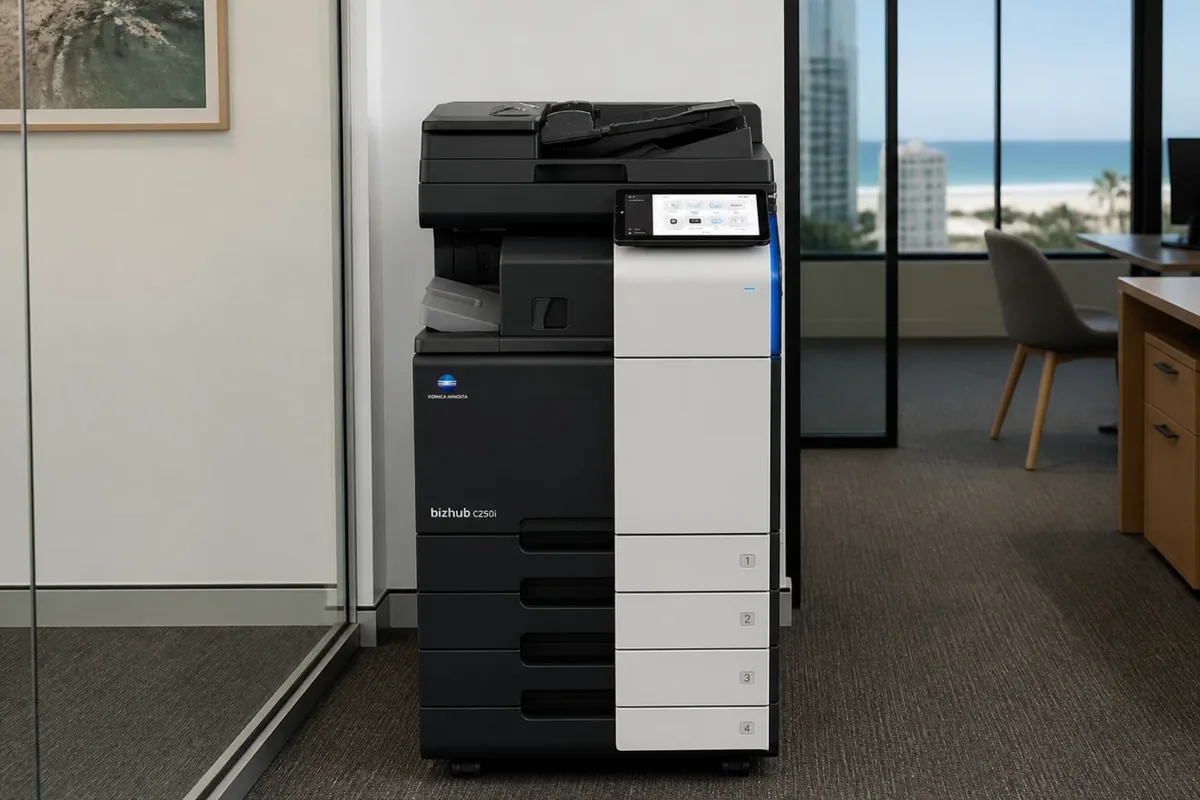
Konica Minolta bizhub C250i, one of the Konica Minolta photocopiers we repair on the Gold Coast.
Konica Minolta photocopier repairs on the Gold Coast: the faults we fix
Your bizhub stops with a C3 code, often C3425, and nothing you press will move it on. Inside, the fusing unit either never reached its working temperature or fell back below it after warming up. Konica Minolta ranks this as an A trouble, so the lock stays until the cause is fixed. Write the code down, keep the doors shut and book the technician.
One colour prints weak or blotchy while the rest look normal, or a fine line in one colour runs down every page. A colour bizhub has a separate drum unit and developing unit for each colour, and each wears on its own count. Print the same page twice; if the mark repeats in the same place, tell the desk which colour it is.
Coloured text with a faint cyan or magenta fringe, or photos whose colours do not sit squarely together, mean the four colour images are out of step. They are laid onto the transfer belt in turn, and the bizhub aligns them using a test pattern it reads. P-21 or P-22 means the pattern could not be read or alignment could not be corrected.
Konica Minolta codes we are called to on the Gold Coast
Quote the code on the panel when you book. These are the Konica Minolta codes we are asked about most here, and what each one points to.
| Code | What it points to | Restart? |
|---|---|---|
| C0002 | The main body lost communication with the paper feed control. One restart at the main power switch often clears it. | Worth one restart |
| C0202, C0204, C0206, C0208 | Tray 1, 2, 3 or 4 failed to raise its paper to the upper limit in the time allowed. | Needs a technician |
| C0210, C0214 | The large capacity tray would not rise, or the paper shift inside it did not finish. | Needs a technician |
| C0211 | The lift plate in the bypass tray did not move the way the machine expected it to. | Needs a technician |
| C1004 | Contact dropped between the copier and its finisher or job separator. Switch off, wait, and switch on again. | Worth one restart |
| C1106, C1109 | Inside the finisher, the stapler or the motor driving its movement has stopped working. | Needs a technician |
Before you book a Konica Minolta call
Three things that help the technician arrive with the right part:
- The trouble code shown with the message to call your service representative, such as C2557 or C3425.
- The model, such as bizhub C364e or C300i. The i series uses different units from the earlier e models.
- Which tray or the duplex area is jamming, and the jam position the panel shows.
Worth checking before the call:
- Check the meter. Every bizhub keeps a total page count on its counter screen, and that figure tells the technician how far the drum, developing and fusing units have run.
- Open and close the front door once. That resets many rank B troubles, and if the code comes straight back, you have learnt that a part is at fault.
- Try a single restart from the main power switch, not the power key on the panel, leaving the machine fully off for a little while before switching back on.
Every Konica Minolta code family, and which ones clear with a restart
Booking a Konica Minolta repair on the Gold Coast
Konica Minolta work on the Coast goes through the same service desk as the rest of the business, with technicians who already work the region. You get the attendance charge before anyone is sent, and any part or further work is quoted before it goes ahead. On the Coast we also deliver and install new and refurbished machines, and relocate them when an office moves.
Konica Minolta printer and copier repairs on the Gold Coast
Where a bizhub is set to show jam codes, a paper jam appears as two numbers, such as 11-01, and the first gives the area: 10 to 16 for the bypass, the trays and the large capacity tray, 66 for the document feeder, 72 for the finisher. The screen's jam picture uses numbered positions too: a flashing one is where the jam began, and one that stays lit still has paper in it. If one tray keeps appearing on your Konica Minolta photocopier, its worn rollers are the usual cause.
A tray that never rises is another fault. C0202, C0204, C0206 and C0208 mean trays one to four failed to reach the top, with C0210 or C0214 for the large capacity tray, and all need a copier repair. Where the panel lets you skip the faulty tray, keep printing from the others meanwhile. Clear ordinary jams following the panel's own instructions, with the machine's guidance. On a smaller Konica Minolta printer or busy office printer, new rollers are a routine printer repair.
Repair or replace your Konica Minolta photocopier?
Most bizhub repairs are wear parts reaching their count: a drum unit, a developing unit, the fusing unit or the transfer belt unit. Like most commercial copiers, a bizhub is designed around replacing those parts, and fitting them gives the machine a fresh start where it works hardest. A failed MFP board, or CA, CE and CF codes that keep returning, is a different conversation, because the controller runs everything else.
When replacement is the better answer, we supply new copiers and refurbished and renewed machines on the Gold Coast as well, and install them.
Keeping a Konica Minolta photocopier running on the Gold Coast
On the Gold Coast the salt air and the humidity work on a Konica Minolta from two directions. Paper picks up moisture and curls, and machines near open doors, balconies or beachfront windows collect a fine film that is unkind to sensors and contacts over time. Set the machine back from doors and air conditioner outlets, and keep its paper sealed until it is used.
- Keep paper in its wrapper until it goes into a tray, and store reams flat, away from air conditioning outlets and outside walls. Damp paper curls through the fusing unit and jams at the exit.
- Before moving a bizhub, even across the room, call the service desk. Tilting can spill toner, and finishers and paper feed cabinets have to be separated and refitted correctly.
- Keep a spare waste toner box on hand. The bizhub senses when the box is nearly full, counts on from there, and then asks for a new one once it is full.
Konica Minolta service agreement or a one off repair?
One off repairs can suit a lightly used machine that rarely stops. A busy colour bizhub is a different case: it uses toner in four colours and works through its drum units, developing units and fusing unit on a steady page count. Under an agreement those life parts are fitted at their counts during a service visit, instead of waiting for the machine to stop.
On the Coast we also deliver, install and relocate machines, so a Konica Minolta on agreement can be moved with the office without changing who looks after it. How our service agreements work.
Across the Gold Coast
We attend Konica Minolta machines anywhere around the Gold Coast, including:
- Miami
- Palm Beach
- Currumbin
- Coolangatta
- Nerang
- Carrara
- Ashmore
- Molendinar
Every area we cover is on our Gold Coast page. For Konica Minolta toner, parts and new machines, see our Konica Minolta page.
How a service call works
- Tell us the faultMake, model and what the machine is doing. A photo of any error on the screen helps.
- Charge confirmedWe confirm the attendance charge when you book, before anyone is sent.
- Diagnosed on siteThe technician finds the cause and fixes what can be fixed on the visit.
- Nothing extra without a yesAny part or further work is quoted to you before it goes ahead.
Common questions
Do you repair Develop ineo copiers on the Gold Coast?
Yes. They share the bizhub engines, so the parts and codes are the same, and we service them the same way.
What do the C3 codes mean on a bizhub?
The C3xxx codes belong to the fusing unit, for example C3425 when it does not warm up as expected. The machine stops until a technician finds the cause.
Can you install or move a Konica Minolta machine on the Gold Coast?
Yes. On the Coast we deliver, install and relocate machines as well as repair them, booked through the same desk.
Are your technicians qualified?
All our technicians are trained and certified.
What is the PH unit on a Konica Minolta bizhub?
PH is Konica Minolta's name for the laser assembly that writes each page onto the drums. A polygon motor inside it turns a many sided mirror to sweep the beam. If that motor cannot hold its speed the panel shows C4101, if the start of scan signal is lost it shows C4501, and P-33 warns of a laser diode fault. Work on the PH unit is for a technician.
Why are there lines on copies but not on computer prints?
Because copies pass through the scanner and computer prints do not. If the lines only appear when you use the document feeder, dirt on the narrow glass strip it reads across is the usual cause, and the bizhub may show D-1 or D-3. Clean that strip gently with a soft cloth. Lines that also show from the main glass suggest the scanner itself.
Does the salt air on the Gold Coast affect a Konica Minolta copier?
It can, mostly for machines near open doors, balconies or beachfront windows. Moisture and salt settle on sensors and contacts over time. Keeping the machine back from openings, and its paper sealed, avoids most of it.
Konica Minolta repairs in other cities
Konica Minolta parts, by part number
Our Konica Minolta spare parts list sets out Konica Minolta parts by part number and by the models each one fits. Every line can be ordered through the service desk, or have one of our technicians fit it on the Gold Coast.
Other brands we repair on the Gold Coast
DSA is an independent service provider. Konica Minolta is a trademark of its owner and is used here only to describe the machines we service.