
Most of what Gold Coast offices call a Xerox is a Fuji Xerox, and those have their own Fujifilm page. The Xerox brand itself is a small share of our Coast work, WorkCentre 3220 and 4260 machines among them, in Southport, Burleigh Waters and the Broadbeach area. We service the current VersaLink and AltaLink ranges and the older WorkCentre and Phaser models the same way, starting from the code on the panel.
Xerox on our Gold Coast records
From our own service records: the machines we have serviced on the Gold Coast since 2017. It is not the whole list.
Models we see most
- WorkCentre 4260
- WorkCentre 3220
Where they are
- Burleigh Waters
- Broadbeach Waters
- Southport
- Biggera Waters
- Chirn Park
The Xerox machines we look after on the Gold Coast
VersaLink colour and black and white printers and multifunctions.
AltaLink colour and black and white multifunctions.
WorkCentre multifunctions.
Phaser desktop printers.
ColorQube, DocuColor, CopyCentre and Document Centre.
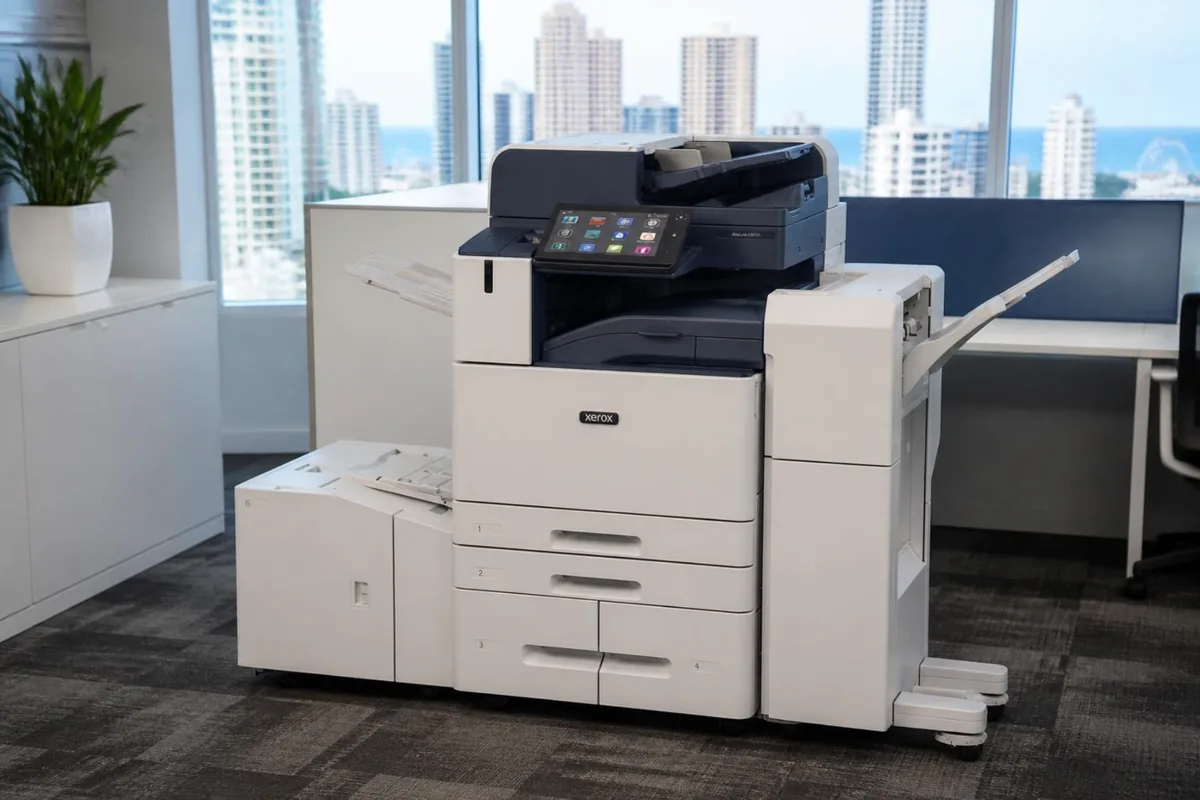
Xerox AltaLink C8135, one of the Xerox photocopiers we repair on the Gold Coast.
Xerox photocopier repairs on the Gold Coast: the faults we fix
Toner that wipes off with a finger, pages that come out creased, or a code starting 010 all lead to the fuser module. It bonds toner to the paper with heat, and the machine guards that temperature tightly. When a heating lamp stays on too long or a temperature sensor drops out, it locks for safety. Switch off and leave the lock to a technician.
A mark that repeats down the page at an even spacing, or a grey band that follows the paper through, usually comes from a drum cartridge. The drum's coating carries the image, and it thins a little with every page printed. On the colour models each colour has its own drum, so a fault confined to one colour narrows the search straight away.
On the colour models, every colour is built up on the transfer belt before the transfer roller presses the finished image onto the sheet. As the belt surface ages or the roller loses its grip, solid areas print uneven, colours sit slightly out of line or a faint stripe follows the paper. The technician checks both before blaming the drums.
Xerox codes we are called to on the Gold Coast
Quote the code on the panel when you book. These are the Xerox codes we are asked about most here, and what each one points to.
| Code | What it points to | Restart? |
|---|---|---|
| 010-327 | The fuser's heating lamp stayed on for longer than it should, so the machine locked itself for safety. | Needs a technician |
| 010-331, 010-333 | The fuser ran over temperature. A sheet wound around the heat roll is one possible cause. | Needs a technician |
| 010-332, 010-334, 010-335 | A fuser temperature sensor is disconnected, faulty or giving a reading outside its expected range. | Needs a technician |
| 010-337 | Paper has wrapped itself around the fuser's heat roll and needs to be dealt with by a technician. | Needs a technician |
| 010-379 | After running too hot, the fuser took too long to cool back down into its normal range. | Needs a technician |
| 005-122, 005-123 | An original did not reach the document feeder's first sensors as feeding started, usually because of worn or dirty rollers. | Needs a technician |
Before you book a Xerox call
Three things that help the technician arrive with the right part:
- The full code, such as 077-101 or 010-327. Xerox writes its faults as two groups of three digits, and the first group names the area.
- Whether a drum cartridge, fuser module or waste cartridge is asking to be replaced.
- Whether scan to email stopped after a mail server or password change. Codes 016-764 and 027-500 point there.
Before you ring, these are worth a minute:
- Restart once: switch off at the main power switch, leave it until the panel is fully dark, then switch on. If a 010 code comes back, stop restarting.
- The exact condition behind a number can differ between Xerox models, so describe what you saw as well as the code. A jam location or an odd noise helps confirm it.
- Check that the paper size and type set for the tray match what is loaded. A mismatch message is a setting to correct, not a fault to report.
Every Xerox code family, and which ones clear with a restart
Booking a Xerox repair on the Gold Coast
Xerox work on the Coast goes through the same service desk as the rest of the business, with technicians who already work the region. You get the attendance charge before anyone is sent, and any part or further work is quoted before it goes ahead. On the Coast we also deliver and install new and refurbished machines, and relocate them when an office moves.
Xerox printer and copier repairs on the Gold Coast
The jammed sheet itself is a clue. A blank sheet caught near a tray never got started, which points to that tray's feed rollers, the paper, or how it was loaded. A sheet carrying an image that smears at a touch stopped before the fuser module could fix the toner. One that is printed but crumpled stopped at or after the fuser. Two sheets stuck together mean the tray let a second one through.
Clear it following the panel's own instructions, with the machine's guidance, and do not reach into the fuser area, which runs hot. Keep the sheet and note the code: on a Xerox printer, photocopier or multifunction, 071 to 075 belong to the trays and 077 to the path through the machine. Paper jams that keep coming back to one place call for a copier repair, often nothing worse than worn rollers, which are routine printer repairs. Book it with the code and the sample sheet.
Repair or replace your Xerox photocopier?
Most Xerox wear items are modules: the fuser module, drum cartridges, the transfer belt, the transfer roller and the rollers in each paper tray. Replacing one renews that section of the machine and is a routine repair. A failed hard drive, a controller that repeatedly loses touch with the print engine, or several faults in different code groups at once is a weightier decision.
When replacement is the better answer, we supply new copiers and refurbished and renewed machines on the Gold Coast as well, and install them.
Keeping a Xerox photocopier running on the Gold Coast
On the Gold Coast the salt air and the humidity work on a Xerox from two directions. Paper picks up moisture and curls, and machines near open doors, balconies or beachfront windows collect a fine film that is unkind to sensors and contacts over time. Set the machine back from doors and air conditioner outlets, and keep its paper sealed until it is used.
- Store paper sealed in its ream wrapper, flat and off the floor, ideally in the same room as the machine, so it settles to the room's conditions before use.
- Plan network changes with the copier in mind. A new mail server, password policy or router can stop scan to email or scan to folder, so let the service desk know beforehand.
- Set the paper size and type for every tray and the bypass tray to match what is loaded. Heavy or glossy stock printed on a plain paper setting can smudge.
Xerox service agreement or a one off repair?
Billing on an agreement comes from meter readings. Most machines email their reading each month. If yours does not, you get a reminder, or you can scan the sticker on the machine and enter the reading through the customer portal. A Xerox printer that sees little use may be better served by one off repairs and service calls as they are needed.
On the Coast we also deliver, install and relocate machines, so a Xerox on agreement can be moved with the office without changing who looks after it. How our service agreements work.
Across the Gold Coast
We attend Xerox machines anywhere around the Gold Coast, including:
- Runaway Bay
- Helensvale
- Hope Island
- Oxenford
- Coomera
- Upper Coomera
- Ormeau
- Yatala
Every area we cover is on our Gold Coast page. For Xerox toner, parts and new machines, see our Xerox page.
How a service call works
- Tell us the faultMake, model and what the machine is doing. A photo of any error on the screen helps.
- Charge confirmedWe confirm the attendance charge when you book, before anyone is sent.
- Diagnosed on siteThe technician finds the cause and fixes what can be fixed on the visit.
- Nothing extra without a yesAny part or further work is quoted to you before it goes ahead.
Common questions
Is my Gold Coast Xerox a Fuji Xerox?
If it says DocuCentre, ApeosPort or DocuPrint, it is a Fuji Xerox design, now sold as Fujifilm. VersaLink and AltaLink are Xerox. We service both, and older WorkCentre and Phaser machines too.
Is Xerox the same as Fuji Xerox?
Not any more. Fuji Xerox became Fujifilm Business Innovation, while Xerox machines such as VersaLink and AltaLink are the Xerox brand. We service both, and our Fujifilm page covers the Fuji Xerox badged machines.
Are your Xerox technicians on the Gold Coast local?
Yes. Our Gold Coast technicians work out of the region, from the northern growth corridor at Coomera and Ormeau down to Coolangatta, and back to Nerang and Mudgeeraba.
Are your technicians qualified?
All our technicians are trained and certified.
What does 071-210 mean on a Xerox paper tray?
It means a tray tried to lift its paper three times and failed, and the matching codes for other trays mean the same thing. Take the tray out, check nothing has dropped underneath the stack, reload it squarely below the fill line and push it in gently. If the code returns with the tray properly loaded, the lift mechanism needs a technician to look at it.
Why is my Xerox VersaLink feeding two sheets at once?
Double feeds usually mean the tray is no longer separating sheets properly. The roller that holds back the second sheet wears smooth or collects paper dust, and two slip through together. Static and humidity make it worse, so fan the paper and try a fresh ream first. If it continues from one tray only, that tray's rollers need replacing as a set.
Does the salt air on the Gold Coast affect a Xerox copier?
It can, mostly for machines near open doors, balconies or beachfront windows. Moisture and salt settle on sensors and contacts over time. Keeping the machine back from openings, and its paper sealed, avoids most of it.
Xerox repairs in other cities
Other brands we repair on the Gold Coast
DSA is an independent service provider. Xerox is a trademark of its owner and is used here only to describe the machines we service.