
We service the Xerox brand across Melbourne, the VersaLink and AltaLink multifunctions and the WorkCentre and Phaser models before them, such as the WorkCentre 4250 on our records. Fuji Xerox badged machines are Fujifilm now and have their own page. Xerox codes come in two groups of three digits, and the first group names the area, so a 010 code means the fuser and a 071 to 075 code means a tray, and the right part can be shipped ahead.
The Xerox machines we look after in Melbourne
VersaLink colour and black and white printers and multifunctions.
AltaLink colour and black and white multifunctions.
WorkCentre multifunctions.
Phaser desktop printers.
ColorQube, DocuColor, CopyCentre and Document Centre.
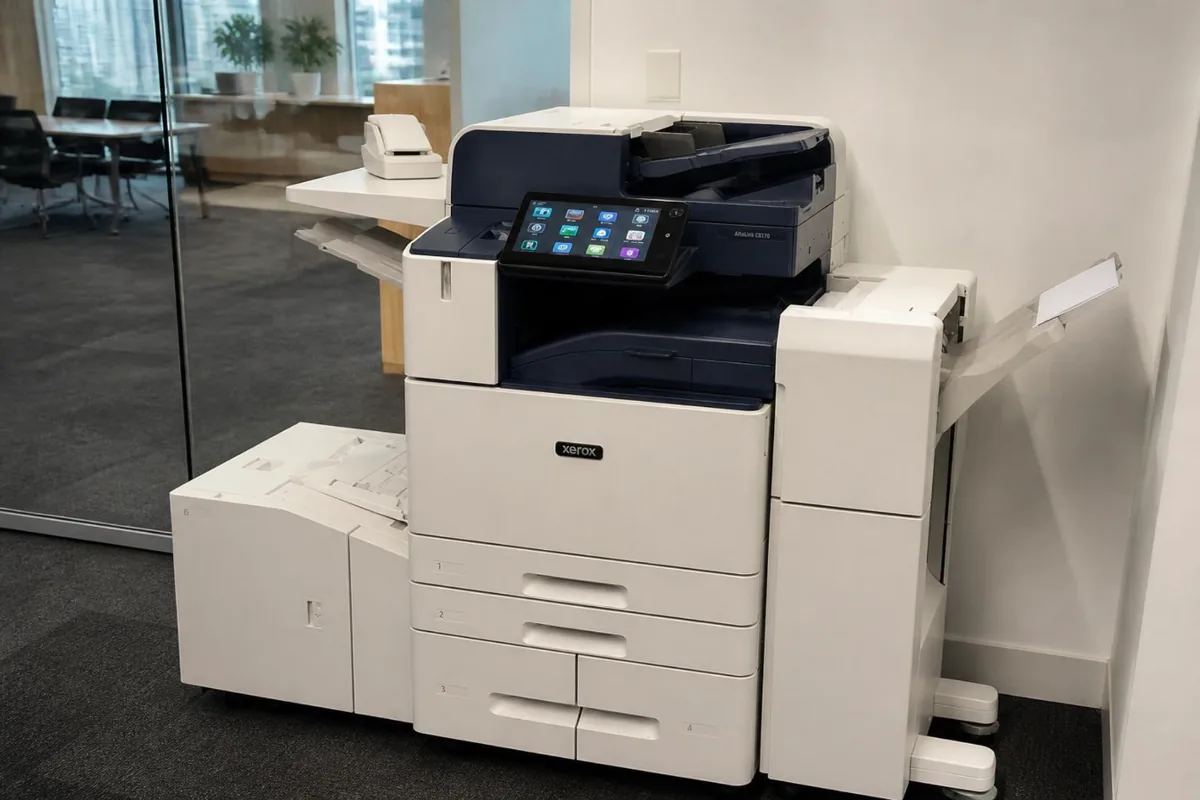
Xerox AltaLink C8170, one of the Xerox photocopiers we repair in Melbourne.
Xerox photocopier repairs in Melbourne: the faults we fix
Prints that grow faint across the whole page while the toner still shows a healthy level often point to a worn drum. The panel normally warns as a drum cartridge nears its count. If your model's drum is one you change yourself, follow the panel's steps, keep the new drum out of bright light until it goes in, and never touch its surface.
Heavy card, glossy stock and envelopes need different transfer settings from plain paper. If those print speckled or patchy while ordinary paper looks fine, check the paper type set for the tray or bypass tray before anything else. When plain paper is affected too, the belt or roller is probably near the end of its life and should be replaced on a visit.
If the panel shows 071-210 or the matching code for another tray, the tray tried three times to rise and could not. Before calling, take it out, check nothing has slipped beneath the stack, reload below the fill line and set the guides snugly. If it fails again with a properly loaded tray, the lift motor or its sensor needs a technician.
Xerox codes we are called to in Melbourne
Some Xerox codes clear with one restart at the main power switch; others lock the machine until a technician has fixed the cause.
| Code | What it points to | Restart? |
|---|---|---|
| 071-100, 072-101 | Paper did not leave Tray 1 or Tray 2 when expected, which usually means the feed rollers are worn. | Needs a technician |
| 071-105, 072-105, 073-105, 074-105 | Paper from one of the trays did not arrive at the registration sensor in time to be printed. | Needs a technician |
| 075-135 | A sheet fed from the bypass tray did not get as far as the registration sensor in time. | Needs a technician |
| 071-210, 072-210, 073-210, 074-210 | A tray tried three times to lift its paper and failed. Check the loading and look underneath the stack. | Needs a technician |
| 077-101 | A sheet did not get past the registration sensor, the point where paper is lined up, in time. | Needs a technician |
| 077-109 | A sheet did not arrive at the fuser exit sensor when it should have, so the job stopped. | Needs a technician |
Before you book a Xerox call
Three things that help the technician arrive with the right part:
- The full code, such as 077-101 or 010-327. Xerox writes its faults as two groups of three digits, and the first group names the area.
- Which tray is jamming, and whether the bypass tray does it too.
- Whether scan to email stopped after a mail server or password change. Codes 016-764 and 027-500 point there.
Worth checking before the call:
- Write down both groups of three digits exactly as shown, and what the machine was doing at the time: printing, copying through the feeder or scanning to email.
- Restart once: switch off at the main power switch, leave it until the panel is fully dark, then switch on. If a 010 code comes back, stop restarting.
- Open a fresh ream if jams have started suddenly. Paper stored open in a damp room curls, and curled sheets tend to jam in the duplex path first.
Melbourne jobs run from CBD towers to industrial estates in Dandenong and Keysborough. Tell the desk about parking, sign in rules and the floor the machine is on when you ring (03) 8538 1600.
Every Xerox code family, and which ones clear with a restart
Booking a Xerox repair in Melbourne
Ring (03) 8538 1600 with the Xerox model and the fault. You hear the attendance charge first, the technician finds the cause where the machine stands, and nothing extra goes ahead without your yes. Parts are shipped to your office, so the job keeps moving.
Xerox printer and copier repairs in Melbourne
A Phaser or VersaLink printer on a desk and an AltaLink photocopier shared by a whole floor are both Xerox, but repairs on them differ. The desk machine has a short paper path and a handful of modules, so its printer repairs are mostly drum cartridge, fuser and feed work. When it breaks down, one person is held up and can usually print somewhere else.
The shared A3 multifunction carries a document feeder, a scanner, a hard drive and often a finisher, and a fault there stops everyone. It also suffers from being nobody's job. Jams get cleared and forgotten, and a warning sits on the panel unread. Ask staff to jot every code on a sheet beside the machine, so the copier repair is booked at the first sign, with a history, rather than when it finally stops. The same habit helps with a busy Xerox printer on a desk.
Repair or replace your Xerox photocopier?
An AltaLink with a finisher is effectively two machines working together. If the finisher fails and your office no longer needs stapled or sorted sets, that repair can be weighed separately from the main machine. If the office depends on finishing, the finisher repair is judged on its own merits, not treated as a reason to replace the whole Xerox copier.
When replacement is the better answer, new machines are on our new copiers page, delivered and set up in Melbourne.
Keeping a Xerox photocopier running in Melbourne
Plenty of Melbourne copiers live in older buildings and converted warehouses, from the CBD to the south east, where power circuits are shared and dust from renovation work drifts into everything. Give a Xerox a clean outlet of its own and keep it out of the dust, and the paper path and the scanner stay cleaner for longer.
- Set the paper size and type for every tray and the bypass tray to match what is loaded. Heavy or glossy stock printed on a plain paper setting can smudge.
- Turn the machine off at its main power switch and let it close down, rather than cutting power at the wall. Sudden power loss is hard on the hard drive.
- Replace the waste toner container when the machine asks, and keep a spare on hand. A full container stops printing, whatever the toner levels say.
Xerox service agreement or a one off repair?
Billing on an agreement comes from meter readings. Most machines email their reading each month. If yours does not, you get a reminder, or you can scan the sticker on the machine and enter the reading through the customer portal. A Xerox printer that sees little use may be better served by one off repairs and service calls as they are needed.
Melbourne has its own page for planned servicing. Parts for a Melbourne Xerox are shipped to your office ahead of the return visit. Photocopier servicing in Melbourne.
Across Melbourne
We attend Xerox machines anywhere around Melbourne, including:
- Box Hill
- Ferntree Gully
- Boronia
- Croydon
- Rowville
- Dandenong
- Keysborough
- Springvale
Every area we cover is on our Melbourne page. For Xerox toner, parts and new machines, see our Xerox page.
For planned servicing rather than a breakdown, see photocopier servicing in Melbourne.
How a service call works
- Tell us the faultMake, model and what the machine is doing. A photo of any error on the screen helps.
- Charge confirmedWe confirm the attendance charge when you book, before anyone is sent.
- Diagnosed on siteThe technician finds the cause and fixes what can be fixed on the visit.
- Nothing extra without a yesAny part or further work is quoted to you before it goes ahead.
Common questions
Do you repair the Xerox WorkCentre 4250 in Melbourne?
Yes. Older WorkCentre machines like it are repaired on site while parts are available, and the drum cartridge, fuser and feed rollers are the usual work.
Can you service a Xerox that came on a print contract?
Yes. If servicing is already included in a contract you pay for, we will tell you rather than let you pay twice.
Do you have a technician in Melbourne for Xerox?
Yes. Our local technician attends Melbourne jobs, booked through the same service desk as every DSA call, on (03) 8538 1600.
Are your technicians qualified?
All our technicians are trained and certified.
What does 027-518 mean when scanning to a folder?
Scan to folder was refused because of the login name or password the machine is using. It very often follows a password change on the computer or server that receives the scans, or on the account the copier signs in with. The details saved on the machine need updating to match. Note the code and which account changed when you book.
Why has scan to email stopped on our Xerox copier?
Look at the code first. With 016-503 or 027-500 the machine cannot look up the email server's name, and with 016-764 it could not connect to the server at all. Both usually follow a change somewhere else, such as a new mail provider, a password update or stricter server security. The copier's settings then need matching, which the technician can do on site.
Is there a Melbourne number for Xerox repairs?
Yes, (03) 8538 1600. Calls on it are booked through the same service desk as every DSA job, and our local technician attends.
Xerox repairs in other cities
Other brands we repair in Melbourne
DSA is an independent service provider. Xerox is a trademark of its owner and is used here only to describe the machines we service.