
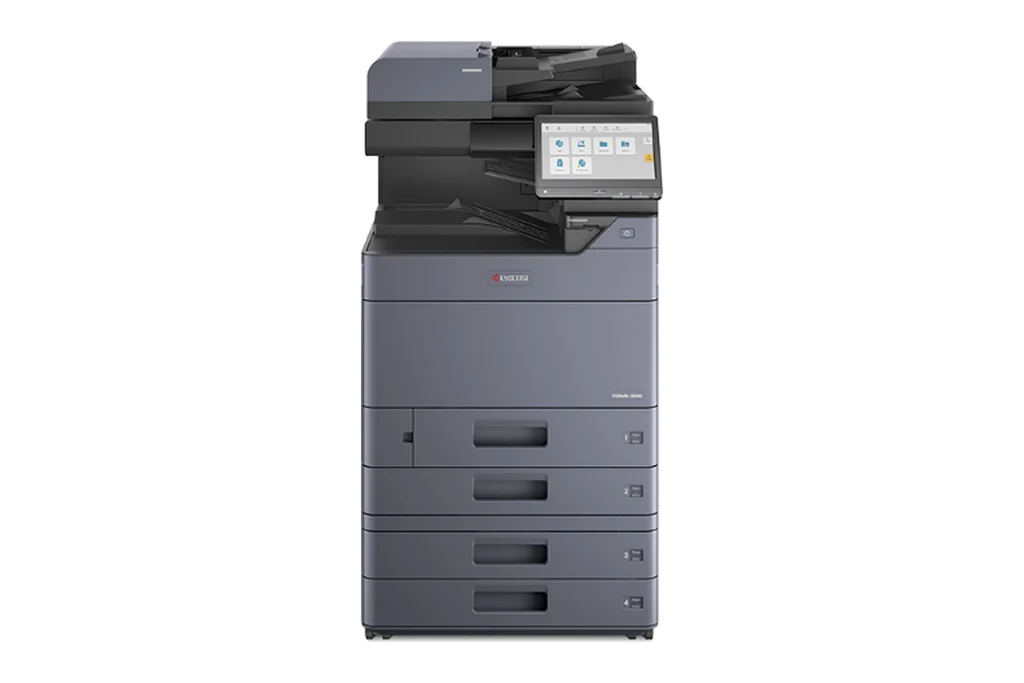
Kyocera accounts for 36 of our Perth bookings since 2017, second only to Brother, and it has more machines on our Perth service records than any other brand: ECOSYS M8124, M5526cdn, M2540, P6230cdn and P2235dw machines and FS-2020D printers, from Joondalup and Noranda to Canning Vale and Bullsbrook. New ECOSYS and TASKalfa machines are available to Perth businesses with a service agreement too.
Kyocera on our Perth records
From our own records: the booking desk (casual calls booked, 2017 to 2025) and our service records (the machines we have serviced since 2017). Neither is the whole list.
Models we see most
- FS-2020D
- ECOSYS M2540
- ECOSYS M8124
- ECOSYS P6230cdn
- ECOSYS P2235dw
- ECOSYS M5526cdn
Where they are
- Joondalup
- Noranda
- Canning Vale
- Bullsbrook
Kyocera is second among the brands we are booked to in Perth, and seven Kyocera machines are on our service records there.
The Kyocera machines we look after in Perth
TASKalfa 3051ci, TASKalfa 3551ci, TASKalfa 4551ci and TASKalfa 5551ci, and the later TASKalfa ci ranges.
The TASKalfa mono A3 multifunctions.
ECOSYS M8124cidn and ECOSYS M8130cidn.
ECOSYS P5026cdw, ECOSYS M5526cdw, ECOSYS P6035cdn and ECOSYS P7040cdn.
ECOSYS P2035d, ECOSYS P2135d and ECOSYS P4040dn, and the newer MA and PA models.
FS-2100DN and FS-4100DN.
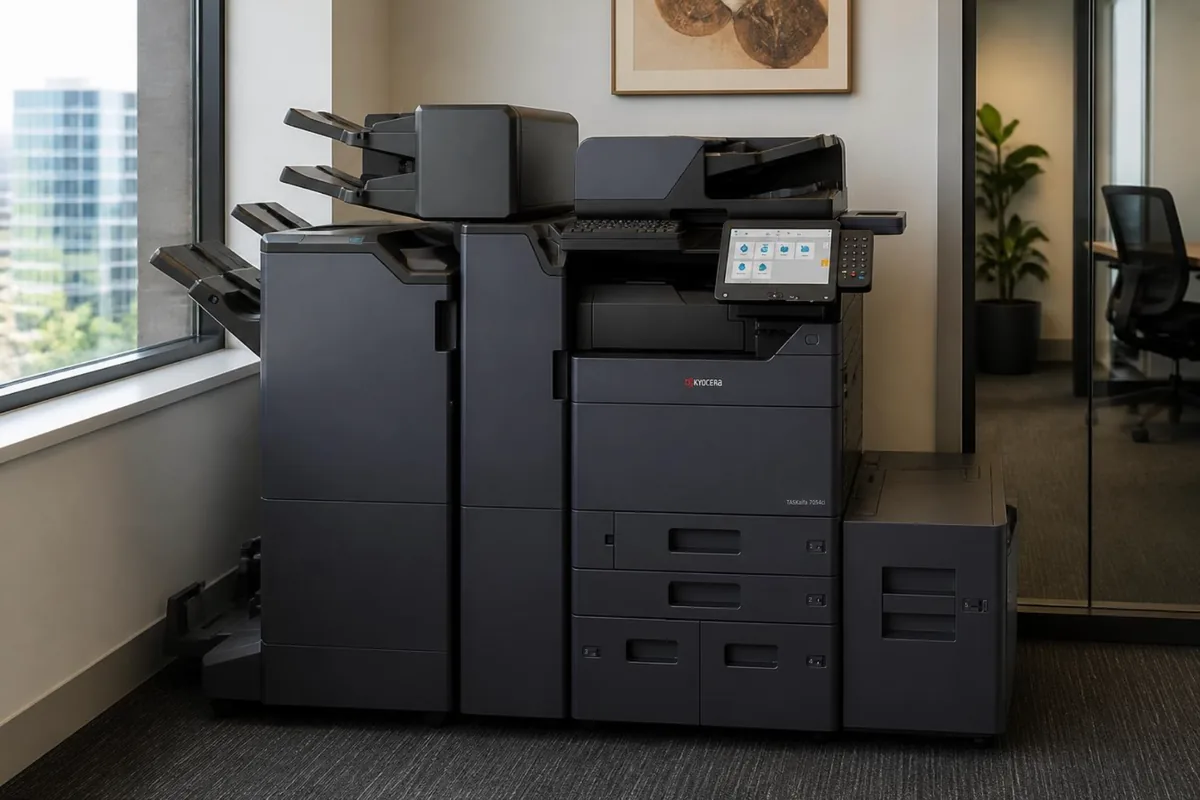
Kyocera TASKalfa 7054ci, one of the Kyocera photocopiers we repair in Perth.
Kyocera photocopier repairs in Perth: the faults we fix
Each Kyocera drum unit and developer unit carries a memory chip the machine reads when it starts. C7901 to C7904 mean a drum unit chip could not be read, C7911 to C7914 a developer unit chip, and C7401 to C7404 that a developer of the wrong type is fitted. If a unit was changed recently, say so, because that part is checked first.
After the transfer belt unit is replaced, or out of the blue, C1950 can appear: the machine could not read the memory chip on the TR unit. C2760 is the transfer motor failing to reach speed, and C2810 the inner waste toner motor stalling, which stops used toner being carried away. Each one needs a technician, so write the code down and shut down properly.
Feeding trouble from the MP tray on the side, letter D on the panel, often comes down to loading: too many sheets, guides left loose, or card fed without the matching paper type selected. C1000 means its lift plate did not reach position. For the optional paper feeder underneath, letter C, C1800 means the machine has lost contact with it entirely.
Kyocera codes we are called to in Perth
If your Kyocera shows one of these, the code alone tells us a lot about the parts to bring:
| Code | What it points to | Restart? |
|---|---|---|
| C7401 to C7404 | A developer unit of the wrong type has been fitted. The technician checks the unit against the model. | Needs a technician |
| C8230, C8240 | The staple motor in the finisher has failed, frequently after a string of staple jams. | Needs a technician |
| C8500 | The machine lost contact with the mailbox option. A proper restart often brings it back; repeats need a look. | Worth one restart |
| C9000 | Communication with the document processor dropped. Sometimes mismatched firmware between the processor and the machine is behind it. | Needs a technician |
| F040 | The main board lost contact with the print engine. Shut down with the power key, then the main switch, and restart. | Worth one restart |
| F278 | The machine was turned off at the main switch before it had shut down. Press the power key first next time. | Worth one restart |
Before you book a Kyocera call
Three things that help the technician arrive with the right part:
- Whether a print fault shows in one colour or all of them. A streak in one colour points at that colour's drum unit or developer unit, DK or DV.
- Which cassette is jamming, or the multipurpose tray, and whether the document processor jams as well.
- The exact model, such as ECOSYS M5526cdw or TASKalfa 3253ci. ECOSYS and TASKalfa parts are not interchangeable.
Before you ring, these are worth a minute:
- If the panel asks for maintenance, note the exact wording: Replace MK, or the unit it names, and which colour. That tells the service desk which kit or unit to send.
- If the panel says to check the waste toner box, make sure it is seated properly. A full box has to be replaced before the machine will print again.
- If the machine was moved recently and now shows a scanner code, tell the service desk, because the scanner lock may still be engaged.
Every Kyocera code family, and which ones clear with a restart
Booking a Kyocera repair in Perth
Ring (08) 6243 1734 with the Kyocera model and the fault. You hear the attendance charge before anyone is sent, the technician finds the cause where the machine stands, and parts are shipped to you so the job keeps moving.
Kyocera printer and copier repairs in Perth
Older Kyocera machines are often still sound: an FS-2100DN printer, say, or a TASKalfa 3051ci multifunction from the generation before the current ci ranges. Kyocera built them around replaceable units, so the age on the label is rarely the real question. A worn roller or a tired fuser unit is routine on any of them; a failed main board or laser scanner unit is a bigger decision on an older photocopier.
The technician weighs the code, the counter and what else is close to its count, and confirms the parts can still be sourced for that model before any work goes ahead. If you already plan to replace the machine, say so when you book: the copier repair can be limited to what keeps it working, rather than a full MK that would outlast your plans. If you are keeping it, fitting the kit at its count is what makes printer repairs on an older Kyocera printer pay off.
Repair or replace your Kyocera photocopier?
Whatever the machine, the technician starts with the codes, the counters and the history of kits fitted, not a guess. A machine that has needed different repairs on each recent visit tells a different story from one with a single clear fault. You hear plainly what is wrong, what part it needs and whether the machine is worth it before anything is ordered, and the decision stays yours.
When replacement is the better answer, new machines are on our new copiers page, delivered and set up in Perth.
Keeping a Kyocera photocopier running in Perth
Perth summers are long, hot and dry, and a Kyocera in a warehouse office in Welshpool or Kewdale, or a sunny front office, can run hot enough to slow down or stop. Leave the machine space to breathe, keep it out of direct sun, and do not box it in with shelving or stock.
- Load cassettes below the limit mark and push the guides gently against the stack. A loose guide lets sheets skew, and an overfilled cassette is a common source of J0501 to J0519 jams.
- Book the maintenance kit when Replace MK appears instead of clearing the message and carrying on. The kit is designed to go in before its parts start damaging print quality.
- Before the machine is moved, even across the room, call the service desk. A move can need the scanner locked, and C3100 after a move is often a lock left on.
Kyocera service agreement or a one off repair?
Toner is included on the agreement and freight is charged on each delivery. Maintenance kits and units such as the DK, DV and FK are life parts, fitted at their page counts on a service visit, which suits the way Kyocera designed its machines to be looked after. The Replace MK message then becomes a booking rather than a surprise.
Parts for a Perth Kyocera are shipped to your office ahead of the return visit, so the job keeps moving without a second diagnosis. How our service agreements work.
Across Perth
We attend Kyocera machines anywhere around Perth, including:
- Fremantle
- Bibra Lake
- Jandakot
- Rockingham
- Perth CBD
- West Perth
- East Perth
- Northbridge
Every area we cover is on our Perth page. For Kyocera toner, parts and new machines, see our Kyocera page.
How a service call works
- Tell us the faultMake, model and what the machine is doing. A photo of any error on the screen helps.
- Charge confirmedWe confirm the attendance charge when you book, before anyone is sent.
- Diagnosed on siteThe technician finds the cause and fixes what can be fixed on the visit.
- Nothing extra without a yesAny part or further work is quoted to you before it goes ahead.
Common questions
Do you service Kyocera printers in Joondalup?
Yes. Joondalup has more Kyocera machines on our Perth records than any other suburb, and we cover the northern corridor through Wangara and Malaga as well.
Do you service ECOSYS desktop printers as well as TASKalfa copiers?
Yes, both. ECOSYS printers and multifunctions on desks and in branches, and TASKalfa copiers in the office, colour and black and white.
Which parts of Perth do you cover?
The CBD, West Perth and Osborne Park, the northern corridor to Joondalup and Wangara, the industrial east through Welshpool, Kewdale and Canning Vale, and south to Fremantle, Bibra Lake and Rockingham. Call to check your suburb.
Are your technicians qualified?
All our technicians are trained and certified.
What should I tell the service desk about my Kyocera?
Give the model, the code with its letter, and the jam letter if there is one. Say what the machine was doing, whether it still copies or prints, and the total page count from System Menu. If the panel named a kit or unit, give its name. A photo of the panel helps, and it lets the technician bring the right parts to the first visit.
Should I keep my Kyocera copier when the lease ends?
Look at the page count and what is due. A Kyocera with its kits fitted on time and no faults outside them can carry on well on a DSA service agreement. If several units are due together, or a board has started to fail, replacing may make more sense. Ask for the counters and the kit history to be checked before you decide.
Can heat in a Perth warehouse stop a Kyocera printing?
It can. Copiers make heat of their own, mostly at the fuser, and a hot room leaves them less margin. Give the machine space at the back and sides and keep it out of the sun; if it still shuts down, book a call.
Kyocera repairs in other cities
Kyocera parts, by part number
Know the part you need? Our Kyocera spare parts list can be searched by part number or by model. Ask the service desk for the part on its own, shipped to your office, or fitted by our local technician in Perth. A few more parts that fit TASKalfa models are on our Copystar parts list.
Other brands we repair in Perth
DSA is an independent service provider. Kyocera is a trademark of its owner and is used here only to describe the machines we service.